pag.
4
Industrial PC - COPILOT 15" Mini-ITX
Order Code 2E00xxxxNovember 2020 - Rev. 1.3
Figure 3.1.1
3.2 LED placed on the front
panel
The power status can be determined from the button
on the front panel:
GREEN LED: Mains voltage OK. PC on
3.3 Touch-Screen
The COPILOT 15" Mini-ITX' has an innovative capaci-
tive back-projected touch screen (PCAP) with 10 possible
touches at the same time.
System Electronics can provide dierent settings to
cover the dierent needs of the operator interface:
from the operation with gloves or in dirty environments
to the optimization in the precision of the touch, up to
the naturalness of the gestures with Windows (rotation,
movement and zoom with the hand).
3.4 Default settings of touch
parameters:
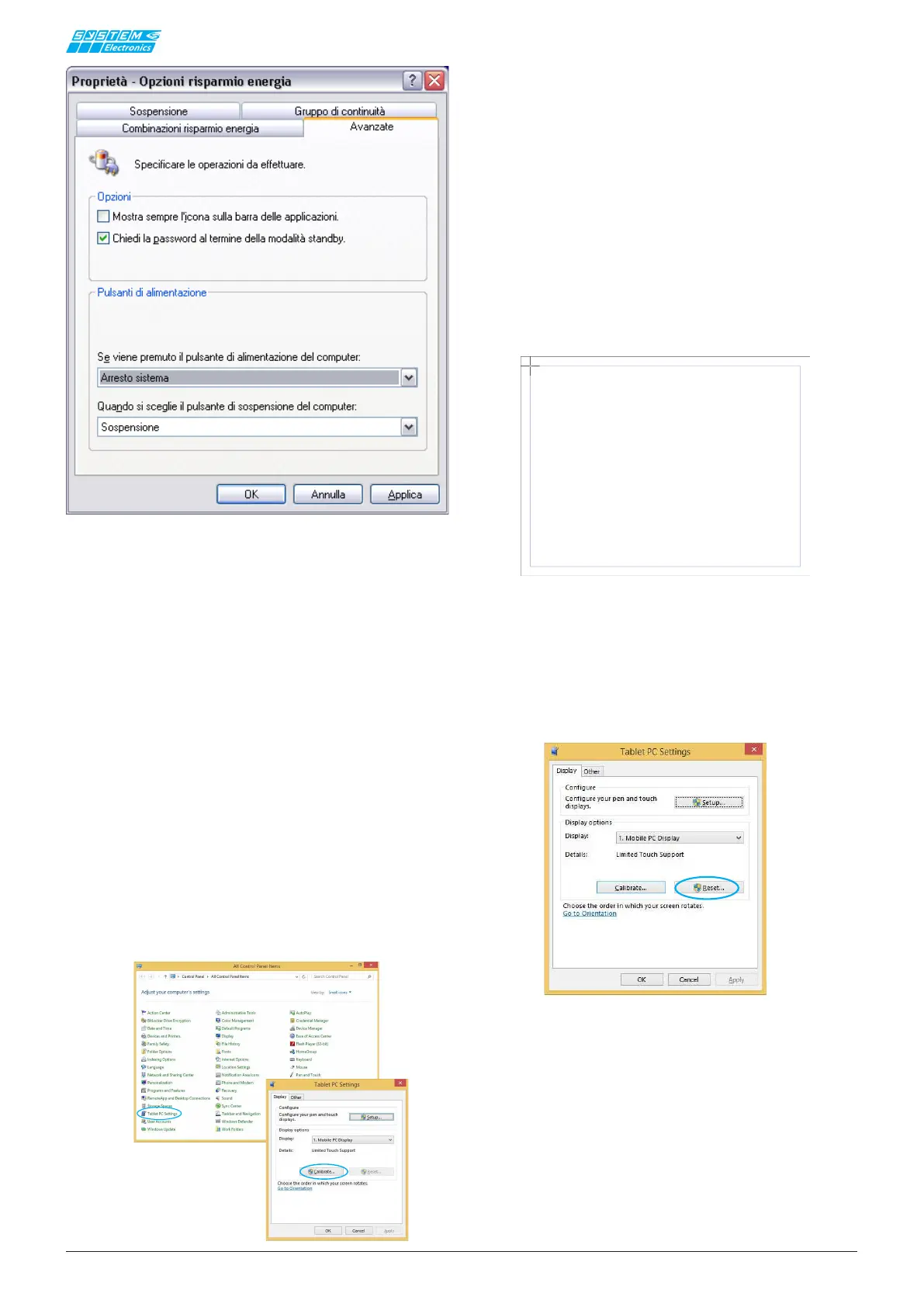
To reset the factory settings again, select the "RESET"
button from the TABLET PC SETTING window
Figura 3.4.1
NOTE
The COPILOT 15" Mini-ITX PC does not require spe-
cic drivers; the native Windows drivers are used for
touch-screen operation.
The COPILOT 15" Mini-ITX' PC does not normally
require calibration procedures, as it is already optimized
during production.
If there is a need to optimize the calibration of the tou-
ch-screen follow the procedure below.
In the Tablet PC Settings section, press the "CALIBRATE"
button:
To test the calibration of the touch screen, touch the
crosshairs each time they appear on the screen with
one nger.
Click in a random spot on the screen to return to the
last calibration.
Press ESC to exit.
Do not change the orientation of the monitor until you
have completed the calibration process.


 To Next Page