9. Replace the Top Case.
10. Reconnect all cables and peripherals.
Replacing an M.2 Drive
Replacing an M.2 drive is simple, but may require removal of the GPU or CPU Cooler Shroud for
easier access. A cross-head (Phillips) screwdriver is required.
Tools required: Fingers or Cross-head (Phillips) screwdriver.
Time estimate: 5-10 minutes.
Difficulty: Easy - Medium
Screws: 5 total
- 4 Thumbscrews (Phillips/Crosshead).
- 1 M.2 securing screw (per drive).
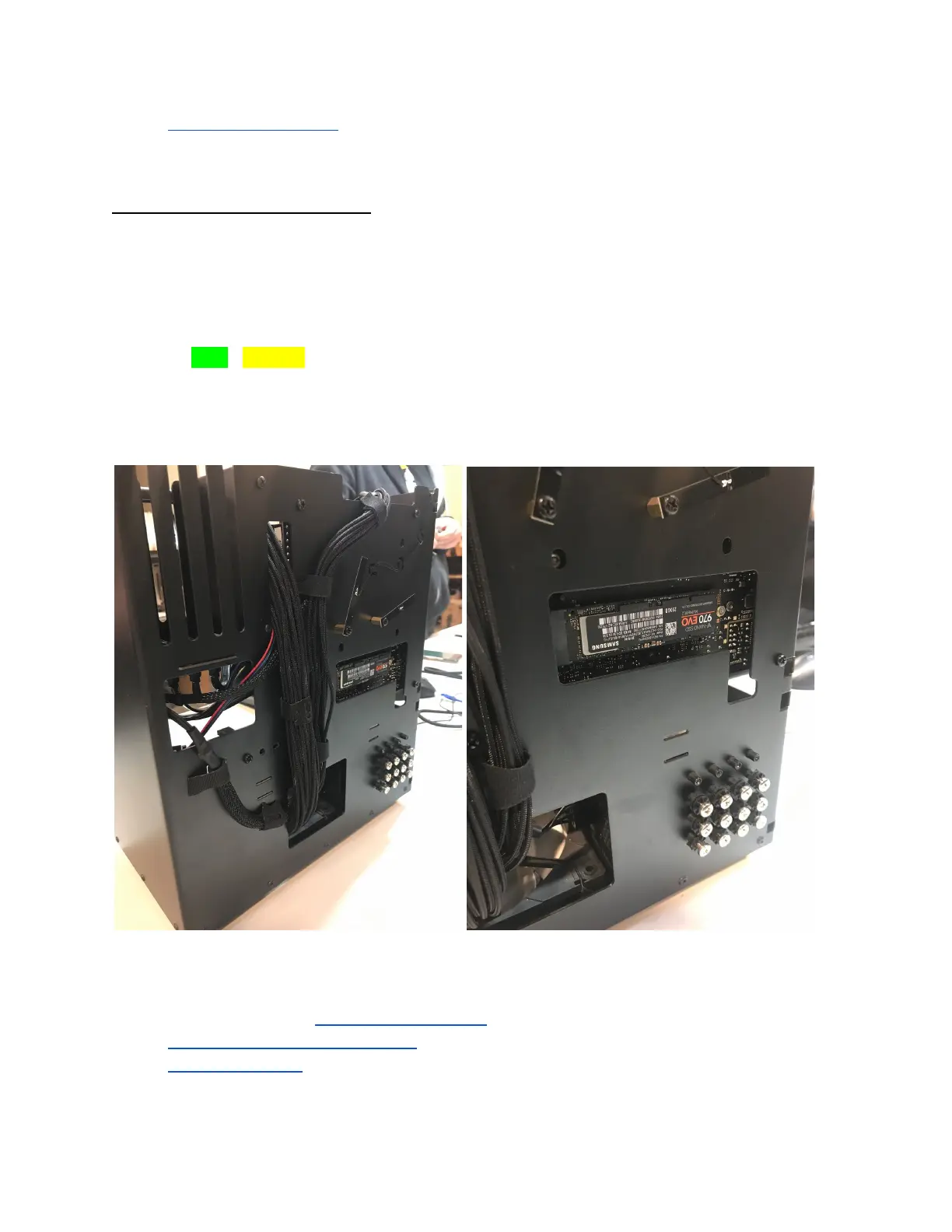
Fig. 32: Thelio’s rear M.2 drive slot and rear case (left), close up view (right).
11. Follow the steps to Remove the Top Case.
12. Remove the CPU Cooler Shroud (if applicable).
13. Remove the GPU (if applicable).
14. Unscrew the M.2 screw opposite the M.2 slot. Set it safely aside.
System76 Thelio (thelio-b1)
29


 To Next Page