About the SAVE CONNECT module |
1
1 About the SAVE CONNECT module
SAVE CONNECT module is a device that allows to control SAVE ventilation unit with a mo-
bile application or any internet browser. The SAVE CONNECT module also provides addi-
tional features: software updates, Local Modbus TCP to RTU conversion mode,
configuration file storing/import and export functions and remote technical service
possibilities.
Note:
SAVE CONNECT module uses TCP/IP port 8989 for outgoing connections.
The package contains: SAVE CONNECT module, power supply cable and adapter (230 V),
Modbus cable RJ10, CE/CD-diverting plug, Ethernet cable and 4 adhesive magnets for
easy installation.
2 Installation and configuration
Units with external control panel need a CE/CD diverting plug since both external control
panel and SAVE CONNECT module use the same socket in the connection box and on the
main circuit board.
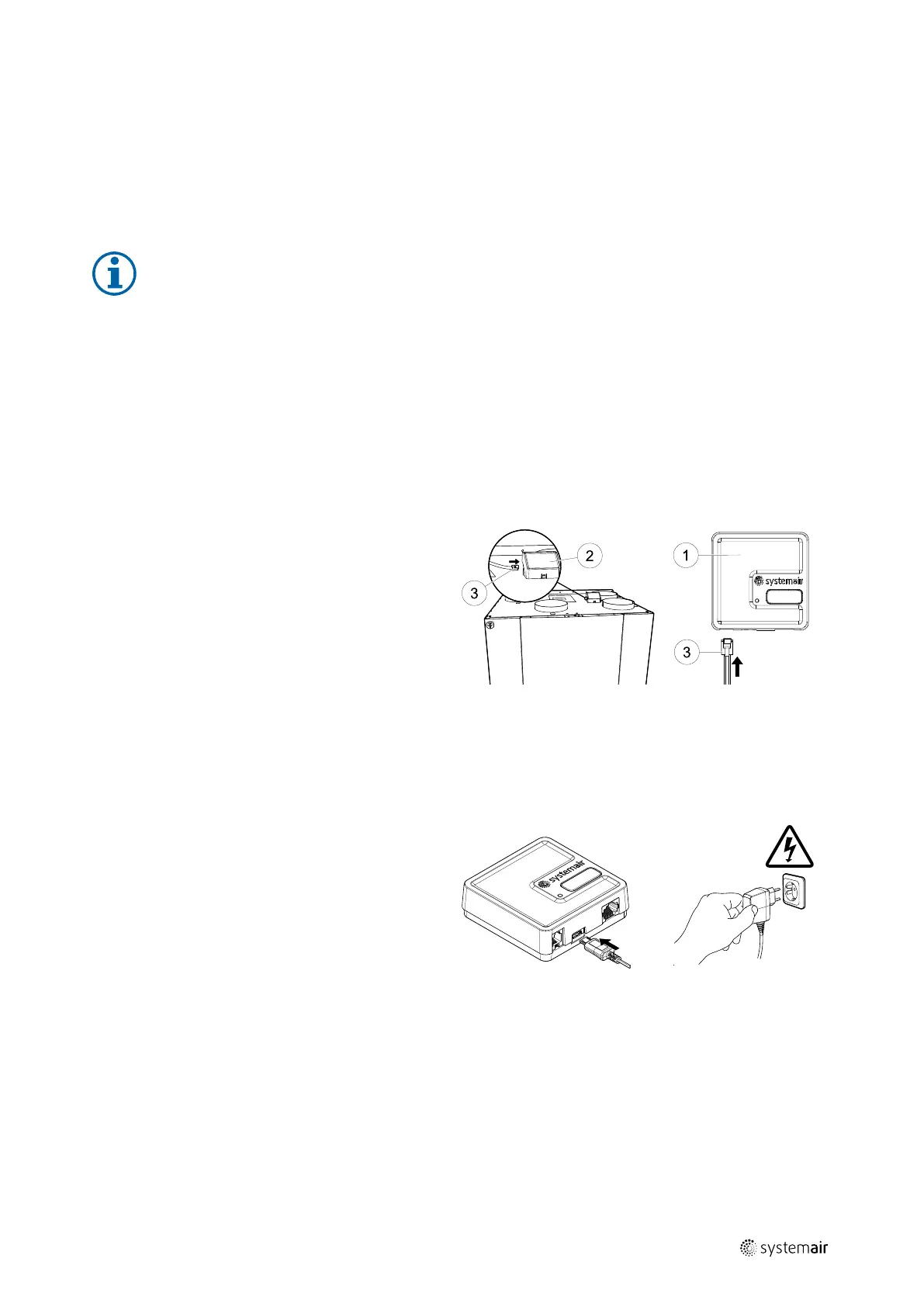
1 Connect the SAVE CONNECT module
(pos. 1 ) to the connection box (pos. 2)
with a cable RJ10 (pos. 3).
If the unit has more than one control
panel, disconnect one of the control
panels from the connection box.
Connect the control panel and SAVE
CONNECT module to CE/CD-diverting
plug. Then connect CE/DC-diverting plug
to the connection box using a cable
(RJ10).
2 Connect power to the SAVE CONNECT
module (micro USB port).
After connection to power supply, green
LED will start blinking fast.
Fast blinking indicates that the SAVE
CONNECT module is trying to connect to
the internet.
Different options are available for connection to the internet:
• Ethernet cable connection. See 2.1 Connection to Internet with Ethernet cable, page 2.
If Wired connection is an option (recommended).
• Wireless connection using WPS function. See 2.2 Wireless connection using WPS func-
tion, page 2.
If wired connection is not an option and home router supports WPS function.
• Wi-Fi connection setup using control panel. See 2.3 Wi-Fi connection setup using a
control panel, page 3.
254977 | v6



 To Next Page