4
| Installation and configuration
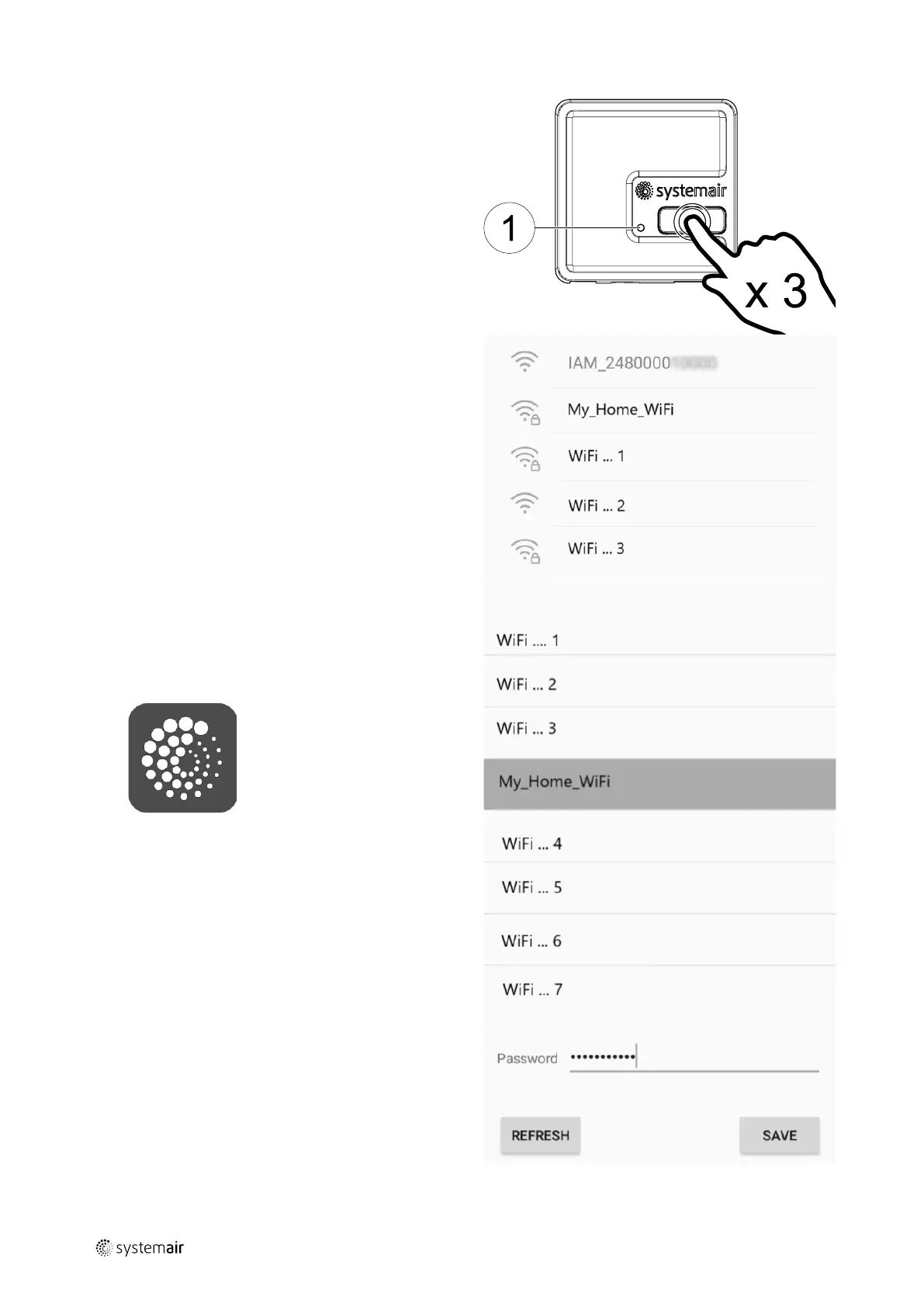
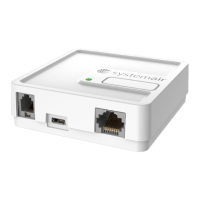
1. Activate a hotspot mode by pressing a
button on the SAVE CONNECT module 3
times in 3 seconds. Orange colour LED
(1) should start blinking.
The SAVE CONNECT module will reboot
and switch to the hotspot mode – broad-
casting its own Wireless Local Area Net-
work (WLAN). Name of the broadcasted
WLAN matches the IAM ID (IAM_
2480000xxxxx).
2. Connect to the broadcasted WLAN
(IAM_2480000xxxxx). The ID is printed
on the backside of the SAVE CONNECT
module.
This network is open and no password is
required to connect to it. The SAVE CON-
NECT WLAN will be broadcasted for 5
minutes or until the configuration is
completed.
3. Launch the SAVE CONNECT application
once connected to the SAVE CONNECT
WLAN (for application download and set-
tings instructions refer to 5 First login to
SAVE CONNECT application).
Application will automatically scan for
available Wi-Fi networks, this process
can take up to 20 seconds. Choose de-
sired network and enter the security
password. Press SAVE.
This will enable the SAVE CONNECT mod-
ule to connect to your home network.
254977 | v6



 To Next Page