
 Need help?
Do you have a question about the T-Mobile G2 and is the answer not in the manual?
Explains battery usage, charging, and care for optimal performance.
Guides through the initial setup process after powering on the phone.
Explains basic touch gestures like tap, drag, swipe, and pinch.
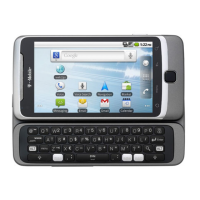
Covers input methods including hardware QWERTY and onscreen keyboards.
Explains how to connect to cellular networks and manage data settings.
Guides on finding, connecting to, and managing Wi-Fi networks for internet access.
Details how to initiate and conclude phone calls using the Phone application.
Explains how to handle incoming calls, including answering or diverting them.
Explains how to manually add new contact information to the phone.
Guides on adding and managing Google and other accounts for data synchronization.
Explains how to access the Gmail application and view incoming messages.
Details the process of writing and sending new email messages.
Covers launching the camera and capturing photos or videos.
Explains how to acquire and install apps from the Market.
Manages Wi-Fi, Bluetooth, VPNs, and mobile network connections.
Manages location services, screen lock, and phone security.
 General
| RAM | 512 MB |
|---|---|
| Battery | 1300 mAh |
| OS | Android 2.2 (Froyo), upgradable to 2.3 (Gingerbread) |
| Display | 3.7 inches |
| Processor | 800 MHz Qualcomm MSM7230 |
| Storage | 4 GB internal, microSD expandable up to 32 GB |
| Rear Camera | 5 MP |
| Network | GSM 850 / 900 / 1800 / 1900 |
| Weight | 180 g |
| Connectivity | Wi-Fi 802.11 b/g/n, Bluetooth 2.1 |
| Keyboard | Slide-out QWERTY |
| Standby Time | Up to 430 hours (2G) / Up to 430 hours (3G) |












 To Next Page