Page 48 AR-G2/AR 2000ex/AR 1500ex Getting Started Guide
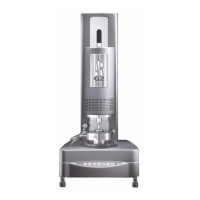
Installing a Geometry
1 Switch on the air and remove the bearing clamp by turning the draw rod counterclockwise (anti-
clockwise).
2 Push the geometry up the spindle and hold it while locating the draw rod in the screw thread of the
geometry.
3 Screw the draw rod upwards (clockwise). It should be screwed finger tight but not forced.
To remove the geometry, perform this operation in reverse.


 To Next Page