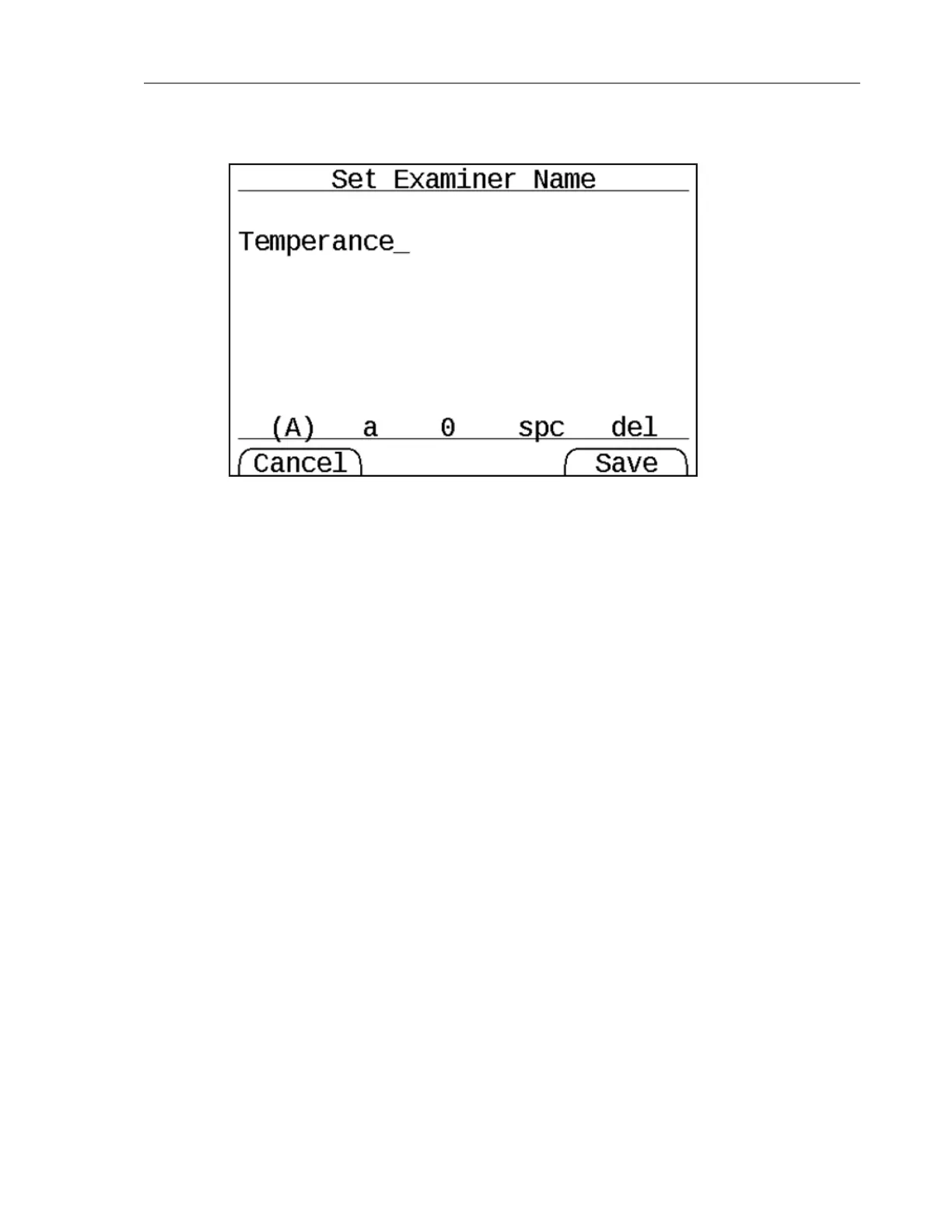
If you are using an external keyboard, entering the Examiner Name is fairly straightforward.
Using the TD2u keypad requires scrolling through individual characters. The characters are
divided into four categories that appear at the bottom of the screen:
l Capital letters (A)
l Lowercase letters (a)
l Numbers (0)
l Space (spc)
A set of parentheses appears around the currently selected category. In the above display,
capital letters is selected.
For capital letters, lowercase letters, and numbers, use the Up and Down buttons to scroll
through characters.
Press the center button on the keypad to select a character.
To delete the last character you entered, select del from the keypad.
To clear all text, use the right arrow to move to the del item and press the up or down arrow.
This should change del to clr. Selecting this by pressing the center button clears all text.
Imaging Setup (Menu 7.2)
Imaging Setup lets you specify options related to disk imaging operations.
22 Tableau TD2u User Guide Version 1.3.0


 To Next Page