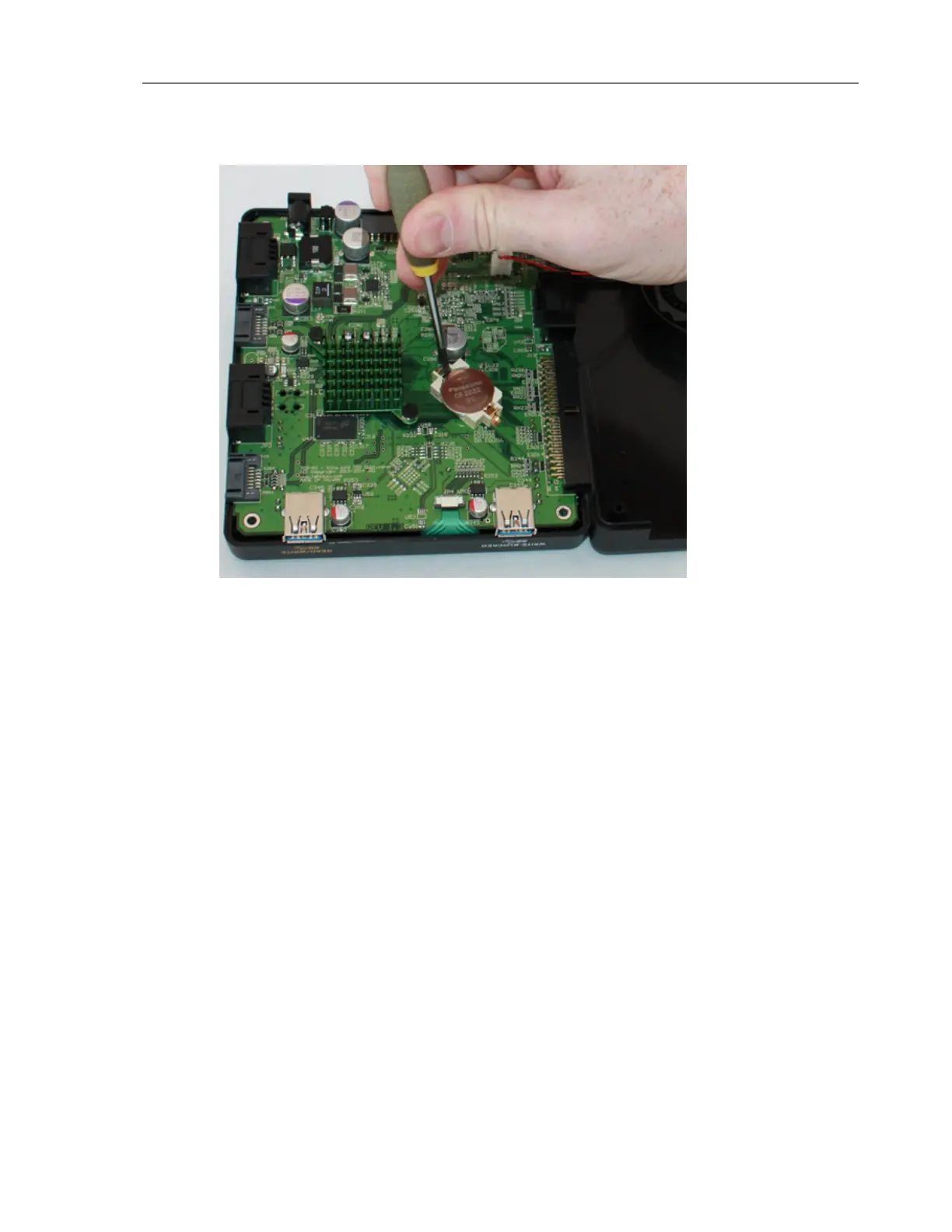
8. Using a compatible battery, replace the RTC backup battery, making sure that the pos-
itive terminal of the battery is facing upward. For a list of compatible batteries, see
Compatible Batteries on page64.
9. After replacing the battery, reattach the case:
o
Carefully place the bottom plastic section of the enclosure straight down on top of
the PCB, while aligning the screw openings with the appropriate connectors on the
PCB.
o
Ensure that the case and main circuit board are aligned and replace the four case
screws. The four screws that hold the TD2u case together also secure the main cir-
cuit board.
o
After replacing the four case screws, inspect the TD2u to ensure the case is tightly
secured.
Testing the New Battery
After you have securely fastened the TD2u case, return it to its normal upright position and
attach just the TP5 power supply. Turn the TD2u on and observe the startup sequence. You
should not see a battery warning dialog, but you will probably see a date/time warning to
reset the RTC.
CHAPTER 4 Troubleshooting and Support 67


 To Next Page