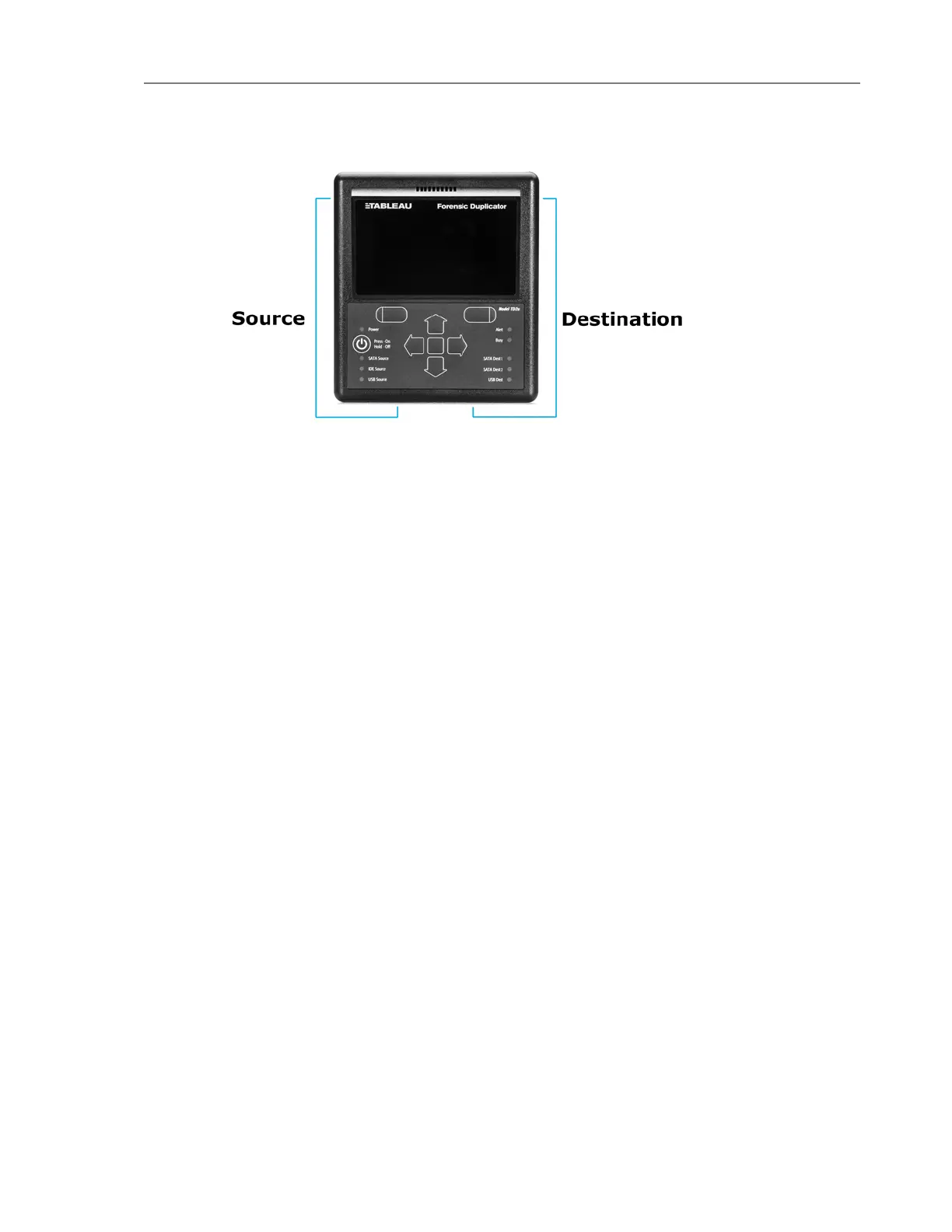
The following procedure provides the steps for connecting hard disks to the TD2u. This
procedure applies to typical 3.5" SATA and IDE hard disks.
To connect hard disks to the TD2u:
1. Confirm that the TD2u power is off (the Power LED will not be lit).
2. Connect the source disk with its signal cable to the signal input on the left side of the
TD2u using the appropriate cable.
o
TC6-8 IDE signal cable
o
TC3-8 SATA signal cable
o
For USB hard drives, use the cable shipped with the USB drive, or a Tableau TCUSB3-
18 cable
3. Connect the source disk with its power cable to the left side TD2u power input.
o
TC2-8-R2: IDE/SATA drive power cable
o
TC5-8-R2: SATA drive power cable
4. Connect the destination disk or disks to the right side of the TD2u with the appropriate
cable.
o
For SATA devices, use the TC4-8-R2 unified cable
o
For USB hard drives, use the cable shipped with the device or a Tableau TCUSB3-18
cable
5. On the back of the TD2u, connect the TP5 power supply to the TD2u power input.
6. Using the appropriate line cord, plug your TD2u into an AC power source. The green DC
Power In LED indicates that power is available at the power connector.
28 Tableau TD2u User Guide Version 1.3.0


 To Next Page