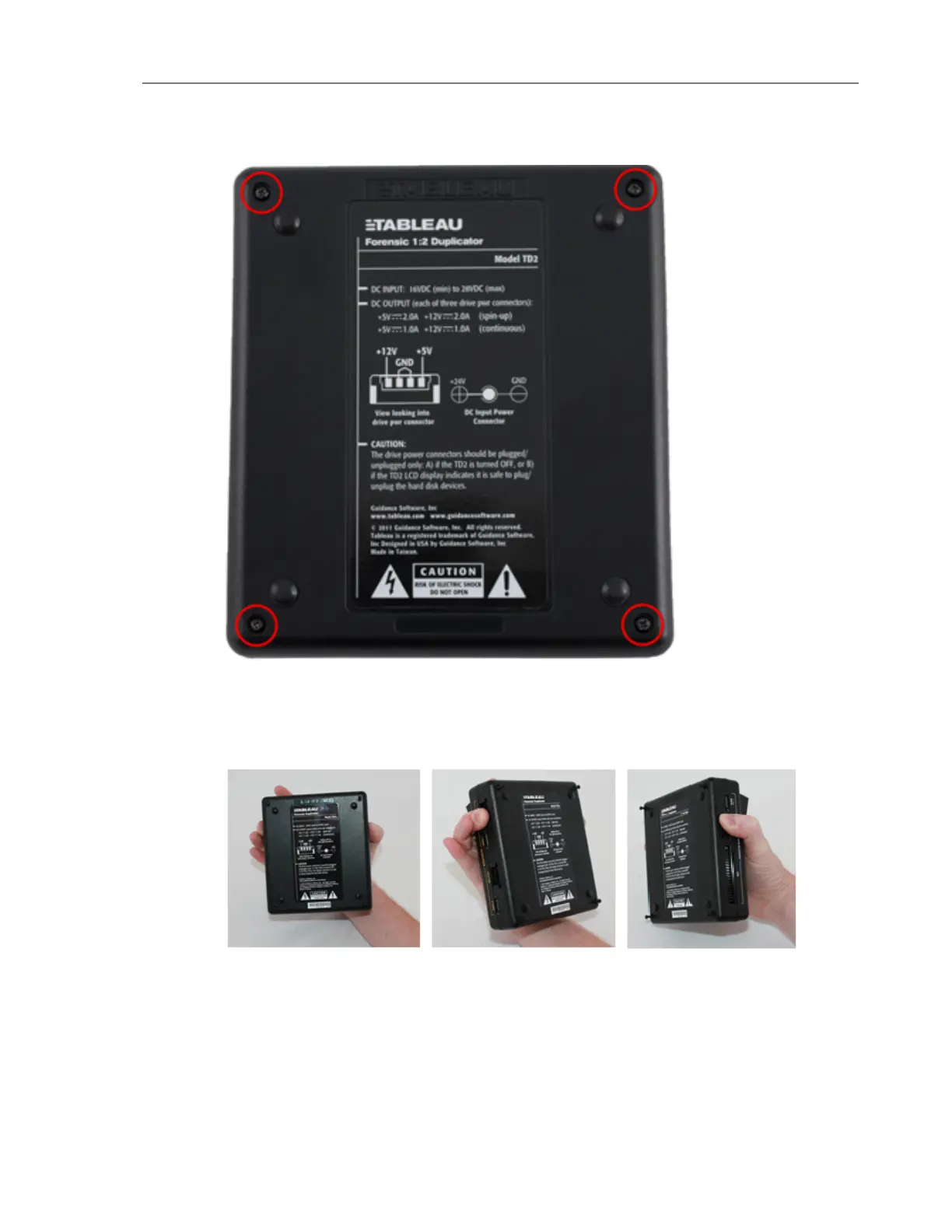
4. If possible, hold the TD2u with one hand as shown in the pictures below. Hold one of the
3M power connectors one each side. This will allow the PCB (Printed Circuit Board) to
stay with the top of the case when the bottom is removed.
5. The fan used in the TD2u is attached to the lower half of the plastic case. Carefully lift the
lower half of the case away from you.
6. Set the TD2u on a flat surface, as shown below. So as to not stretch or disconnect the
cable from the fan, keep the bottom of the case as close to the rest of the unit as pos-
sible.
CHAPTER 4 Troubleshooting and Support 65


 To Next Page