EasyManua.ls Logo

Tactile Medical Flexitouch PD32-U - User Manual

Default Icon
27 pages
Print Icon
To Next Page IconTo Next Page
Loading...
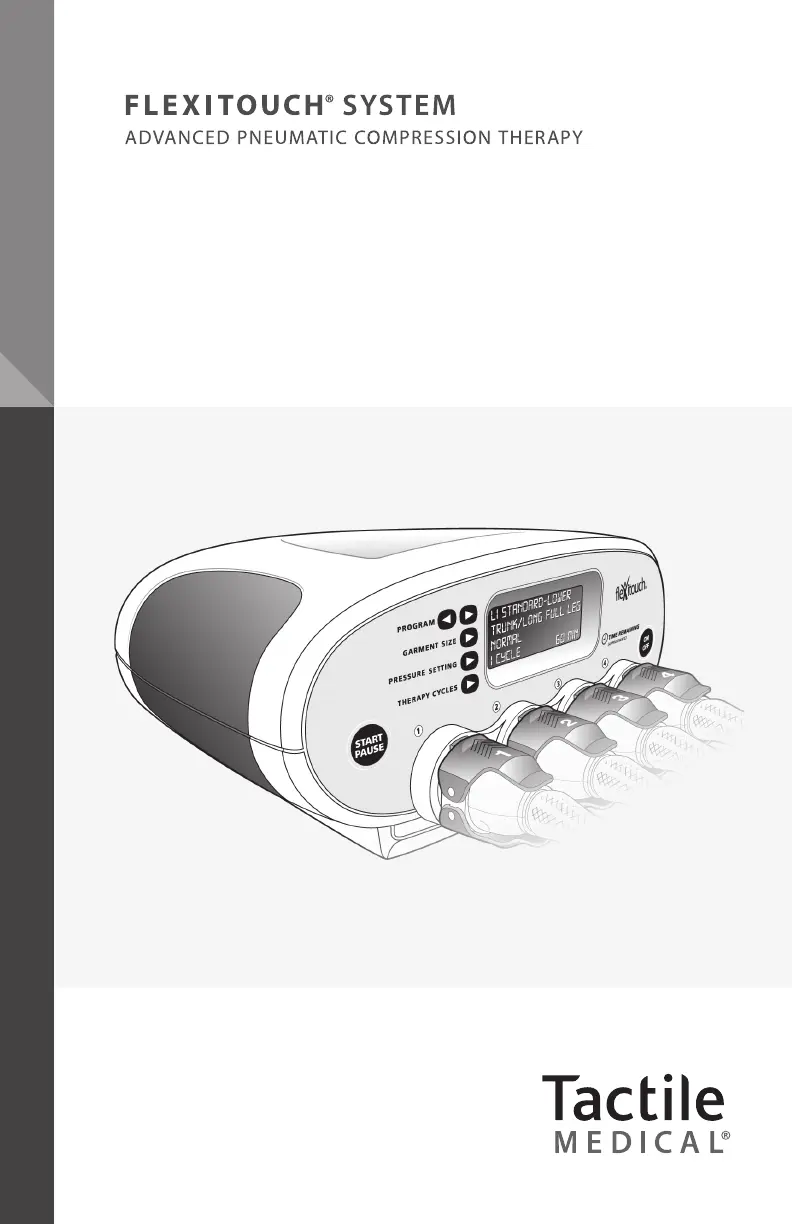
FLEXITOUCH
|
USER GUIDE
User Guide
Model PD
32
-U (U.S.)

Questions and Answers

  • S
    susan85Aug 17, 2025
    What to do if Tactile Medical equipment hook fasteners do not stay closed?
    • N
      npatrickAug 17, 2025
      To resolve issues with Tactile Medical equipment hook fasteners that won't stay closed, first, clean any debris from the Velcro® hook fasteners using a stiff brush, a lint roller, or by patting it with tape. If the issue persists, contact Tactile Medical for closure straps. These straps can help hold the fabric closed by attaching to an unworn part of the fabric, especially if the fabric is worn out with continued use.
  • D
    Donald SmithAug 20, 2025
    Why are the chambers not filling in the expected pattern with my Tactile Medical equipment?
    • A
      avelazquezAug 20, 2025
      If the chambers of your Tactile Medical device are not filling as expected, ensure the connectors are correctly attached to the controller, with both the top and bottom latches securely engaged. Also, verify that the connectors are attached to the correct controller connectors by checking the corresponding numbers. Confirm that you've selected the correct program and garment size. Note that some programs don't inflate adjacent chambers sequentially in the first half of the treatment.
  • M
    Michael CooperAug 22, 2025
    How to fix a Tactile Medical controller that does not function?
    • C
      Crystal ArnoldAug 23, 2025
      If the controller of your Tactile Medical device does not function or the display does not illuminate, first, disconnect the power cord from the back of the controller and then reconnect it, making sure it's fully inserted into both the controller and the wall outlet. Then, press the ON/OFF button. The display’s backlight should illuminate, showing the program options. If it still doesn't work, contact Customer Service.
  • C
    Curtis MendezAug 26, 2025
    What to do if Tactile Medical equipment chambers do not fill with air?
    • G
      Gregory HendersonAug 26, 2025
      If the chambers of your Tactile Medical equipment are not filling with air, first, verify that the correct program has been selected and press the START/PAUSE button. Next, check that the connectors are correctly attached to the appropriate controller connectors, ensuring that both upper and lower connector latches are engaged. If they still do not fill, turn the machine off, detach the connectors, and turn it on again. Press the START/PAUSE button to begin a treatment session. If you feel air coming out of the connectors, reattach them and check again.
  • M
    Melissa HodgesAug 28, 2025
    Why are the chamber pressures higher or lower than expected in my Tactile Medical equipment?
    • J
      Joshua AlvaradoAug 28, 2025
      If the chambers of your Tactile Medical equipment have pressures that are higher or lower than expected, verify that the correct program and garment size have been selected. Adjust the fit of the garment, making sure there are no folds or kinks in the fabric. Check that the latches are firmly in place and attached to the correctly numbered port.
  • A
    Amy SimpsonAug 30, 2025
    Why does my Tactile Medical controller run longer than expected?
    • A
      Arthur GarciaAug 30, 2025
      If your Tactile Medical controller runs longer than expected, first verify that the selected PROGRAM and THERAPY CYCLES are as recommended by your healthcare provider. After all treatment sessions are done, make sure the display shows DONE in the area where TIME REMAINING appears. If the controller continues to operate after DONE is displayed, or if the TIME REMAINING is incorrect, call Customer Service. Remember that new program settings are stored only after you press the START/PAUSE button to start the treatment program.
  • M
    Matthew FosterSep 2, 2025
    What to do if Tactile Medical equipment chambers remain inflated?
    • M
      Maureen DillonSep 2, 2025
      If the chambers of your Tactile Medical garment remain inflated, first ensure that the tubing is not kinked or pinched. If not, disconnect the connectors, and the chambers should deflate. Note that it is normal for a small amount of air to remain in the chambers between inflations, giving the garment or accessory a puffy appearance.
  • J
    Joan RiveraSep 5, 2025
    Why is my Tactile Medical controller making an abnormal noise?
    • C
      cgarnerSep 5, 2025
      If the Tactile Medical controller is making an abnormal noise, stop the treatment session by pressing the START/PAUSE button and check if the noise stops. Make sure the hoses from your garments are not kinked or pinched. Verify the program selection and garment size match the garments being used, and that the correct garment connectors are connected to the correct port on the controller. Restart the treatment by pressing the START/PAUSE button. If the noise continues, contact Customer Service.
  • J
    Jodi PhelpsSep 8, 2025
    How to change program settings on Tactile Medical equipment?
    • N
      Nancy EvansSep 8, 2025
      Once you start a treatment on your Tactile Medical device, settings cannot be changed until the treatment program has completed and DONE is displayed, or the ON/OFF button is pressed. To change program settings, first press the ON/OFF button. Then settings may be adjusted as described in this guide. Remember to save the settings on the controller, press the START/PAUSE button, and begin a therapy session.
  • S
    Savannah MartinezSep 12, 2025
    What to do if latches have broken on Tactile Medical equipment?
    • J
      Justin CisnerosSep 12, 2025
      Latches on Tactile Medical equipment can be replaced or reattached. Please call Customer Service for instructions.

Summary

Before You Get Started

How to Contact Tactile Medical

Provides contact details for customer service and technical support.

Safety Precautions and Explanation of Symbols

Details important safety warnings and explains common symbols used in the manual.

Indications for Use

Outlines the medical conditions for which the Flexitouch system is intended.

Contraindications

Lists conditions under which the Flexitouch system should not be used.

Unpacking Instructions

Guides users on how to unpack the Flexitouch system and check contents.

The Flexitouch System

System Components

Describes the main components of the Flexitouch system: controller and garments.

Programmed Pressure Levels

Explains how pressure levels are set based on physiological principles and provider recommendations.

Treating the Lower Extremity

Details how to treat the lower extremities with specific programs and illustrations.

Treating the Upper Extremity

Explains the process for treating the upper extremities with the system.

Treating the Head and Neck

Provides instructions for applying garments and using the system for head and neck treatment.

Controller Set-Up

Setting Up the Controller Unit

Step-by-step guide for connecting and setting up the controller unit.

Select Your Settings

Instructions on how to select programs, garment sizes, and pressure settings.

Garment and Accessory Application-Lower Extremity

Applying the Full Leg Garment

Detailed instructions for applying the full leg garment.

Applying the Full Leg Garment and Trunk Accessory

Guide on applying both the full leg garment and the trunk accessory together.

Applying the Calf-Foot Garment and Trunk-Thigh Accessory

Instructions for applying the calf-foot and trunk-thigh garments.

Garment and Accessory Application-Upper Extremity

Applying the Arm Garment

Step-by-step guide for applying the arm garment correctly.

Applying the Trunk Accessory and Arm-Shoulder Garment

Instructions for applying the trunk accessory and arm-shoulder garment.

Garment Application-Head and Neck

Applying the Head Garment and the Vest for Head and Neck

Detailed instructions for applying the head garment and vest.

Connecting the Hoses to the Controller

Connecting the Hoses to the Controller

Step-by-step guide for properly connecting the garment hoses to the controller ports.

Conducting a Therapy Session

Starting the Therapy Session

Instructions for initiating and conducting a therapy session.

Pausing the Therapy Session

Explains how to pause and resume a therapy session.

Post-Session Procedures

Covers session completion, turning off the unit, and proper storage guidelines.

Cleaning the Flexitouch System

Instructions for cleaning the controller and garments.

Troubleshooting and Specifications

Troubleshooting

Provides solutions to common problems encountered with the system.

Limited Warranty and Service

Details warranty terms and service information for home and facility use.

Product Information and Policies

Covers equipment lifetime, return policy, patents, and technical specifications.

For Additional Questions

Contact Information and Support

Provides contact details and support resources for Tactile Medical.

Tactile Medical Flexitouch PD32-U Specifications

General IconGeneral
Device TypePneumatic Compression Device
ModelFlexitouch PD32-U
Power SourceAC Power
ApplicationLymphedema
IndicationTreatment of lymphedema
Therapy TypePneumatic Compression Therapy
Treatment AreaLower Extremity
Garment TypeLeg Garment
Pressure SettingsAdjustable
Cycle TimeAdjustable

Related product manuals