EasyManua.ls Logo

Tactile Medical Flexitouch Plus PD32-G3 - User Manual

Tactile Medical Flexitouch Plus PD32-G3
41 pages
Print Icon
To Next Page IconTo Next Page
Loading...
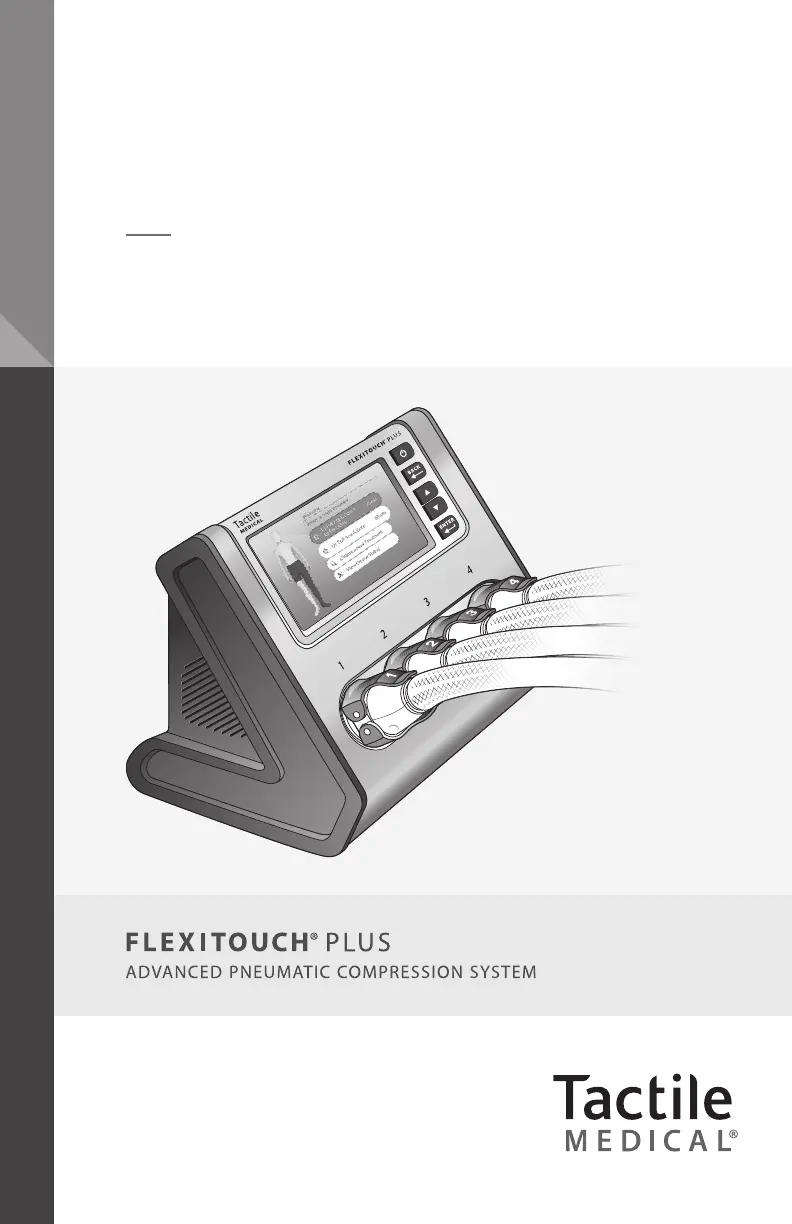
Flexitouch
®
Plus User Guide
Model PD32-G3

Table of Contents

Questions and Answers

  • B
    butlerlouisAug 17, 2025
    How to fix hook fasteners that don't stay closed on Tactile Medical equipment?
    • C
      Cynthia HensleyAug 17, 2025
      If the hook fasteners on your Tactile Medical equipment do not stay closed, it may be due to wear or debris. You can: 1. Clean the hook fasteners with a stiff brush, lint roller, or tape. 2. If the issue continues, contact Customer Service to request replaceable garment pads. Apply the pad to the loop surface where the hook fastener secures the garment. Then, secure the garment hook fastener to the new loop material on the replaceable pad when applying the garment for treatment.
  • M
    Melissa OlsonAug 20, 2025
    What to do if my Tactile Medical controller unit makes an abnormal noise?
    • K
      Kevin FieldsAug 20, 2025
      If your Tactile Medical controller unit is making an abnormal noise: 1. Stop the treatment session. 2. Check if the noise has stopped. 3. Ensure the hoses from your garments are not kinked or pinched. 4. Verify the program selection and garment size match the garments being used. 5. Ensure the correct garment connectors are connected to the correct port on the controller unit. 6. Restart the treatment. If the noise continues, contact Customer Service.
  • J
    John ChambersAug 22, 2025
    What to do if Tactile Medical chambers do not fill with air?
    • R
      Ruth BoothAug 22, 2025
      If the chambers of your Tactile Medical medical equipment are not filling with air and the controller unit screen displays a treatment failure message (R3, R4, or R5), take the following steps: 1. Verify the correct program has been selected. 2. Verify the connectors are attached to the correct controller unit connectors. 3. Ensure that both upper and lower connector latches are engaged. 4. If the chambers still do not fill, turn the machine off, detach the connectors and turn the machine on again. 5. Begin a treatment session.
  • S
    Sheila FergusonAug 25, 2025
    How to troubleshoot a Tactile Medical unit that won't turn on?
    • C
      Cynthia PhillipsAug 26, 2025
      If the Tactile Medical controller unit does not function or the display does not illuminate: 1. Disconnect and reconnect the power cord from the back of the unit, ensuring it's fully inserted into both the unit and the wall outlet. 2. Press the power button. The display's backlight should illuminate, showing the program options.
  • P
    paulowenAug 27, 2025
    What to do if Tactile Medical controller reads: The treatment failed with result R4 (A6)?
    • N
      nathanmyersAug 27, 2025
      If the controller reads 'The treatment failed with result R4 (A6)' on your Tactile Medical device, which indicates 32 garment chambers timed out consecutively, follow these steps: 1. Check that the bilateral port adapter is securely connected to the controller unit. 2. Check the connection of all hoses to the controller unit to confirm any leaking air. 3. If you discover leaking air, disconnect and reconnect the hose(s) to the controller unit. 4. Try rerunning the program to see if the issue persists. 5. If the issue persists, contact Customer Service.
  • S
    Sarah WallaceAug 30, 2025
    What to do if Tactile Medical controller reads: The treatment failed with result R3 (A6)?
    • A
      adamhudsonAug 30, 2025
      If the controller reads 'The treatment failed with result R3 (A6)' on your Tactile Medical device, indicating a specific garment chamber timed out 5 times in a row: 1. Check the connection of all hoses to the controller unit to confirm any leaking air. 2. If you discover leaking air, disconnect and reconnect the hose(s) to the controller unit. 3. Try rerunning the program to see if the issue persists. 4. If the issue persists, contact Customer Service.
  • K
    kelly73Sep 1, 2025
    Why are Tactile Medical chambers not filling in the expected pattern?
    • J
      Jennifer MorrisSep 1, 2025
      If the chambers of your Tactile Medical equipment are not filling in the expected pattern: 1. Verify that the connectors have been attached to the controller unit, with both the top and bottom latches securely engaged. 2. Verify that the connectors are attached to the correct controller unit connectors by checking corresponding numbers. 3. Verify that the correct program has been selected.
  • G
    Grant HoustonSep 4, 2025
    Why does Tactile Medical controller unit runs longer than expected?
    • D
      Derek JohnsonSep 4, 2025
      If your Tactile Medical controller unit runs longer than expected: 1. Verify that the selected PROGRAM and THERAPY CYCLES are as recommended by your healthcare provider. 2. Upon completion of all treatment sessions, verify that the display indicates the treatment is completed. 3. If the controller unit continues to operate beyond the time when COMPLETED is displayed, or if the TIME REMAINING indicated on the controller unit is incorrect, call Customer Service.
  • K
    Kathryn NguyenSep 6, 2025
    What to do if Tactile Medical detects an overpressure in 3 consecutive chambers?
    • O
      Omar PaulSep 7, 2025
      If an overpressure was detected in 3 consecutive chambers of your Tactile Medical device: 1. Check that there are no kinks in any of the hoses as they run from your garment(s) to the controller unit. If you do find any kinking, disconnect the hose(s) from the controller unit, straighten out the hose(s), and reconnect to the controller unit. 2. Ensure each hose is straightened out and nothing is blocking the connection with the controller unit. 3. Once all hoses have been checked and reconnected, attempt treatment again. 4. If the issue persists, contact Customer Service.
  • K
    Kenneth WilsonSep 9, 2025
    What to do if chambers remain inflated on Tactile Medical?
    • E
      ernestvelezSep 9, 2025
      If the chambers of your Tactile Medical device remain inflated: 1. Ensure that the tubing is not kinked or pinched. 2. Disconnect the connectors and the chambers should deflate.

Summary

Before You Get Started

Safety Precautions and Symbol Explanation

Details crucial safety warnings, symbols, and precautions for operating the Flexitouch Plus system.

Indications for Use

Outlines the specific medical conditions and applications for which the Flexitouch Plus system is recommended.

Contraindications

Lists medical conditions that prohibit the use of the Flexitouch Plus system to ensure patient safety.

Flexitouch Plus System Overview

System Components

Identifies and describes the main parts of the Flexitouch Plus system, including the controller unit.

Programmed Pressure Levels

Explains how therapy pressure levels are set and adjusted based on physiological principles.

Treating the Lower Extremity

Provides detailed instructions for applying and using the Flexitouch Plus system for lower limb treatments.

Treating the Upper Extremity

Provides detailed instructions for applying and using the Flexitouch Plus system for upper limb treatments.

Controller Unit Setup and Operation

Setting Up the Controller Unit

Step-by-step instructions for the physical installation and placement of the Flexitouch Plus controller unit.

Selecting Therapy Settings

Guides users on how to choose and start prescribed therapy programs and settings on the controller unit.

Connecting Hoses to the Controller

Connecting the Bilateral Port Adapter

Instructions for attaching the bilateral port adapter to the controller unit for dual-limb therapy.

Connecting Lock;Unlock Style Hoses

Details the procedure for securely connecting the lock/unlock style hose connectors to the controller unit.

Connecting Ridged Style Hoses

Provides guidance on how to properly connect ridged style hose connectors to the controller unit.

Trunk Garment Application

Applying ComfortEase Trunk Garment

Step-by-step instructions for correctly applying the Flexitouch Plus ComfortEase trunk garment.

Applying Standard Trunk Garment

Step-by-step instructions for correctly applying the standard Flexitouch Plus trunk garment.

Lower Extremity Garment Application

ComfortEase Full Leg Garment

Detailed instructions for preparing and applying the Flexitouch Plus ComfortEase full leg garment.

Full Leg Garment Application

Instructions for correctly preparing and applying the standard Flexitouch Plus full leg garment.

Half Leg Garment Application

Guidance on how to properly prepare and apply the Flexitouch Plus half leg garment.

EXT Half Leg & Trunk-Thigh Garment

Instructions for applying the Flexitouch Plus EXT half leg and trunk-thigh garments.

Upper Extremity Garment Application

Arm-Shoulder Garment Application

Step-by-step guide for fitting and applying the Flexitouch Plus arm-shoulder garment.

Head and Neck Garment Application

Head Garment and Vest Application

Instructions for correctly applying the Flexitouch Plus head garment and vest for head and neck treatment.

Conducting a Therapy Session

Starting the Therapy Session

Guide on how to prepare and initiate an uninterrupted Flexitouch Plus therapy session.

Managing Therapy Sessions

Covers pausing, resuming, completing therapy, and turning off the controller unit.

System Storage and Cleaning

Procedures for safely storing the Flexitouch Plus system and cleaning its components.

Troubleshooting and System Information

Troubleshooting Common Issues

Provides solutions for frequent problems encountered with the Flexitouch Plus system.

Warranty, Service, and Lifetime

Details warranty, service options, equipment lifetime, return policy, and patents.

Technical Data and Device Label

Presents technical specifications, EMC information, and details about the device label.

Appendix A: Manual Pressure Adjustment

Clinician-Directed Pressure Adjustment Guide

Step-by-step guide for patients to manually adjust treatment pressures for specific body segments.

Tactile Medical Flexitouch Plus PD32-G3 Specifications

General IconGeneral
BrandTactile Medical
ModelFlexitouch Plus PD32-G3
CategoryMedical Equipment
LanguageEnglish

Related product manuals