EasyManua.ls Logo

Tactile Medical PD08-NG - User Manual

Default Icon
40 pages
Print Icon
To Next Page IconTo Next Page
Loading...
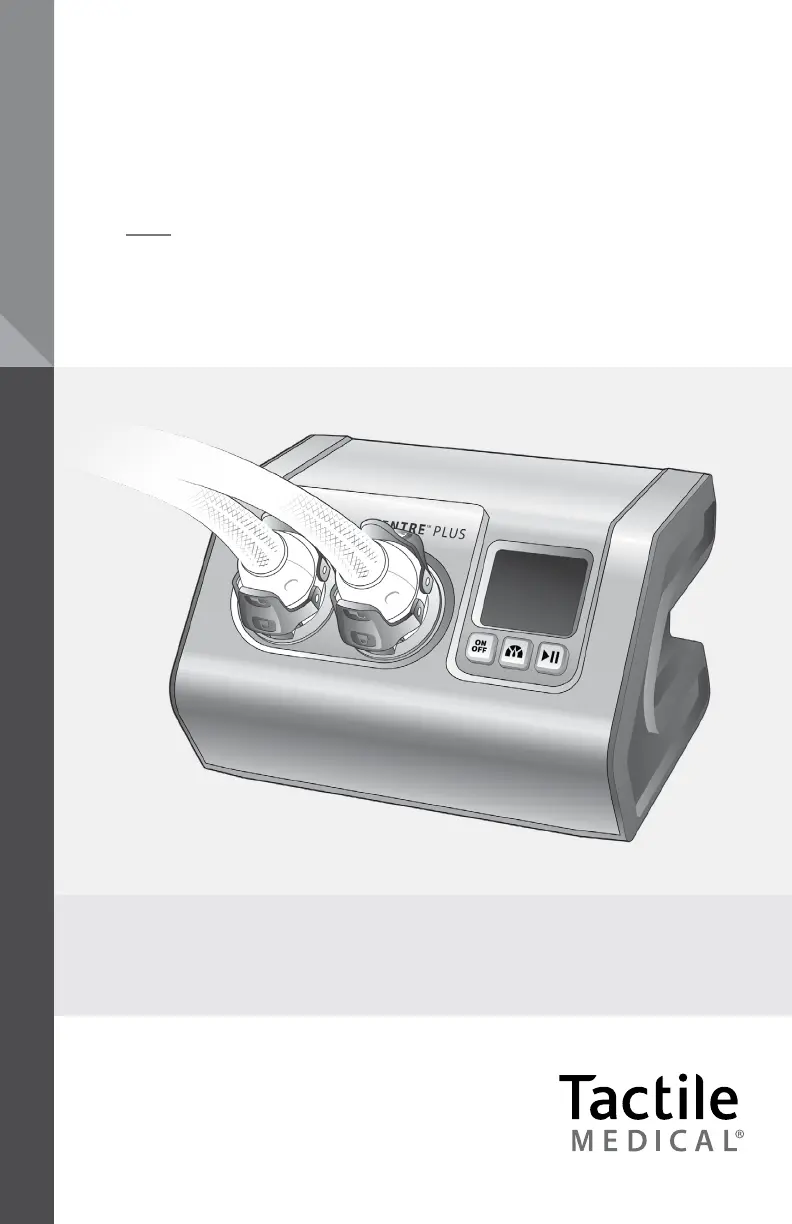
Entre
®
Plus User Guide
Model PD08-NG
ENTRE
®
PLUS
PNEUMATIC COMPRESSION SYSTEM

Questions and Answers

  • M
    Matthew ValdezAug 14, 2025
    How to troubleshoot a Tactile Medical PD08-NG Medical Equipment controller unit that does not function?
    • A
      Anna JonesAug 14, 2025
      If the controller unit of your Tactile Medical equipment doesn't function or the display doesn't light up: 1. First, disconnect the power adapter from the back of the controller and reconnect it, ensuring it's fully inserted into both the controller and the wall outlet. Check that the wall outlet is working; a green light on the power adapter indicates it's functional. 2. If that doesn't work, press the power button on the device.
  • B
    Brandon WhiteAug 17, 2025
    What to do if Tactile Medical Medical Equipment controller unit does not function and shows an error message?
    • D
      Daniel JacobsAug 17, 2025
      If the controller unit of your Tactile Medical device isn't working and shows an error message on the LCD screen, it might have detected an issue during its self-test. Here’s how to address it: 1. Power down the device. 2. Power it back up and restart the treatment session.
  • E
    Ethan CrawfordAug 21, 2025
    What to do if any button does not function on Tactile Medical PD08-NG Medical Equipment?
    • M
      michaeljenkinsAug 21, 2025
      If none of the buttons on your Tactile Medical device are working: 1. Power down the device. 2. Power it back up by pressing the power button.
  • W
    wilkersonsharonAug 25, 2025
    What to do if Tactile Medical PD08-NG Medical Equipment controller unit does not function and holds pressure in the garments?
    • E
      Emily WhitneyAug 26, 2025
      If the controller unit of your Tactile Medical equipment isn't working and is holding pressure in the garments, the unit may be unable to release pressure. Here's how to try and fix it: 1. Power down the device, disconnect the garment from the controller, and then reconnect it. Power the device back on and restart the treatment session.
  • J
    Jennifer MasonAug 28, 2025
    Why garment chambers of Tactile Medical PD08-NG Medical Equipment do not fill with air?
    • A
      Antonio OwensAug 28, 2025
      If the garment chambers of your Tactile Medical equipment aren't filling with air: 1. Ensure that the power and start buttons have been pressed (the LCD screen should light up). 2. Check that the connectors are properly attached and the hoses aren't kinked. 3. Make sure both upper and lower connector latches are engaged. 4. If the chambers still don't fill, turn the machine off, detach the connectors, and turn it back on. 5. Press the start button to begin a treatment session. 6. Check for air coming out of the controller unit before reconnecting the hose. If using only one garment, ensure the port is attached correctly.
  • C
    christopher74Sep 1, 2025
    Why garment pressures are higher or lower than expected in Tactile Medical PD08-NG?
    • W
      williamskarenSep 1, 2025
      If the garment pressures on your Tactile Medical device are higher or lower than expected: 1. Verify that you've selected the correct pressure setting. 2. Adjust the fit of the garment, ensuring there are no folds or kinks in the fabric. 3. Check that the latches are firmly in place and properly attached.
  • J
    Joseph FernandezSep 5, 2025
    What to do if the Tactile Medical PD08-NG controller unit makes an abnormal noise?
    • B
      Benjamin GloverSep 5, 2025
      If the controller unit of your Tactile Medical equipment is making an abnormal noise: 1. Stop the treatment session by pressing the power button. 2. Check if the noise has stopped. 3. Restart the treatment by pressing the power button. 4. If the noise continues, stop the treatment and contact Customer Service.
  • B
    brianschmidtSep 9, 2025
    How to change pressure setting on Tactile Medical PD08-NG?
    • J
      John DawsonSep 9, 2025
      You cannot change the pressure setting on your Tactile Medical device once a treatment has started unless the treatment program has completed or the power button is pressed. To adjust the pressure settings: 1. Power off the device. 2. Power it back on. 3. Then you can adjust the settings.

Summary

Getting Started and Safety

Tactile Medical Contact Information

Provides contact details for Tactile Medical customer service via phone and email.

Device Safety Precautions and Symbols

Details important safety warnings and explains device symbols for user understanding.

Controller Unit Setup and Connection

Garment Application Guide

Applying Full Leg and Half Leg Garments

Step-by-step guide on preparing and applying the full leg or half leg garment.

Applying the Arm Garment

Instructions for preparing and applying the arm garment correctly.

Treatment Session Procedures

Selecting Pressure Settings

Guides users on how to turn on the unit and select the prescribed pressure setting.

Starting the Treatment Session

Provides steps for positioning the patient and starting the treatment session.

Troubleshooting and Specifications

Technical Details and Device Labels

Tactile Medical PD08-NG Specifications

General IconGeneral
Device TypePneumatic Compression Device
ModelPD08-NG
CategoryMedical Equipment
ApplicationLymphedema and Venous Insufficiency Therapy
Intended UseTreatment of lymphedema and chronic venous insufficiency
Power SourceAC Power
PortabilityPortable
Control PanelDigital interface with user-friendly interface
Therapy ModesMultiple therapy modes

Related product manuals