EasyManua.ls Logo

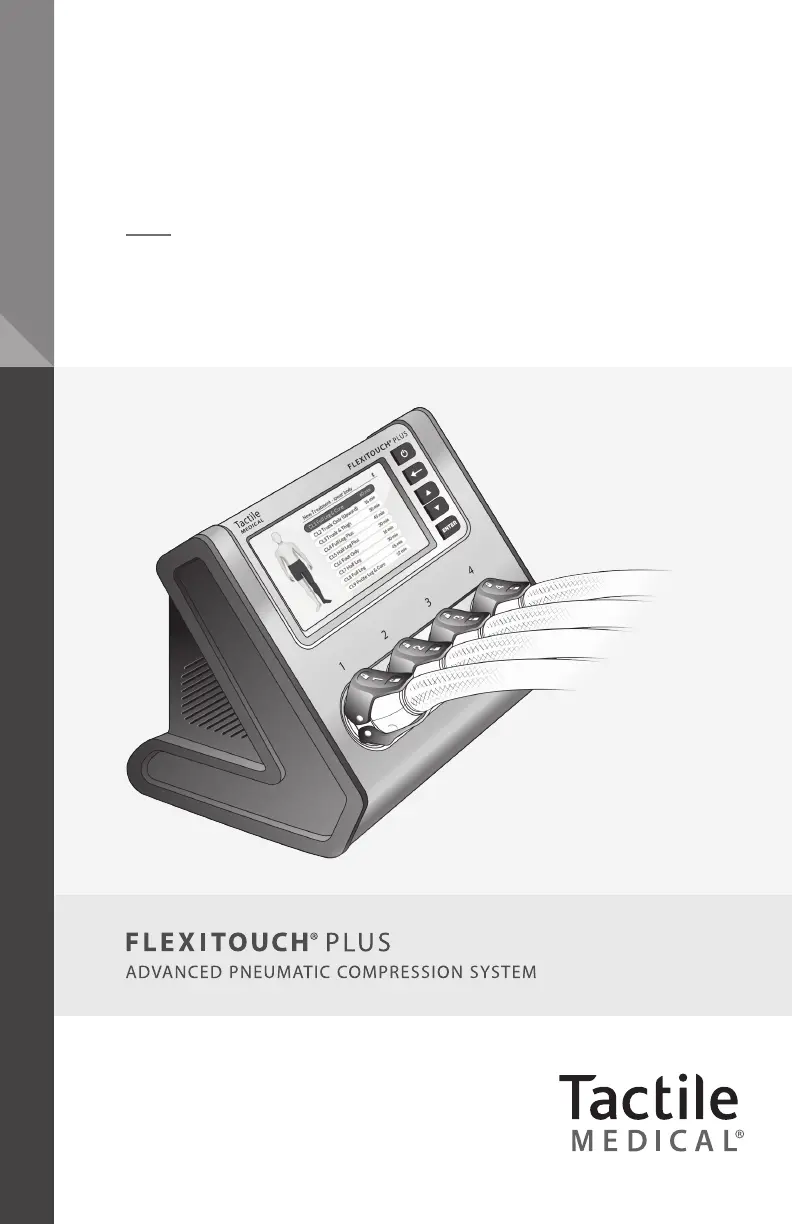
Tactile Medical Flexitouch Plus - User Manual

Tactile Medical Flexitouch Plus
70 pages
Print Icon
To Next Page IconTo Next Page
Loading...
Flexitouch
®
Plus User Guide
Model PD32-G3

Table of Contents

Questions and Answers

  • C
    Christopher OliverAug 19, 2025
    Why does Tactile Medical Flexitouch Plus make abnormal noise?
    • D
      David HarrisAug 19, 2025
      If your Tactile Medical equipment's controller unit is making an abnormal noise: 1. Press the button to stop the treatment session. 2. Confirm that the noise has stopped. 3. Make sure the hoses from your garments are not kinked or pinched. 4. Verify that the program selected corresponds to the garments you are using and that the selected garment size matches the garments used. 5. Ensure the correct garment connectors are connected to the correct controller unit ports. 6. Restart the treatment by pressing the button. If the noise continues, contact Customer Service.
  • K
    Kristi SchneiderAug 21, 2025
    How to fix Tactile Medical Flexitouch Plus Medical Equipment when controller unit does not function?
    • W
      William PowersAug 21, 2025
      If your Tactile Medical equipment controller unit does not function or the display does not illuminate, follow these steps: 1. Disconnect the power cord from the back of the controller unit, then reconnect it, ensuring it's fully inserted into both the power inlet and the wall outlet. 2. Press the button to turn on the device. 3. The display’s backlight should illuminate the screen and display program options.
  • J
    Jeffrey WelchAug 25, 2025
    What to do if Tactile Medical Flexitouch Plus failed with result R4 (A6)?
    • M
      mikaylacampbellAug 25, 2025
      If your Tactile Medical equipment reads 'The treatment failed with result R4 (A6)', indicating 32 garment chambers timed out consecutively, follow these steps: 1. Ensure the bilateral port adapter is securely connected to the controller unit. 2. Check all hose connections to the controller unit for air leaks. 3. If you find any leaks, disconnect and reconnect the hose(s) to the controller unit. 4. Try rerunning the program to see if the issue persists. If the problem continues, contact Customer Service.
  • T
    Thomas HeathAug 26, 2025
    What to do if Tactile Medical Flexitouch Plus failed with result R3 (A6)?
    • D
      Dr. Traci WeissAug 26, 2025
      If your Tactile Medical equipment reads 'The treatment failed with result R3 (A6)', indicating a specific garment chamber timed out 5 times in a row, follow these steps: 1. Check all hose connections to the controller unit to confirm there are no air leaks. 2. If you discover leaking air, disconnect and reconnect the hose(s) to the controller unit. 3. Try rerunning the program to see if the issue persists. If the issue persists, contact Customer Service.
  • B
    Bradley WrightAug 28, 2025
    What to do if Tactile Medical Flexitouch Plus Medical Equipment detects overpressure?
    • T
      Timothy RiveraAug 28, 2025
      If an overpressure was detected in 3 consecutive chambers of your Tactile Medical equipment, follow these steps: 1. Check all hoses running from your garment(s) to the controller unit for any kinks. If you find any, disconnect the hose(s) from the controller unit, straighten them out, and reconnect them. 2. Make sure each hose is straightened and nothing is blocking its connection to the controller unit. 3. Once all hoses have been checked and reconnected, try the treatment again. If the issue continues, contact Customer Service.
  • D
    dcruzAug 30, 2025
    How to fix Tactile Medical Flexitouch Plus Medical Equipment when hook fasteners do not stay closed?
    • A
      Andrew BrockAug 30, 2025
      If the hook fasteners on your Tactile Medical equipment do not stay closed due to wear or debris: 1. Clean the debris from the hook fasteners using a stiff brush, such as a toothbrush or lint roller, or by patting it with tape. 2. If the issue continues, Tactile Medical can provide you with a replaceable garment pad to cover the worn area. Contact Customer Service to request replaceable garment pads. 3. To apply the replaceable pad, place it on the loop surface of the garment where the hook fastener secures it. 4. When applying the garment, secure the hook fastener to the new loop material on the replaceable pad.
  • R
    Rebecca WatsonSep 1, 2025
    Why Tactile Medical Flexitouch Plus chambers are not filling in the expected pattern?
    • F
      fcrawfordSep 1, 2025
      If the chambers of your Tactile Medical equipment are not filling in the expected pattern: 1. Ensure that the connectors are attached to the controller unit and that both the top and bottom latches are securely engaged. 2. Verify that the connectors are attached to the correct controller unit connectors by checking the corresponding numbers. 3. Confirm that the correct program has been selected. Note that some programs do not inflate adjacent chambers sequentially in the first half of the treatment.
  • K
    Kelly WellsSep 3, 2025
    Why Tactile Medical Flexitouch Plus controller unit runs longer than expected?
    • R
      Robert WhiteSep 3, 2025
      If the controller unit of your Tactile Medical equipment runs longer than expected: 1. Verify that the selected PROGRAM and TREATMENT CYCLES are as recommended by your healthcare provider. 2. Ensure that the display indicates the treatment is completed upon completion of all treatment sessions. 3. If the controller unit continues to operate beyond the time when COMPLETED is displayed, or if the TIME REMAINING indicated on the controller unit is incorrect, contact Customer Service.
  • P
    Paul RodgersSep 5, 2025
    Why Tactile Medical Medical Equipment chamber pressures are higher or lower than expected?
    • C
      Christopher FloresSep 5, 2025
      If the chamber pressures in your Tactile Medical equipment are higher or lower than expected: 1. Verify that the correct program, including the correct pressure setting, has been selected. 2. Adjust the fit of the garment, ensuring there are no folds or kinks in the fabric. 3. Check that the latches are firmly in place and attached to the correctly numbered port.
  • S
    Steven GonzalezSep 7, 2025
    What to do if Tactile Medical Flexitouch Plus Medical Equipment chambers remain inflated?
    • B
      Billy AlvarezSep 7, 2025
      It is normal for a small amount of air to remain in the chambers between inflations, giving the garment a puffy appearance. If the chambers of your Tactile Medical equipment remain fully inflated: 1. Make sure that the tubing is not kinked or pinched. 2. Disconnect the connectors, and the chambers should deflate.

Summary

Chapter 1 Before You Get Started

1.2 Safety Precautions and Explanation of Symbols

Details safety warnings, symbols, and important precautions for using the device.

Chapter 2 The Flexitouch Plus System

2.3 Treating the Lower Extremity

Instructions for applying and using garments for lower extremity treatment programs.

Chapter 3 Controller Unit Setup

3.1 Setting Up Your Controller Unit

Guides on properly placing and connecting the controller unit's power adapter.

3.2 Selecting Your Settings

Details how to select and start treatment sessions, including presets and pausing.

Chapter 4 Connecting Your Hoses to the Controller Unit

Chapter 9 Conducting Your Treatment Session

9.1 Starting Your Treatment Session

Procedures for preparing and starting an uninterrupted treatment session.

Chapter 10 Troubleshooting and Specifications

10.1 Troubleshooting

Common issues and their recommended solutions for the Flexitouch Plus system.

Tactile Medical Flexitouch Plus Specifications

General IconGeneral
Device TypePneumatic Compression Device
Power SourceAC power
Pressure SettingsAdjustable pressure settings
Prescription RequiredYes
Treatment AreasArms, legs, trunk
Compression CycleSequential
PortabilityPortable
Cycle Time60 minutes
IndicationsLymphedema, chronic venous insufficiency
TechnologyPneumatic compression technology
Therapy CyclesCustomizable
User InterfaceTouchscreen
Garment CoverageFull limb and trunk garments available

Related product manuals