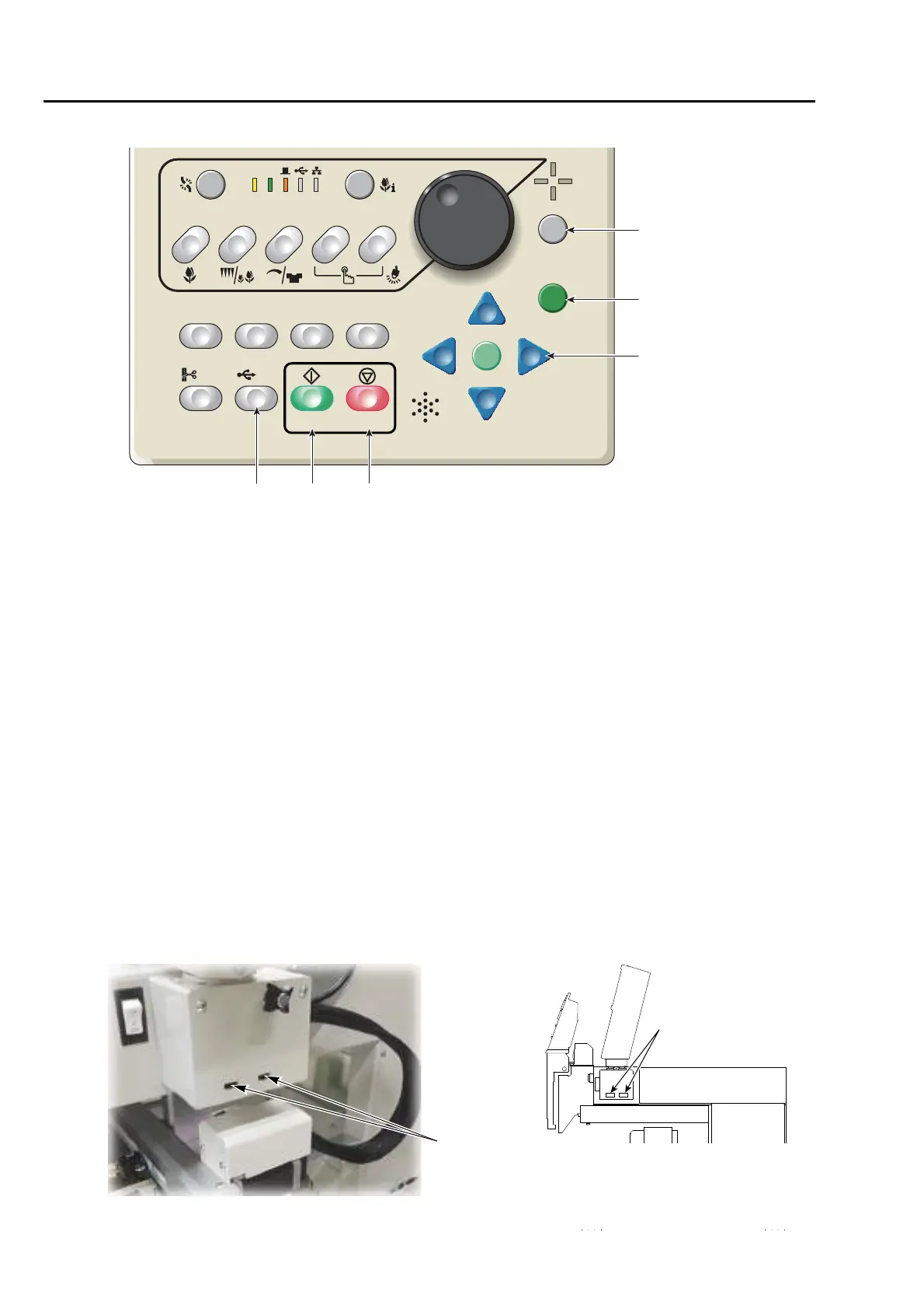
2-1-1. USB port
following purpose.
8. Frame Travel key (p.58)
Move the frame manually.
9. Stop key (p.66)
The red LED will be lit.
Performs frame back or frame forward. (p.67)
10. Start key (p.66)
The green LED will be lit.
11. USB key (p.194), or frame foward key (p.161)
Performs frame forward when frame forward is
set (lit in orange).
6. Escape key (E key in this manual)
The screen will return to the original screen.
Release the stop factor.
Frame travel direction will be selected at Frame
Travel by using the the jog dial or the jog shuttle.
(p.58)
7. Set key
Determine the selected value.
6
910
7
8
11



 To Next Page