11
value, you should press and the display will
immediately display the inside or outside unbalance
value of less than 5g. The maximum residual
unbalance value is 4 g.
6.6 BALANCE MODE SELECT
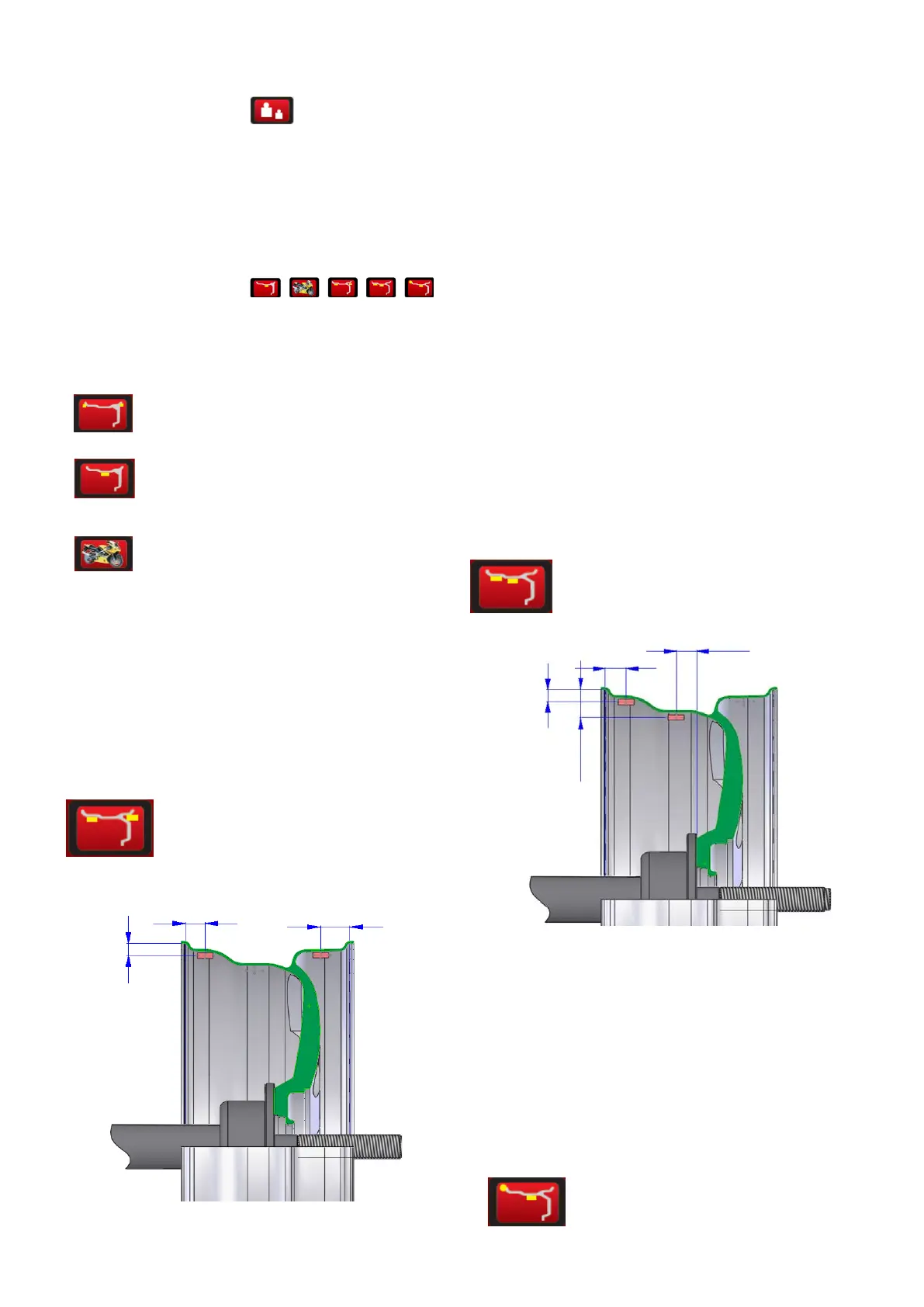
Press the corresponding
key to choose the balance mode. If all the lights not
light up, it is the dynamic mode.
DYNAMIC—clip the weight on both sides of
rim(dynamic balance test once start)
STATIC— Stick the weight in centre
MOT—optional for balancing the
motorcycle
When balancing motorcycle wheels, you require the
(optional) motorcycle adaptor accessory MJ-II. With the
assistance of the extension scale to measure Di, Br and
Di. Input the measure value into the Di, Br and Di
display window. The input method is similar to the
parameter input of the car.
ALU1- to balance the light aluminum
alloy rim. Adopt clip the weight on the shoulders of the
rim
ALU1
Dis1=Dis+ 3/4”
Dis2=Dis+Br-3/4”
Dia 1=Dia-1”
Dia2=Dia-1”
ALU2-for ALU rim, hidden weight inside
ALU2
Dis1=Dis+
3
/
4
”
Dis2= from 0 point to the outer of the flange disk
-1/2”
Dia1=Dia-1”
Dia2=Dia-2
1
/
2
”


 To Next Page