20
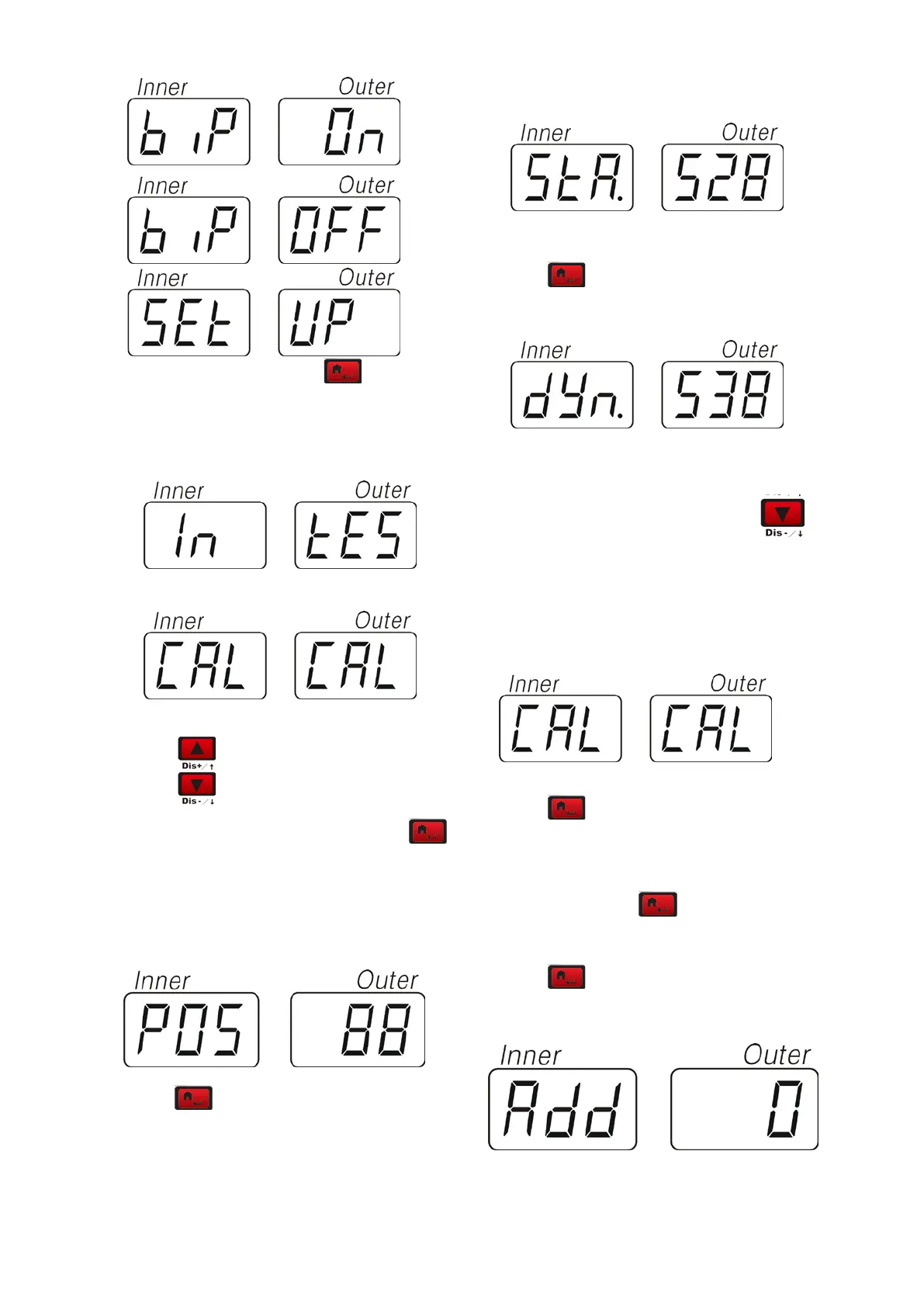
1 “
SET”— “UP” Press to enter the
special function setup program
2 option:“
IN”– “TES”和 “CAL” –“CAL”
Select
to display in cycle.
In the condition of “
IN”—“TES”,press to
enter the condition of test.
In the condition of POS, rotate the tire clockwise,
the value in the right window will increase.
Counterclockwise, decrease.
Press
key to test static sensor
In the condition of STA, press the pizeo sensor
perpendicular to the main shaft, the value in the
right window will change which means the
installation of the sensor is correct
Press
key to test static sensor
In the condition of DYN, press the pizeo sensor
9.3 CUSTOMER SELF-CALIBRATION
In the condition of
IN -TES,select to
enter
CAL –CAL,means customer
self-calibration state. We use this when the
machine has not been used for a long time or the
balancing is inaccurate.
Press
to enter into the program.
This function can be used after inputting tire
parameter.
*hold on pressing
for 5seconds to
enter this state.
Press to enter and the display will display
“
ADD”-“O”


 To Next Page