19
indication lamps light. Pls add the weight
corresponding to the value displayed in the
window. Once again, start the machine to test.
The window will display the unbalance value. The
balance process will be completed until reaching
the balance range you requied.
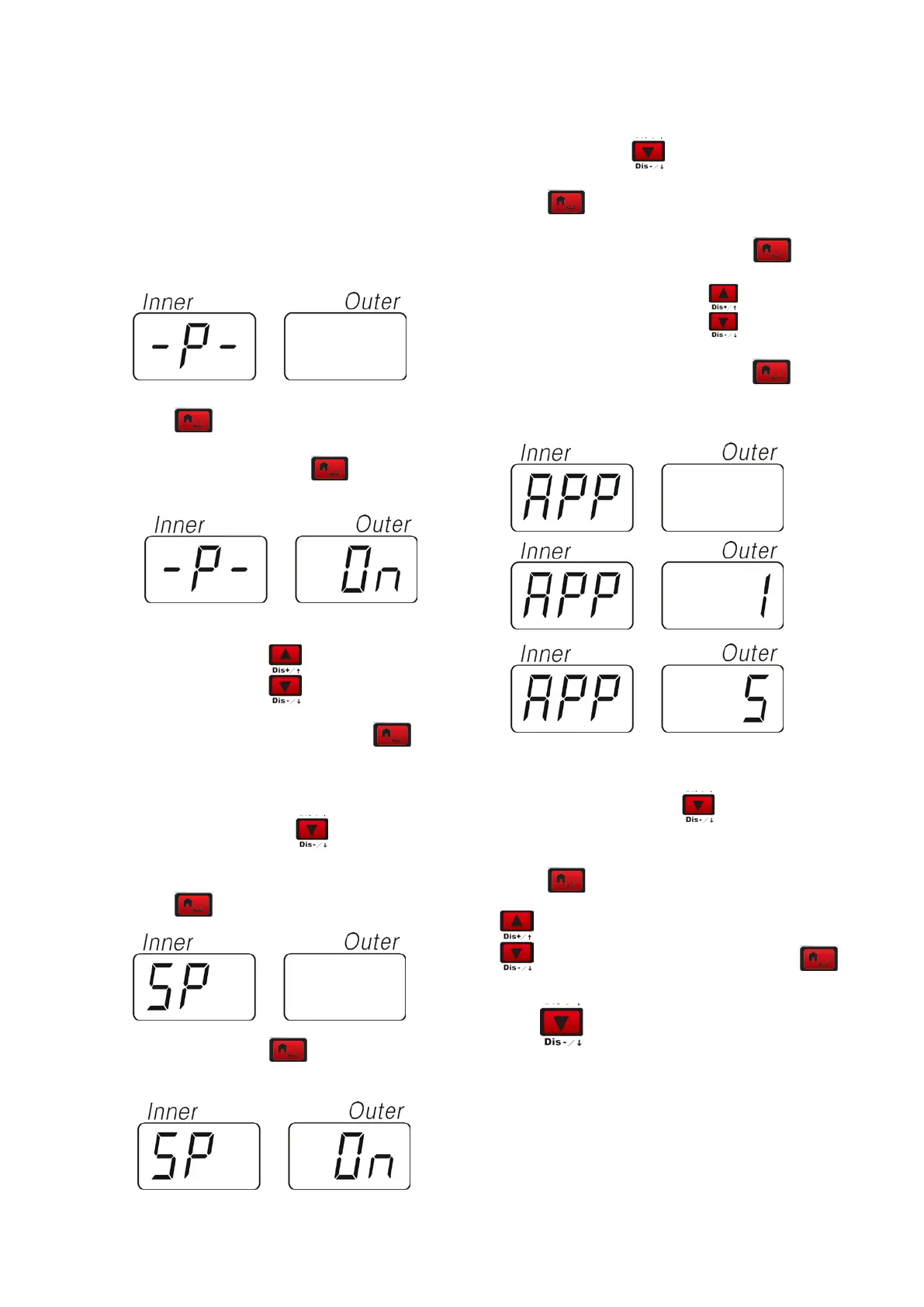
9.2 MACHINE PARAMETER SETUP
Press
to enter program setup menu.
1.1 -p-(hood setup) press
to confirm the
entrance select
to setup the on/off of
the function of the hood. Press
to
confirm.
1.2 –SP-(hood control function setup),In the
upper condition, press
. The display will
display as the left figure.
Press
to confirm the entrance.
Select
to setup the on/off of the hood
function. Press
to confirm after
confirmation.
1.3 APP(minimum unbalance setup), In the
upper state, press
to enter the APP setup.
Press
to enter the setup
Select the corresponding unit,Press
key to
confirm the entrance, Select
to select the
unbalance unit is 1Gr or 5Gr. Press
key to
confirm.
BIP (beeper setup) Press
to setup the
on/off of the deeper.
Press
to confirm the entrance.Select
to setup the on/off of the beeper. Press
to confirm.
Press
to enter the sub-level


 To Next Page