EasyManua.ls Logo

Targa HC-5100x - Remote Control

Targa HC-5100x
37 pages
Print Icon
To Next Page IconTo Next Page
To Previous Page IconTo Previous Page
Loading...
9
Introduction
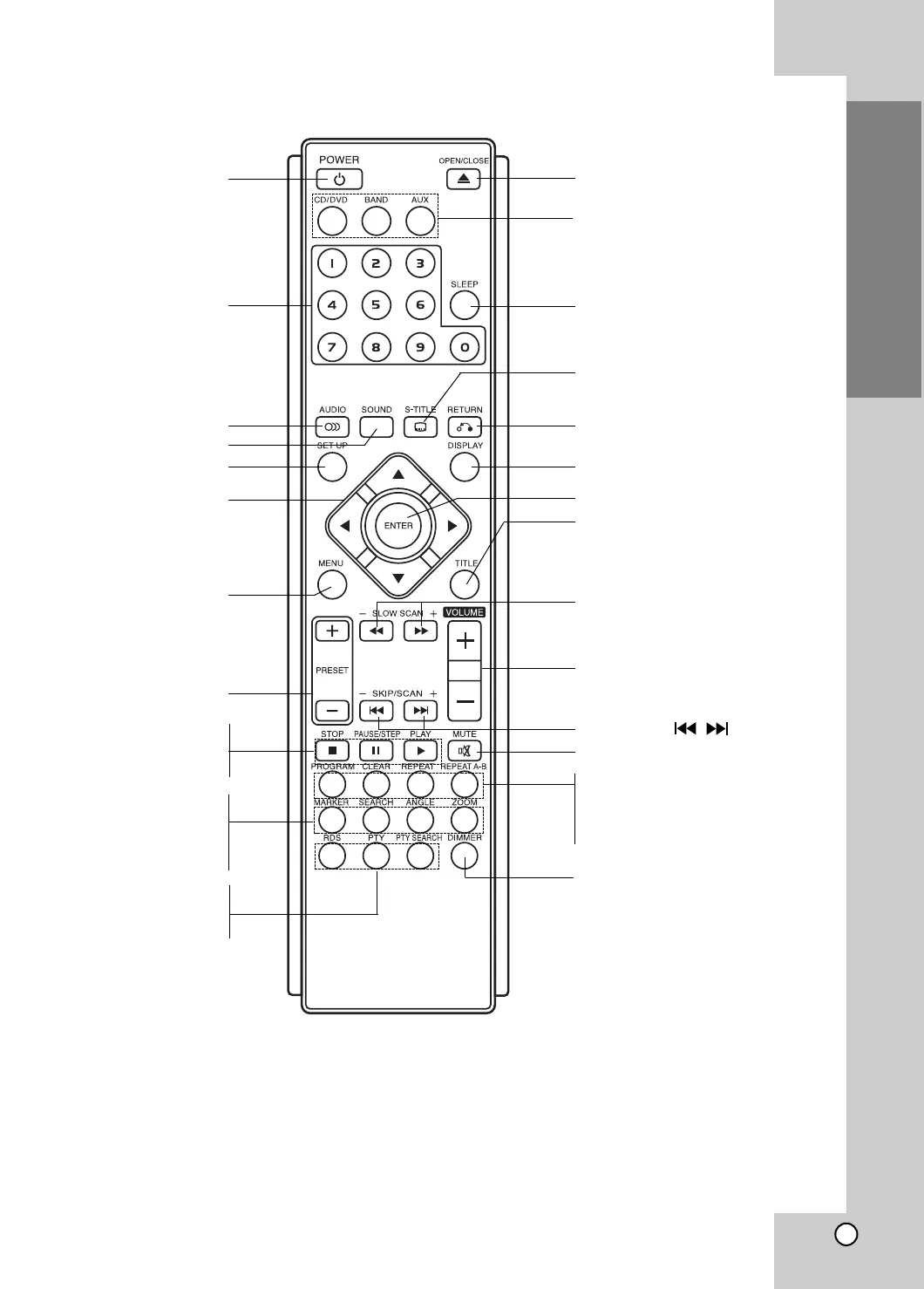
Remote Control
ARROW
For use in highlighting a
selection on a GUI menu
screen, TITLE and MENU
screen.
PRESET(+/-) (p. 30)
SETUP (p. 17)
NUMBER
POWER
SLOW SCAN (
QQ
/
RR
)
(p. 22)
TITLE (p. 23)
Use the TITLE button to
display the title screen included
on DVD video discs.
OPEN/CLOSE
PROGRAM (p. 26)
CLEAR (p. 22)
REPEAT (p. 22, 25)
REPEAT A-B (p. 22)
STOP
PAUSE/STEP
PLAY
VOLUME (+/-)
SKIP/SCAN (
/
) (p. 21)
FUNCTION SELECTOR
You can also select the desired
function with the FUNC./PLAY
on the front panel.
SLEEP (p. 29)
DIMMER (p. 29)
AUDIO (p. 23)
RETURN (p. 21, 27)
SUBTITLE (p. 23)
ENTER
MARKER(p. 23)
SEARCH (p. 23)
ANGLE (p. 23)
ZOOM (p. 23)
DISPLAY (p. 16)
MENU (p. 23)
Use the MENU button to
display the menu screen
included on DVD video
discs.
SOUND (p. 15)
MUTE (p. 29)
RDS (p. 31)
PTY (p. 31)
PTY SEARCH (p. 31)

Table of Contents