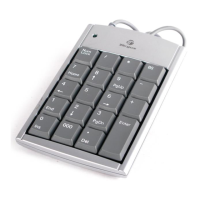
Targus Wireless Stow-N-Go
TM
Keypad
Turning the Keypad On and Off
• To power on the battery, use the on/off switch located
on the back of the keypad.
• To power off the battery, use the on/off switch located
on the back of the keypad. This feature should be used
when traveling to prevent power loss.
• To turn on the keypad, press the NumLock key, located
directly above the number seven key.
• The keypad goes into sleep mode after 4 minutes of non-
operation. To wake the keypad, press the NumLock key.
Establishing a Communications
Link
After your computer detects the USB receiver and the
default driver software is installed, you may need to
establish a communications link between the receiver and
the keypad before you can use it.
1 Plug the receiver into your computer’s USB port and turn
on the keypad.
NOTE: MAKE SURE THAT YOUR COMPUTER AND KEYPAD ARE TURNED ON AND
YOUR COMPUTER HAS DETECTED THE USB RECEIVER BEFORE YOU ESTABLISH
A COMMUNICATIONS LINK.
8



 To Next Page