8 – MIDI
TASCAM 2488 User’s Guide 79
Time signature
In order to accurately display bars and beats, the
2488 needs to know the time signature of the music
being played.
Most pop and rock is in 4/4 time, but there are some
famous exceptions, and many music outside these
fields is in other time signatures.
Music may also change time signature part of the
way through.
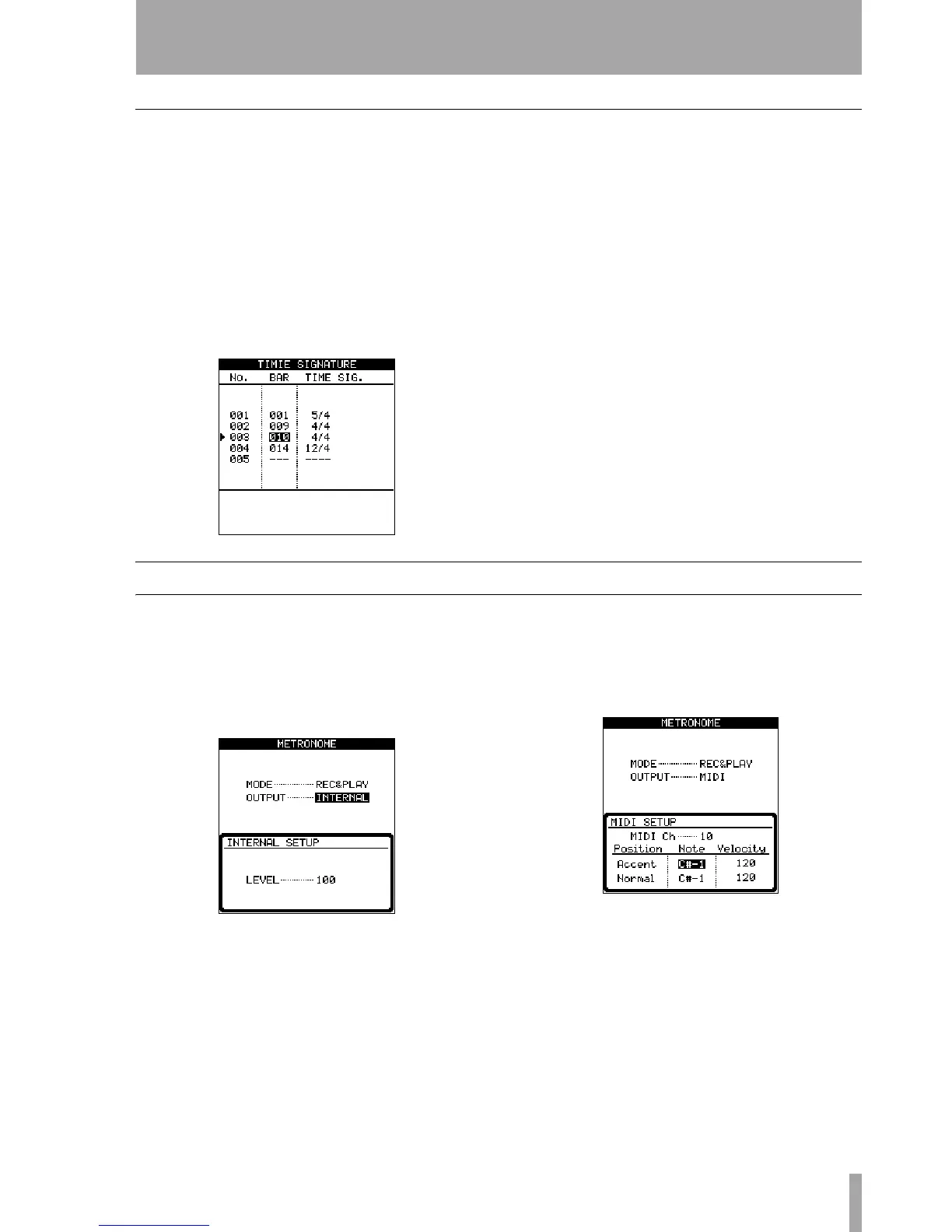
1 With the transport stopped, from the SYNC/MIDI
screen, select
TIME SIGNATURE, and press ENTER.
2 This is very similar to the tempo map. Use the
INSERT and DELETE keys to insert and delete
entries and the cursor keys to scroll through
the list.
Use the cursor keys and wheel to select and
change the
BAR in which the time signature
changes (obviously, a time signature cannot
change halfway through a bar!) and the time
signature (
TIME SIG.) itself.
3 Press ENTER when done.
Metronome
The metronome is an important tool to keep you in
time while you play. The 2488’s metronome can be a
MIDI note output to an external tone generator, or it
can be an audio click.
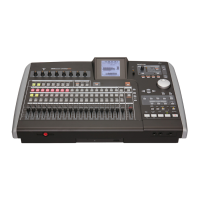
1 With the transport stopped, from the SYNC/MIDI
screen, select
METRONOME, and press ENTER.
2 You can select the MODE of the metronome
(when it will play) as either
REC (the metro-
nome plays through the monitoring system
only when recording) or
REC&PLAY (the metro-
nome sounds both when playing back and
recording).
3 The other parameter allows you to set up
whether the metronome is an internal audio
click (
INTERNAL) or a MIDI note sent from the
MIDI OUT terminal (MIDI) or off (OFF). In the
case of the
INTERNAL setting, the level can be set
between 0 and 127.
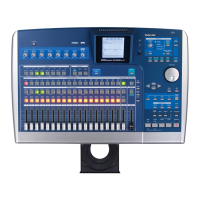
4 If MIDI is chosen, the following parameters
can be set:
Select the MIDI channel (MIDI Ch 10 is usually
reserved for drums and percussion), and the
Note and Velocity used for the Accent (the first note
of each bar) and
Normal beats.
Use the
CLICK key above the transport keys can be
used to turn the metronome click on and off easily
(whether
INTERNAL or MIDI is selected).
The indicator lights orange while waiting, and while
the click is output, flashes red to mark the start of a
bar, and green for other beats.


 To Next Page