44
TASCAM DA-3000
7 – Recording/playback with cascade connections
8
Using an external clock generator as the clock
master
Connections
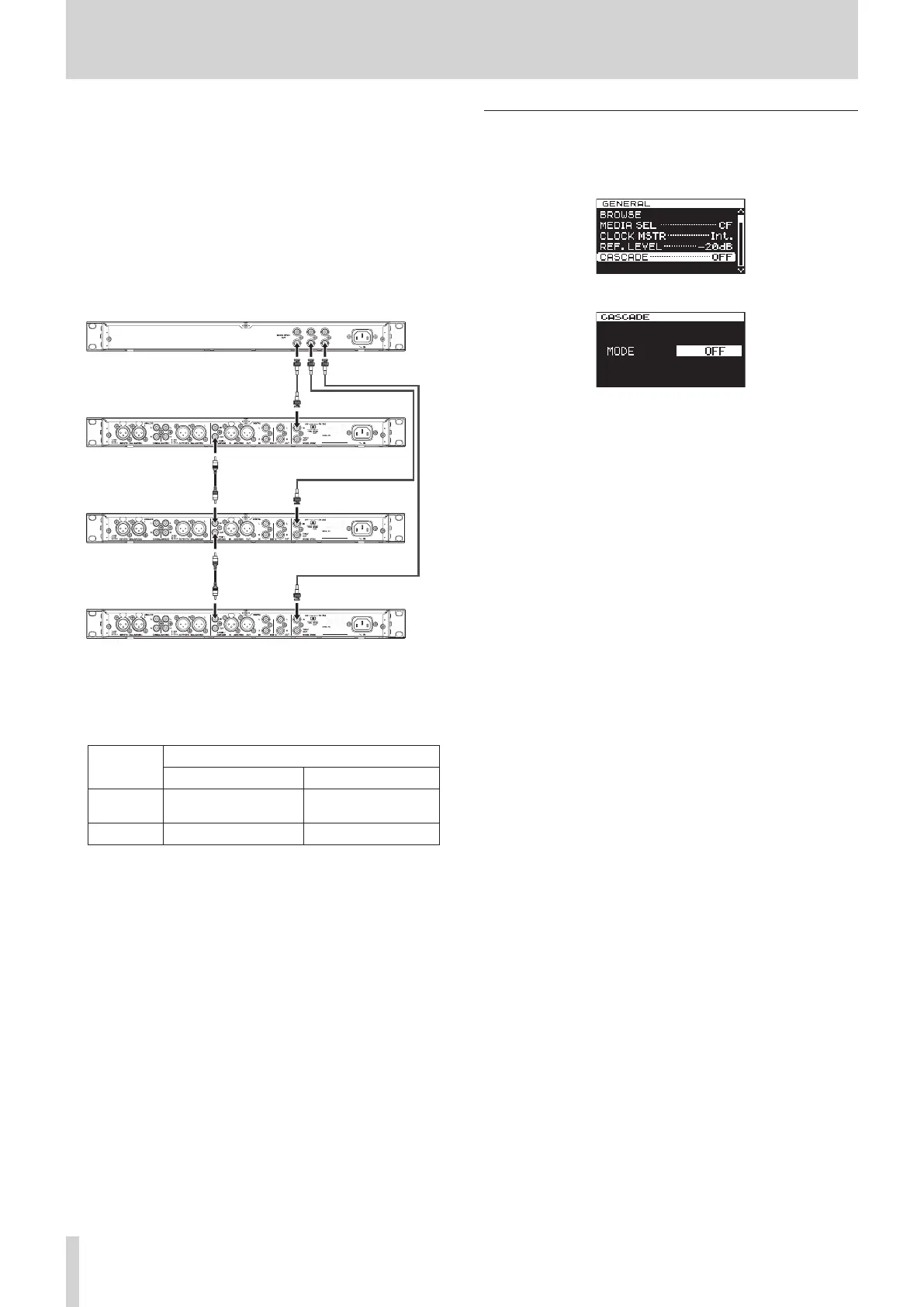
Use coaxial cables to connect the master and slave unit
DIGITAL IN/OUT (S/PDIF / CASCADE) connectors as shown
below.
Use BNC cables to connect the external clock generator
word clock output connectors to the master and slave unit
WORD SYNC IN connectors.
Set their 75Ω ON/OFF [THRU/WORD OUT] switches to ON
75Ω/WORD OUT.
Master unit
Slave unit 1
Slave unit 2
External clock generator
Settings
Press the MENU button to open the
GENERAL
page of the
menu screen. Set the
CLOCK MSTR
and
CASCADE
items as
follows. (See “Setting the master clock” on page 25.) (See
“Setting master and slave units” on page 44.)
GENERAL
CLOCK MSTR setting CASCADE setting
Master
unit
WORD MASTER
Slave unit WORD SLAVE
Setting master and slave units
1. Press the MENU button to open the
GENERAL
page of
the menu screen, and turn the MULTI JOG dial to select
CASCADE
.
2. Press the MULTI JOG dial to open the
CASCADE
screen.
3. Turn the MULTI JOG dial to set the unit to MASTER or SLAVE.
Options: OFF (default), MASTER, SLAVE
4. Press the MULTI JOG dial to confirm the setting and return
to the menu screen.



 To Next Page