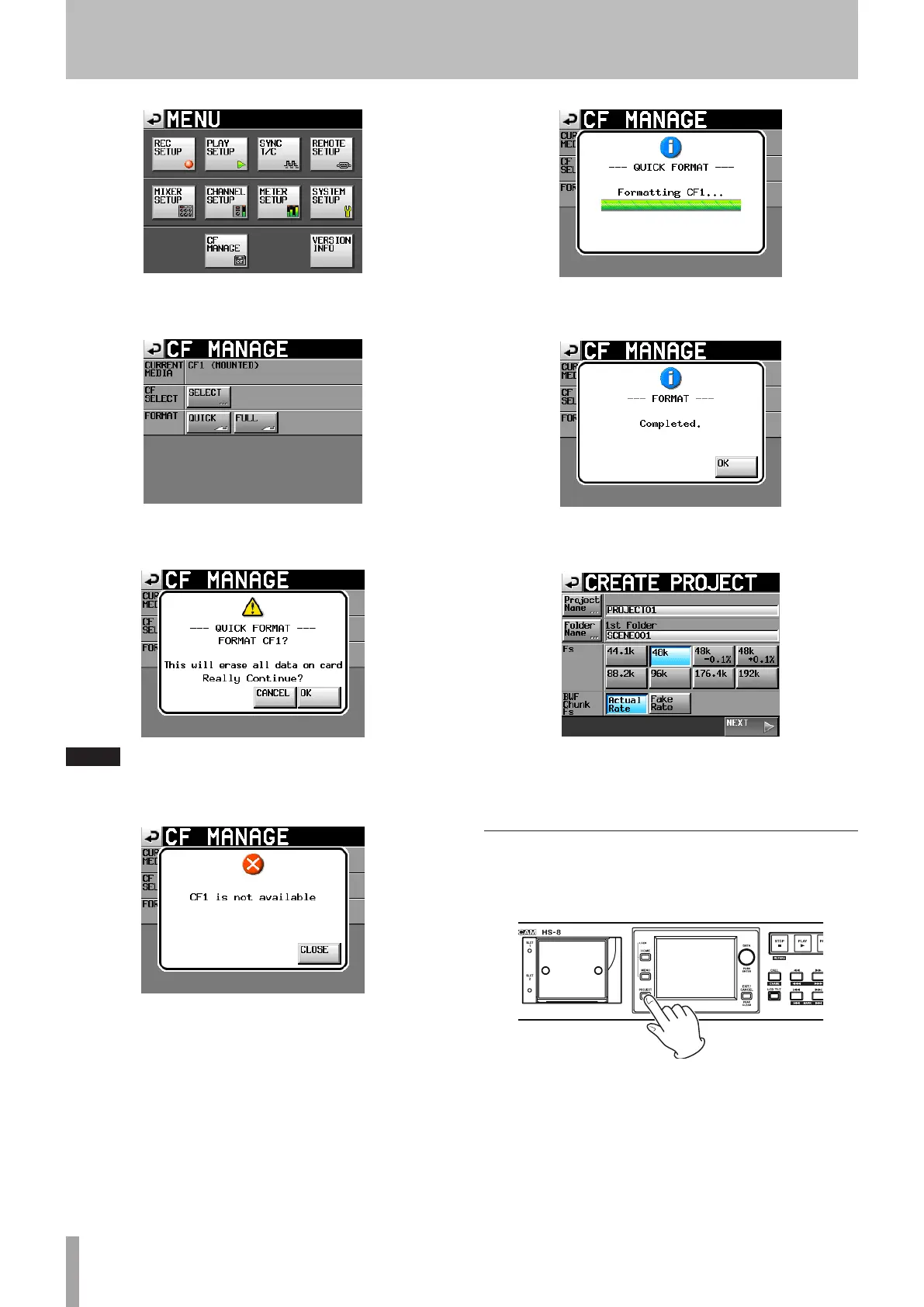
2 Touch the
CF
MANAGE
button to open the
CF
MANAGE
screen.
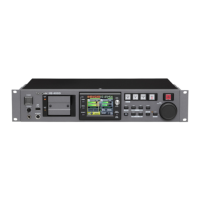
3 Touch the
QUICK
button next to the
FORMAT
item.
The following pop-up message appears.
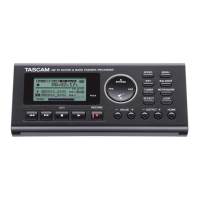
NOTE
If no CF card is inserted in that slot, the following pop-up message
appears.
4 Touch the
OK
button on the pop-up message.
During formatting, the following pop-up message
appears.
When formatting completes, the following pop-up
message appears.
5 Touch the
OK
button on the pop-up message. The
CREATE
PROJECT
screen automatically opens.
6 To make a new project, follow the procedures
starting with step 2 in the following “Create a new
project” section.
Create a new project
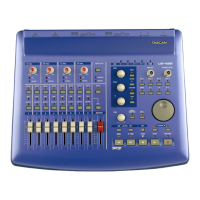
1 Press the PROJECT key on the front panel to open
the
PROJECT
screen.
4 − Recording and Playback



 To Next Page