Erasing folders
1 Press the PROJECT key on the front panel to open
the
PROJECT
screen.
2 Press the “®” button for the project that contains
the folder that you want to erase to open the folder
list.
3 Select the folder that you want to erase. Touch the
MULTI
SELECT
button to enable the selection of
multiple folders.
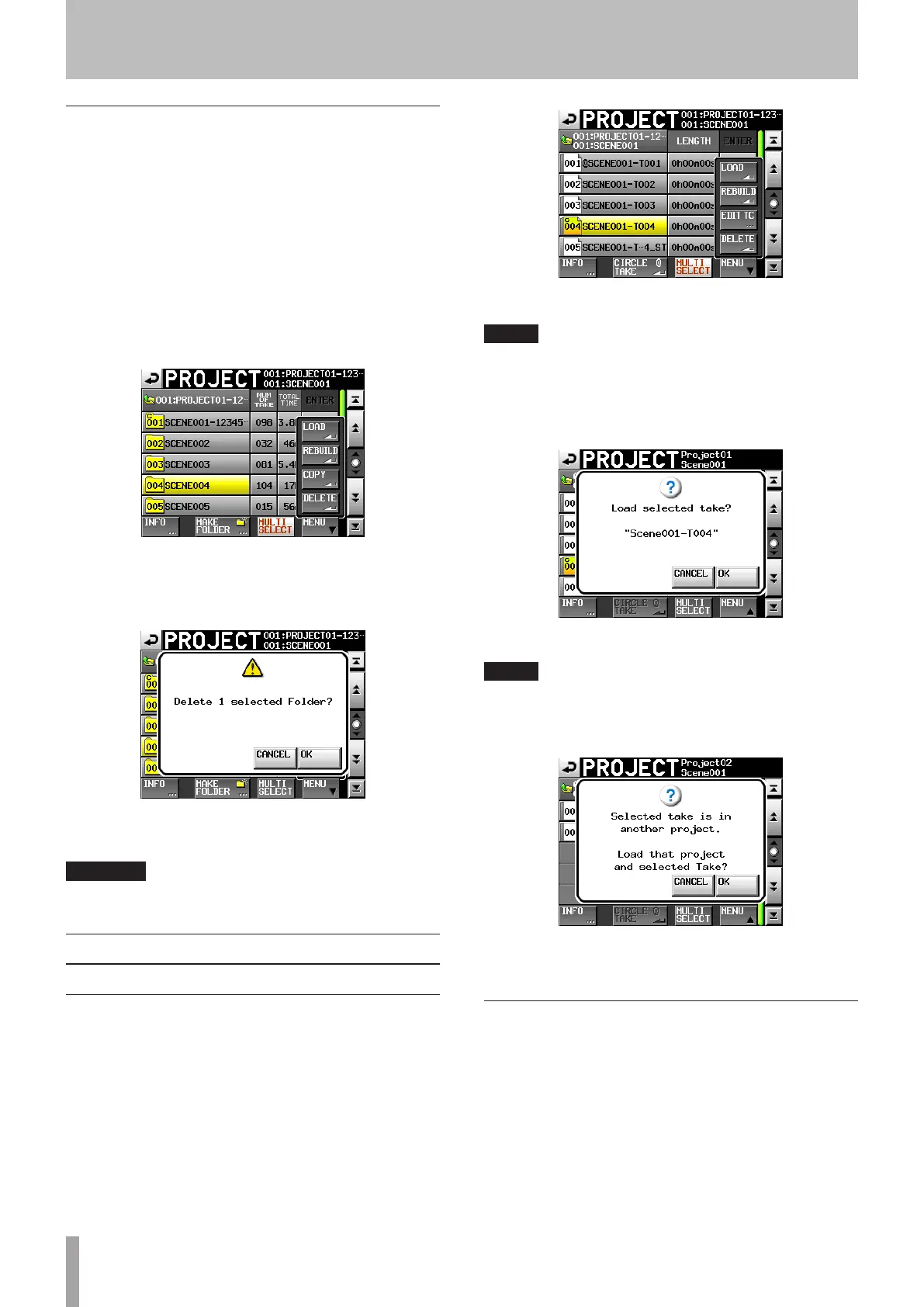
4 Touch the
MENU
button on the
PROJECT
screen to
open a pop-up menu.
5 Touch the
DELETE
button in the pop-up menu.
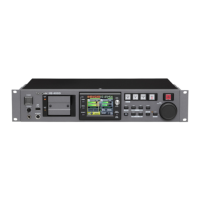
6 Touch the
OK
button or press the DATA dial when a
confirmation pop-up message appears.
During erasure, a progress status pop-up appears.
When erasure completes, the pop-up disappears.
CAUTION
When you erase a folder, every take in that folder is also erased.
Take operations
Loading takes
1 Press the PROJECT key on the front panel to open
the
PROJECT
screen.
2 Press the “®” button for the project that contains
the take that you want to load.
3 Press the “®” button for the folder that contains
the take that you want to load to open the take list.
4 Select the take that you want to load.
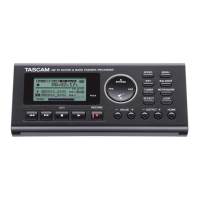
5 Touch the
MENU
button to open a pop-up menu.
6 Press the
LOAD
button in the pop-up menu.
NOTE
Alternatively, press the “®” button next to the take that you want
to load.
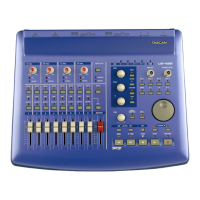
7 Touch the
OK
button or press the DATA dial when a
confirmation pop-up message appears
When loading completes, the Home Screen opens.
NOTE
If a take is loaded from outside the currently selected project, a
warning appears in a pop-up window: “Selected take is in another
project.”
If it is okay to change the project/folder and load the take, touch the
“OK” button or press the DATA dial to do so.
Erasing takes
1 Press the PROJECT key on the front panel to open
the
PROJECT
screen.
2 Press the “®” button for the project that contains
the take that you want to erase.
3 Press the “®” button for the folder that contains
the take that you want to erase.
5 – Projects



 To Next Page