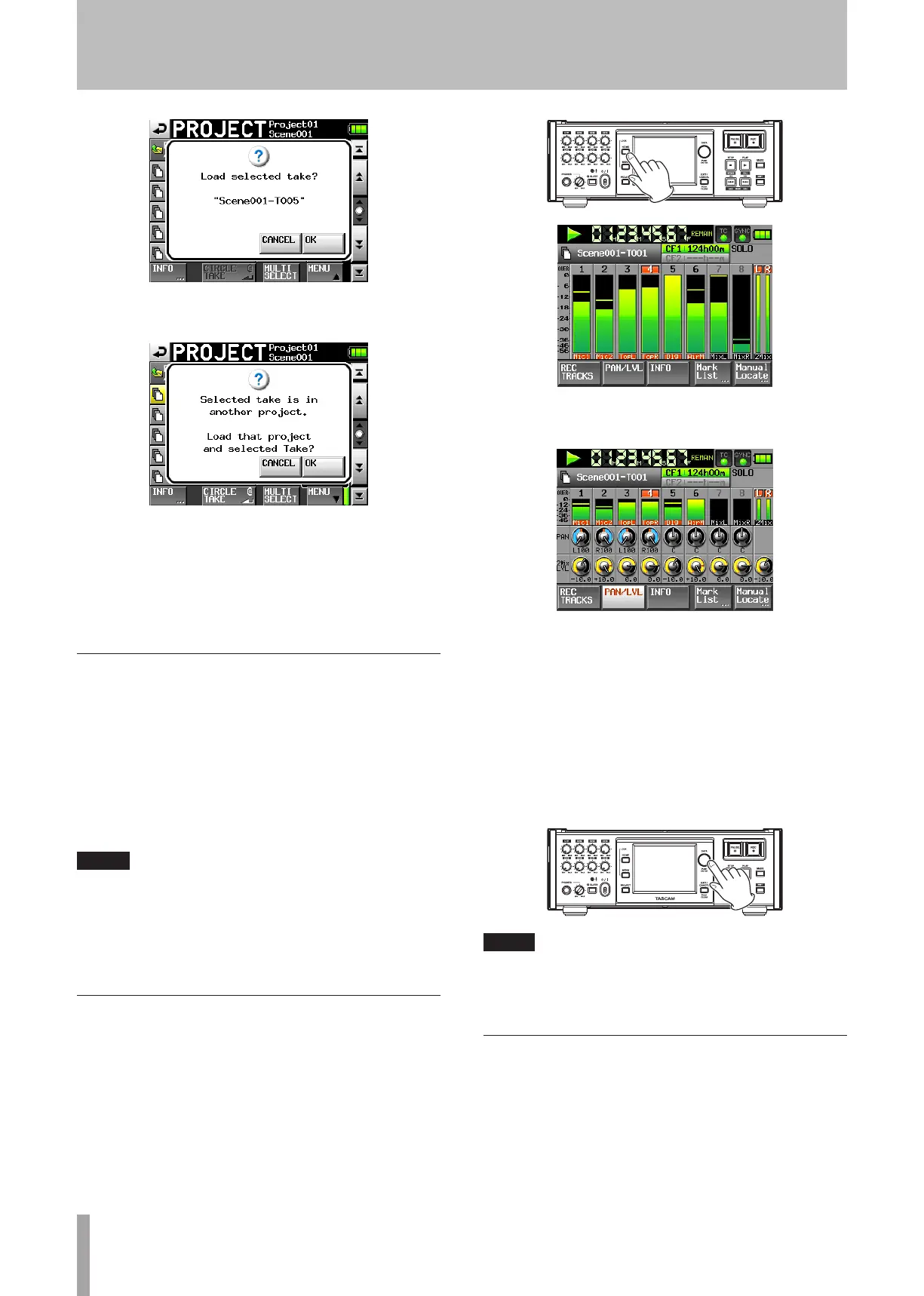
The message above appears when the take is in the
current project.
The message above appears when the take is not in the
current project.
5 Touch the
OK
button in the confirmation pop-up
message.
When loading completes, the Home Screen reopens.
Start playback
Press the PLAY [CALL] key.
Press the PAUSE key to pause playback.
Press the PLAY [CALL] key again to resume playback.
Press the STOP [RETAKE] key to stop playback.
Press the Ô [Â] and [¯] keys briefly to change
the take. Press and hold these keys to search backward or
forward during playback.
NOTE
On the PLAY SETUP screen, you can set whether only the
currently selected take is played or whether all the takes within
the current scene are played. (See “Playback settings (PLAY
SETUP)” on page 40.)
Mixing the playback sound
Use the internal mixer function to mix the recorded tracks
into stereo and output them to the line output and PHONES
connectors.
1 Press the HOME key on the front panel to open the
Home Screen.
2 Touch the
PAN/LVL
button on the Home Screen to
open the
PAN/LVL
page.
PAN knobs: Use these to adjust the left-right position
sent to the stereo bus.
2Mix LVL knob: Use these to adjust the level sent to the
stereo bus.
When in solo mode,
PAN
or
2MixLVL
knob cannot be
selected.
3 Touch the knob that you want to adjust.
Use the DATA dial on the front panel to adjust this
parameter.
TIP
Press the DATA dial as you turn it to make adjustments in
larger increments. This is useful for making rough adjustments
quickly.
CALL
While pressing the SHIFT key, press the PLAY (CALL)
key to use the CALL function (locate to the point where
playback was last started from standby), and put the unit in
playback standby mode.
4 − Recording and Playback



 To Next Page