Some ribbon mics can be damaged by
•
phantom power. If unsure, do not supply
phantom power to a ribbon mic.
t DIGITAL OUT connector (coaxial)
This coaxial digital output jack conforms
to IEC60958-3 (S/PDIF) specifications. This
jack can output signals from a computer
connected by USB or the output of the
internal monitoring mixer, for example.
Set which signals to be output from
a computer using the US-800 control
panel. Connect this jack to a recorder or
external effect processors, for example. In
stand-alone mode the signals from MIC/
LINE INPUTS 3-4 are output from this
jacks.
NOTE
This unit is capable of output through its
DIGITAL OUT jack at 24-bit/96 kHz.
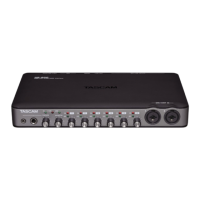
y USB port
Use the included USB cable to connect
this unit to a USB 2.0-compatible
computer.
u DC IN 5V connector
Connect the included TASCAM PS-
P520 AC adaptor, which meets the
specifications of this unit, here.
CAUTION
Use only the included PS-P520 AC adaptor,
which conforms to the specifications of this
unit. Use of an adaptor other than this model
could cause malfunction, fire or electric shock.
2 − Names and Functions of Parts


 To Next Page