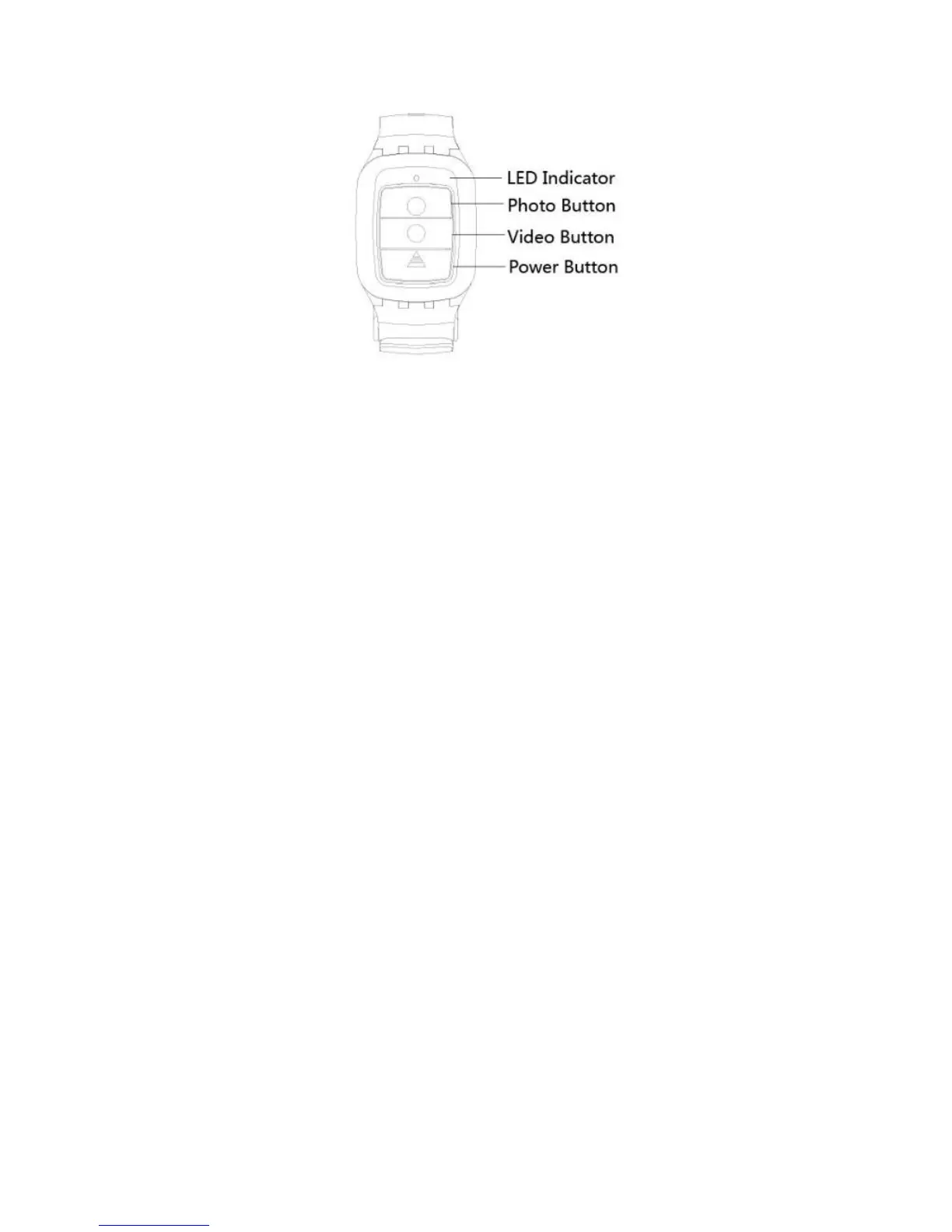
7.1 Paring Procedure
Press power button and hold on for 3seconds to turn on the controller. The LED
Indicator will blink blue.
Long press button B and then press button A to navigate. Press button B to enter
“General Menu” and select the “BlueTooth‘’
Turn on “BlueTooth‘’. Wait for 5 seconds, the camera will connect to controller. LED
Indicator will light blue.
7.2 Using your remote
Photo Shot: Press the Photo button once to shoot a single picture, the LED indicator
of remote flickers twice.
Video Record: Press the Video button once to start recording, the LED indicator
flickers twice also, press the Video button again to stop.
Power Off button: Press the Power Off button and hold on for 3seconds to turn off
the camera, the LED indicator turns off accordingly.
7.3 Replace a new button battery
Like any battery, the one in the T66’ remote will eventually die. When it does, the
red LED indicator flickers once per second. You need to replace with a new button
battery.



 To Next Page