the circuit, unplugging from shore power and disconnecting any other power
sources such as a generator.
Grounding
ÿ Do not make an ungrounded connection. Improper connection can result in risk of
an electric shock.
ÿ Battery charger must be grounded to reduce the risk of electrical shock. The AC
input ground wire must be properly connected to ground in accordance with all
applicable electrical codes. Meeting electrical codes is achieved by connecting the
ground conductor of the AC input cable to a properly grounded ground terminal in
the AC distribution panel.
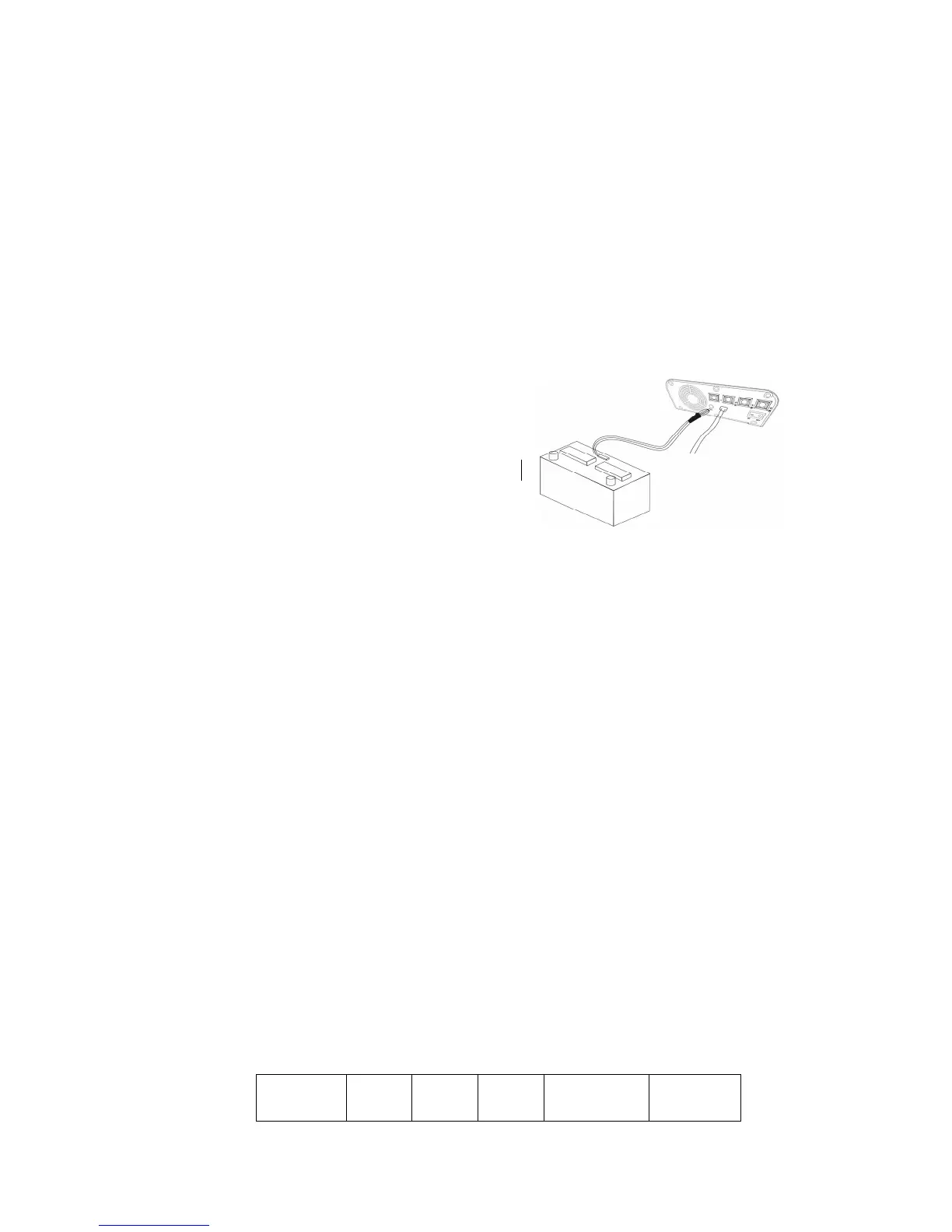
Installing battery temperature sensor
Strongly recommend to install the temperature
sensor which is offered together with the battery
charger for a proper charging of your batteries.
Figure 3.2 plug in the TS
OPERATION
4.1 Dip Switch setting
Switch 1: Default is OFF
OFF: battery charger function
ON: Power supply function.
Output voltage: DC 13.5V +/-0.12V
Output current:: max I= nominal current value
Switch 3: Equalization program for freedom, default setting is OFF
OFF: No recondition stage
ON: Perform equalization stage for battery
Please read the related information in 4.2 carefully when choose this switch as
ON.
Please reset the switch to OFF after the equalization charging. As a protection,
TRIDENT will shut down the output and flashing the “charged” light if the
switch is set to ON before the battery charger is power on.
Switch 4-6: Output voltage setting:
Battery type Switch 4 Switch 5 Switch 6 Absorption
volt
Floating volt


 To Next Page