
 Need help?
Do you have a question about the TC-Helicon VoiceLive Touch2 and is the answer not in the manual?
 General
| Brand | TC-Helicon |
|---|---|
| Model | VoiceLive Touch2 |
| Category | Recording Equipment |
| Language | English |
Key safety guidelines for using the apparatus, including water avoidance, cleaning, and installation.
Step-by-step instructions for securely attaching the device to a microphone stand.
Procedure for connecting power, microphone, and setting initial input levels.
Details on Mic In, Guitar In, Aux In, and MIDI In jacks and their functions.
Explanation of XLR Out, TRS Outs, USB, and Footswitch connections.
Instructions for setting input levels and connecting headphones.
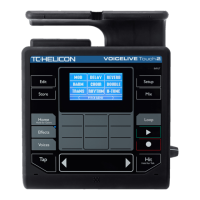
Explanation of primary buttons like Home, Edit, Store, Setup, Mix, and Loop for navigation.
Details on Effects, Voices, Tap, and the Hit button for live performance.
Using Slider FX Bar, Arrow buttons, and Matrix buttons to browse and select presets.
Step-by-step guide to editing effect parameters, styles, and saving changes.
Manually setting the key and scale for harmony effects for accurate musical input.
Step-by-step guide for using the loop functions menu, metronome, and loop slots.
Details on connector types, impedance, and signal levels for audio inputs and outputs.
Information on MIDI, pedal connectors, power requirements, and safety certifications.

 To Next Page