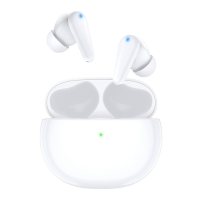
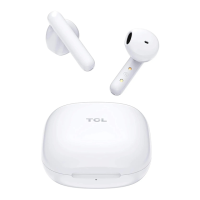
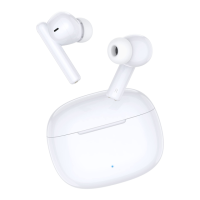
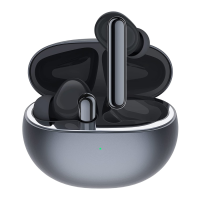
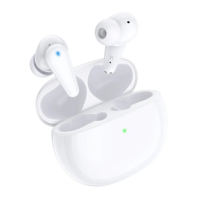
This document is a user manual for the TCL MOVEAUDIO S200 (TW20) truly wireless earphones. It provides comprehensive instructions on how to set up, connect, operate, and maintain the earphones, ensuring users can enjoy wireless music and phone calls with high-quality sound.
Function Description
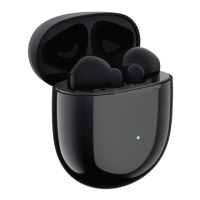
The TCL MOVEAUDIO S200 are truly wireless earphones designed for audio playback and hands-free communication. They connect to smartphones or other Bluetooth® devices, allowing users to listen to music, podcasts, and other audio content wirelessly, as well as make and receive phone calls. The earphones come with a charging case that not only protects them but also recharges their integrated batteries. The device supports Bluetooth® profiles such as HFP (Hands-free profile), A2DP (Advanced audio distribution profile for Bluetooth® stereo), and AVRCP (Audio video remote control profile), enabling a wide range of functionalities including music control and call management.
Usage Features
The earphones offer a variety of usage features to enhance the user experience:
- Wireless Connectivity: The primary function is wireless audio streaming and call handling via Bluetooth®.
- First-Time Pairing: For initial use, users need to remove the earphones from the charging case, which automatically turns them on and initiates pairing mode. A voice notification confirms the connection between the two earphones and entry into pairing mode. Users then select "TCL MOVEAUDIO S200" from their smartphone's Bluetooth® list.
- Google Fast Pair: For Android phones (version 6.0 and above with Google Play Service), the earphones support Google Fast Pair. Users simply unlock their phone, ensure Bluetooth, Google Play Services notification, and Location are on, then open the charging case near the phone. A pairing notification will appear, allowing for quick connection.
- Manual Pairing for New Devices: To pair with a new Bluetooth® device, users must first disconnect from any previously connected device. Then, they press and hold the charging case button for 2 seconds to enter pairing mode, indicated by a flashing white LED on the charging case.
- Automatic Reconnection: Once paired, the earphones automatically reconnect to the last connected smartphone/Bluetooth® device when turned on.
- Wearing Detection: The earphones feature an automatic wearing detection function. When an earphone is removed, the audio pauses, and when it's put back on, playback resumes.
- Stereo and Mono Modes: The earphones can be used in either stereo (both earphones) or mono (single earphone) mode. To switch to mono mode, users can remove one earphone from the charging case. To return to stereo mode, the other earphone is simply removed from the case. If one earphone is placed back into the charging case while in stereo mode, the remaining earphone will operate in mono mode.
- Music Control: Users can control music playback directly from the earphones' touch control area. A single touch plays or pauses music. Double-tapping skips forward, and triple-tapping skips backward. Volume control is also available: double-tapping the left earphone increases volume, and single-tapping the left earphone decreases volume.
- Voice Assistant: The earphones allow activation of voice assistants like Siri® or Google Assistant™ by touching the touch control area on either earphone for 2 seconds. A start-up sound confirms activation, and users can then issue commands through the earphones' microphone.
- Call Control: Call management is integrated into the touch controls. A single touch picks up or hangs up a call. To reject an incoming call, users press and hold the touch control area for 2 seconds. In stereo mode, these actions apply specifically to the right earphone.
- Battery Status Check: The charging case has an LED indicator that shows its battery level. A solid amber light for 5 seconds indicates less than 50% battery, while a solid green light for 5 seconds indicates more than 50%. For the earphones, the LED indicator will flash amber 5 times for less than 50% battery and flash green 5 times for more than 50%. The battery level can also be checked on the mobile device's status bar.
- Automatic Power On/Off: The earphones automatically turn on when the charging case is opened and turn off when the charging case is closed. If the earphones fail to connect to any Bluetooth® device within 5 minutes, they will automatically switch off to conserve battery life.
Maintenance Features
Proper maintenance ensures the longevity and optimal performance of the earphones:
- Charging: For first-time use, it's recommended to charge the battery for 5 hours. Subsequent normal charges take approximately 2 hours. Only the supplied USB Type-C charging cable and a certified USB adapter (DC 5V, 0.5A output or more) should be used to prevent product damage. The earphones charge automatically when placed in the charging case.
- Cleaning: The earphones should not be exposed to excessive heat or dropped. While they are resistant to dripping and splashing water, the charging case is not waterproof. Before placing the earphones into the charging case, any moisture should be thoroughly wiped off. They should not be submerged in water. Cleaning agents containing alcohol, ammonia, benzene, or abrasives should be avoided. If cleaning is necessary, a soft cloth, dampened with a minimum amount of water or diluted mild soap, can be used.
- Battery Care: The integrated battery should not be exposed to excessive heat sources like sunshine or fire.
- Reset Function: In case of connection or pairing issues, the earphones can be reset. This involves placing both earphones in the charging case (without closing the lid) and then pressing and holding the charging case button for 10 seconds. The LED indicator on the charging case will flash amber 3 times to confirm the reset.
- Storage: The operating and storage temperature range is 0°C (32°F) to 45°C (113°F) with up to 90% relative humidity (non-condensing). Battery life may be shorter in extreme temperatures.
- Disposal: Users are advised to check local waste regulations for proper disposal of electronic products. To protect the environment, the headphone battery should be removed and recycled before disposing of the earphones. For safety, an authorized service center should be contacted for battery removal. The product and its battery should be taken to an official collection point, as indicated by the European Directive symbols on the product.

 Need help?

 To Next Page
 General