Need help?
Do you have a question about the TCL MOVEAUDIO S150 and is the answer not in the manual?
Limit listening time at high volume and set volume to a safe level to prevent hearing damage.
Warning regarding magnets affecting implanted medical devices; consult physician.
Instructions for charging the charging case and earphones using the USB Type-C cable.
Step-by-step guide for initial pairing with a smartphone or Bluetooth device.
Steps to reset earphones by removing from Bluetooth list and charging case.
Answers to common problems like not switching on, pairing, connection, audio quality, and controls.
More FAQs on voice transmission, battery differences, reset issues, lost earphones, and disposal.
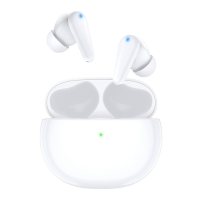
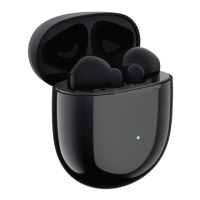
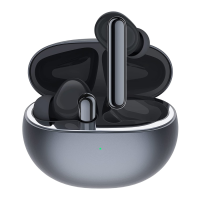
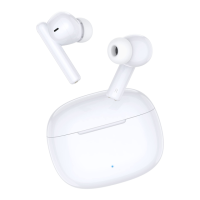
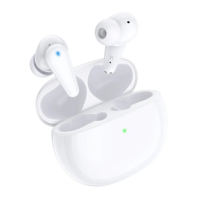
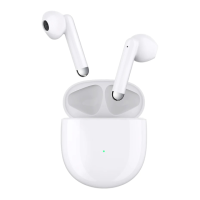
The TCL MOVEAUDIO S150 are truly wireless earphones designed for enjoying music and making phone calls with high-quality sound. This user manual provides comprehensive instructions for setting up, connecting, and operating the product.
The MOVEAUDIO S150 earphones offer a truly wireless audio experience, allowing users to listen to music and manage phone calls without physical cables. They connect to smartphones and other Bluetooth® devices, providing freedom of movement. The earphones feature multi-function buttons for controlling music playback, managing calls, and activating voice assistants. They are designed to be used with mobile devices that support the Bluetooth® standard, specifically compatible with HFP (Hands-free profile), A2DP (Advanced audio distribution profile for Bluetooth® stereo), and AVRCP (Audio video remote control profile).
The charging case serves as both a protective storage unit and a portable charging solution for the earphones. It has LED indicators to show its charging status and a USB Type-C slot for charging the case itself. The earphones automatically begin charging when placed inside the case.
To begin, users should remove the earphones from the charging case. They will automatically power on and provide a voice notification. The LED indicators on both earphones will flash, and they will connect to each other, followed by another voice notification. The right earphone's LED indicator will then flash, indicating that the earphones are in pairing mode and ready to connect to a smartphone or Bluetooth® device.
The earphones can store up to 10 different connected devices. If more than 10 devices are connected, the earliest connected device will be replaced by the latest one.
The manual provides visual instructions for properly wearing the earphones to ensure comfort and optimal sound delivery.
Users can activate Siri® or Google Assistant™ on their smartphone through the earphones. Press the left earphone's multi-function button twice to activate the voice assistant. A start-up sound will be heard, after which users can make requests through the earphone's microphone.
For first-time use, charge the battery for 5 hours to optimize battery capacity and lifetime. Subsequent normal charges take approximately 2 hours. Only use the supplied USB charging cable and a certified USB adapter (DC 5V, 0.5A output current or more) to prevent product damage. If the charging case's LED indicator continuously flashes, it means the case is in protection mode. Unplug and re-plug the USB Type-C cable to restart charging. If the issue persists, replace the cable.
If connection or pairing issues occur, the earphones can be reset:
Check local waste regulations for proper disposal of electronic products. To protect the environment, remove and recycle the headphone battery before disposal. Contact an authorized service center for safe battery removal to prevent damage or injury. The product is designed with high-quality, recyclable materials and components. It complies with European Directives 2012/19/EU (for the product) and 2013/56/EU (for the built-in rechargeable battery). Dispose of the product and battery at an official collection point.
 General
| Control type | Touch |
|---|---|
| Product type | Headset |
| Product color | White |
| Wearing style | In-ear |
| Recommended usage | Calls/Music |
| International Protection (IP) code | IPX4 |
| Bluetooth | Yes |
| Bluetooth version | 5.0 |
| Connectivity technology | Wireless |
| Driver unit | 13 mm |
| Ear coupling | Intraaural |
| Cables included | USB Type-C |
| Charging case capacity | 500 mAh |
| Audio adapters included | USB |
| Microphone type | Built-in |
| Battery recharge time | 1.5 h |
| Continuous audio playback time | 3.5 h |
| Continuous audio playback time (with charging case) | 20 h |
 Weight and Dimensions
| Depth | 17 mm |
|---|---|
| Width | 19.65 mm |
| Height | 34.4 mm |
| Charging case dimensions (W x D x H) | 52 x 52 x 26.9 mm |

 To Next Page