22
OPERATION (CONTINUED)
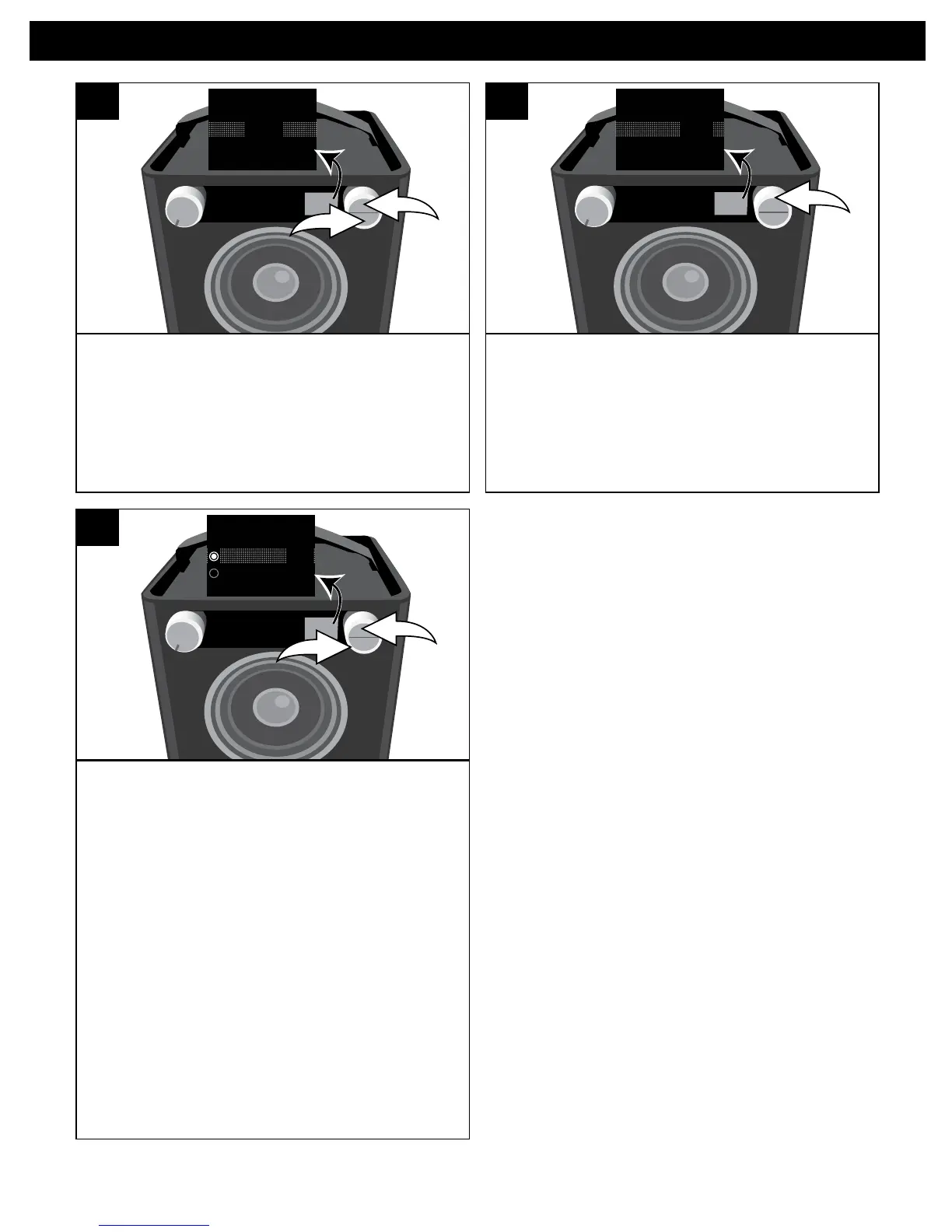
If the MIX menu has disappeared from
the display, press the OK button u or
BACK button v to bring it back.
SOURCE EQ
O ®p n
2
1
50%
INSTAUX1
5
Select the desired ratio using the Select
control. For example, to make the
Instrument more dominant, rotate the
Select control clockwise to increase the
Instrument ratio.
SOURCE EQ
O ®p n
75%
INSTAUX
6
Press the OK button u; Mix and Solo will
appear in the display.
To mix the sound of the instrument with
the selected source, select MIX using
the Select control v and then press
the OK button u. Mix will appear in the
display.
NOTE: While USB is selected in MIX
mode, it can select the normal
playback function.
To play solo, select SOLO using the
Select control v and then press the OK
button u. Solo will appear in the display.
Adjust the Volume and EQ as described
on page 9.
SOURCE EQ
O ®p n
Solo
Mix
2
1
7


 To Next Page