9
OPERATION
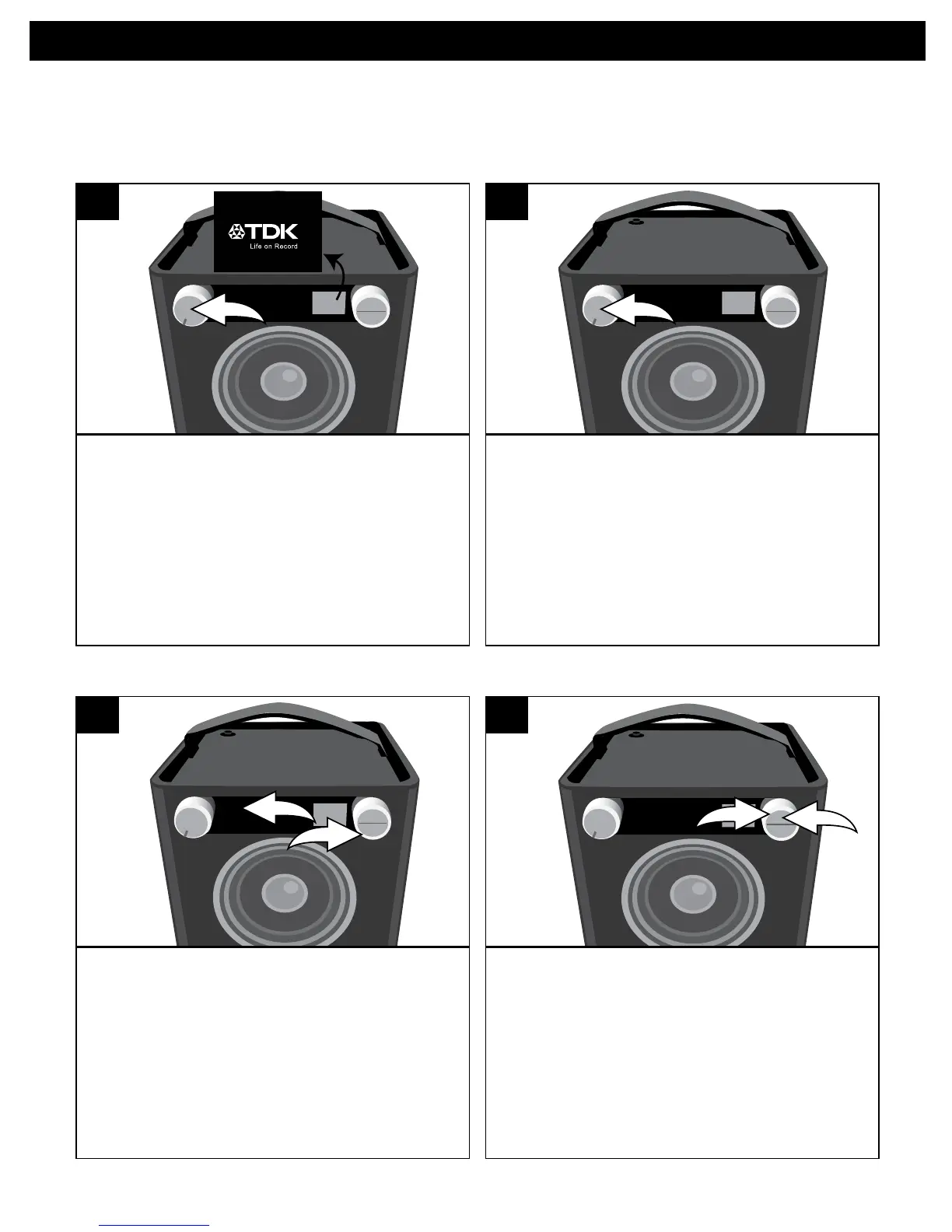
Rotate the Volume/Power control until
a click is heard and the Power indicator
lights to turn the unit on.
SOURCE EQ
1
RotatetheVolume/Power
control clockwise to increase or
counterclockwise to decrease the
volume.RotatetheVolume/Power
control counter-clockwise until a click
is heard and the Power indicator light
goes off to turn the unit off.
SOURCE EQ
2
TURNING THE UNIT ON/OFF AND ADJUSTING THE VOLUME
Duringanymode,presstheEQbutton/
indicator u; Bass will appear in the
display. Adjust the Bass as desired using
the Select control v.
SOURCE EQ
2
1
Press the OK button u and Treble will
appear in the display. Adjust the Treble
as desired using the Select control v.
Press the OK button u to confirm the
setting or wait a few seconds to go
back to the previous menu.
SOURCE EQ
2
1
EQ
The following controls operate most or all of the functions.
1 2


 To Next Page