EasyManua.ls Logo

Teac A-4070G - Page 8

Teac A-4070G
62 pages
Print Icon
To Next Page IconTo Next Page
To Previous Page IconTo Previous Page
Loading...
DISASSEMBLY
OF
CAPSTAN/HEAD
MOUNT
AREA
1.
2<
Remove
the
VU
meter
holder.
Remove
four
button
head
Philips
screws
securing
the
head
base
plate.
Base
plate
may
now
be
lifted
forward
to
accomplish
belt
replacement.
In
order
to
replace
the
capstan
assembly,
the
slide
base
assembly
must
first
be
removed.
1.
2%
Remove
the
L
&
R
lower
head
protectors.
Remove
pinch
roller.
Remove
lower
screw
and
nylon
inserts
from
slide
base
assembly.
(located
below
the
pinch
roller
shaft
housing).
.
Disconnect
slide
base
assembly
coil
spring.
.
Remove
the
screw
in
one
of
the
head
PC
board
brackets,
lift
PC
board
from
bracket
thus
freeing
the
lifter
spring
bracket.
.
Remove
screw
and
nylon
inserts
from
lifter
spring
bracket.
Slide
base
assembly
may
now
be
removed
exposing
the
capstan
assembly
mounting
screws.
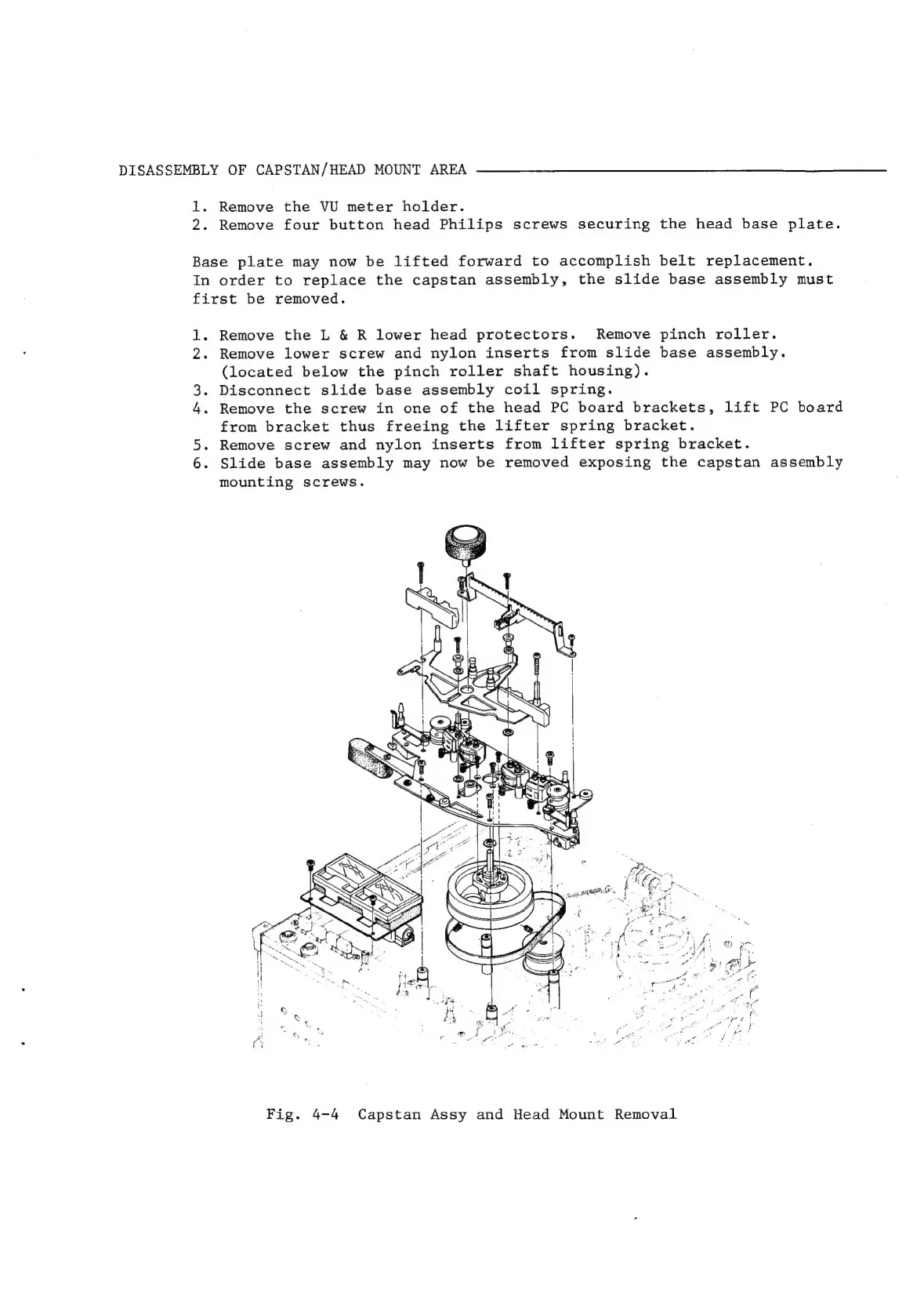
Fig.
4-4
Capstan
Assy
and
Head
Mount
Removal

Related product manuals