EasyManua.ls Logo

Teac A-7300RX - Page 7

Teac A-7300RX
65 pages
Print Icon
To Next Page IconTo Next Page
To Previous Page IconTo Previous Page
Loading...
44
REMOVAL
OF
TENSION
ARM
(RIGHT)
AND
DRIVE
ROLLER
ASS’Y
.
Remove
power
from
the
unit.
.
Remove
Tape
transport
Case
(See
step
4-1
on
page
6).
.
Loosen
1
set
screw
in
Drive
Roller
Pulley
(A).
_
Lift
off
the
Drive
Roller
ass’y
(B).
Watch
for
the
spacer.
_
Remove
4
screws
in
Tension
Arm
Ring
(C).
_
Lift
off
these
parts,
Tension
Arm
Ring
(C)
and
Tension
Arm
(D).
Dunk
wn
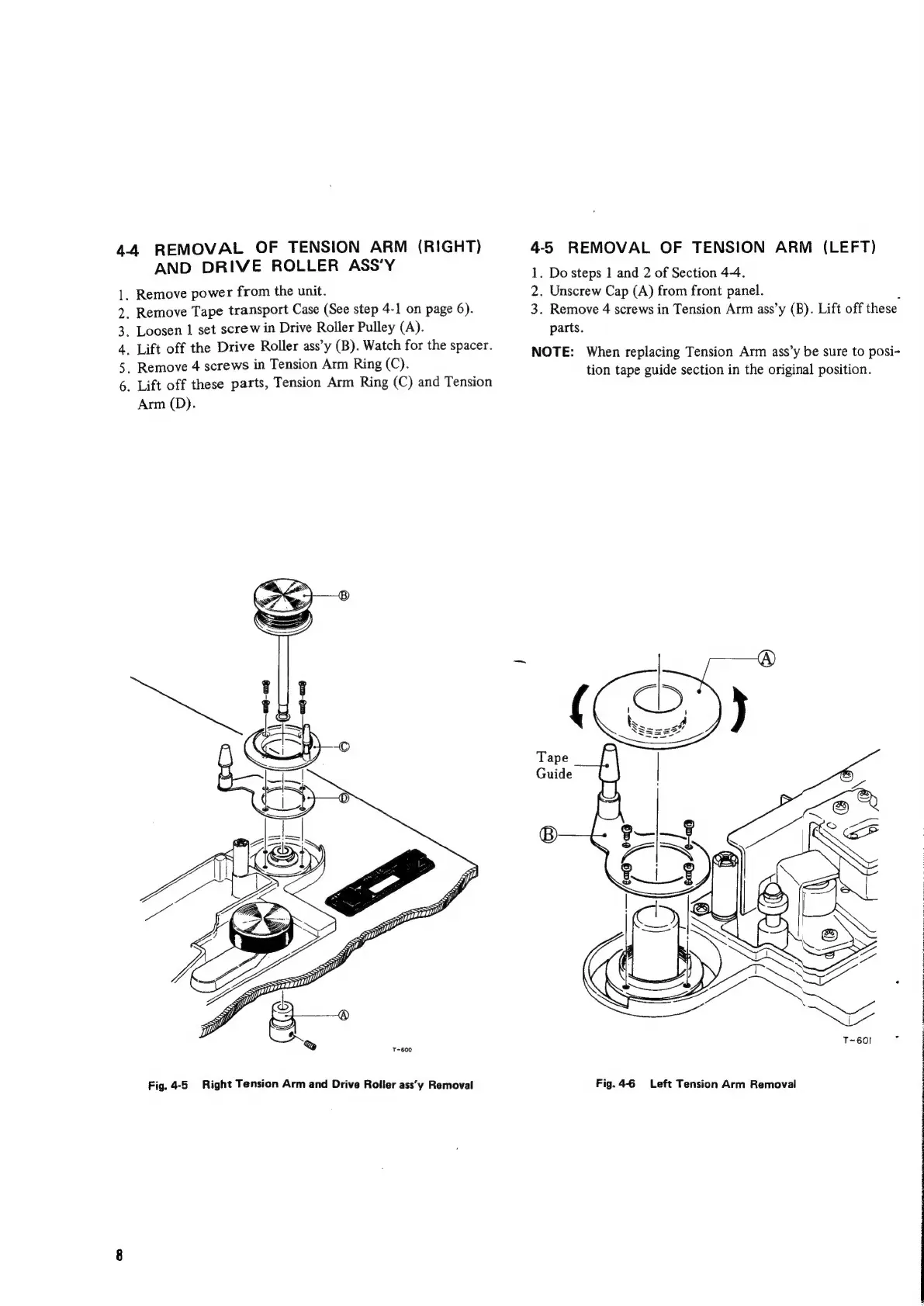
Fig.
4-5
Right
Tension
Arm
and
Drive
Roller
ass’'y
Removal
4-5
REMOVAL
OF
TENSION
ARM
(LEFT)
1.
Do
steps
1
and
2
of
Section
44.
2.
Unscrew
Cap
(A)
from
front
panel.
3.
Remove
4
screws
in
Tension
Arm
ass’y
(B).
Lift
off
these
parts.
NOTE:
When
replacing
Tension
Arm
ass’y
be
sure
to
posi-
tion
tape
guide
section
in
the
original
position.
Fig.
4-6
Left
Tension
Arm
Removal

Related product manuals