10
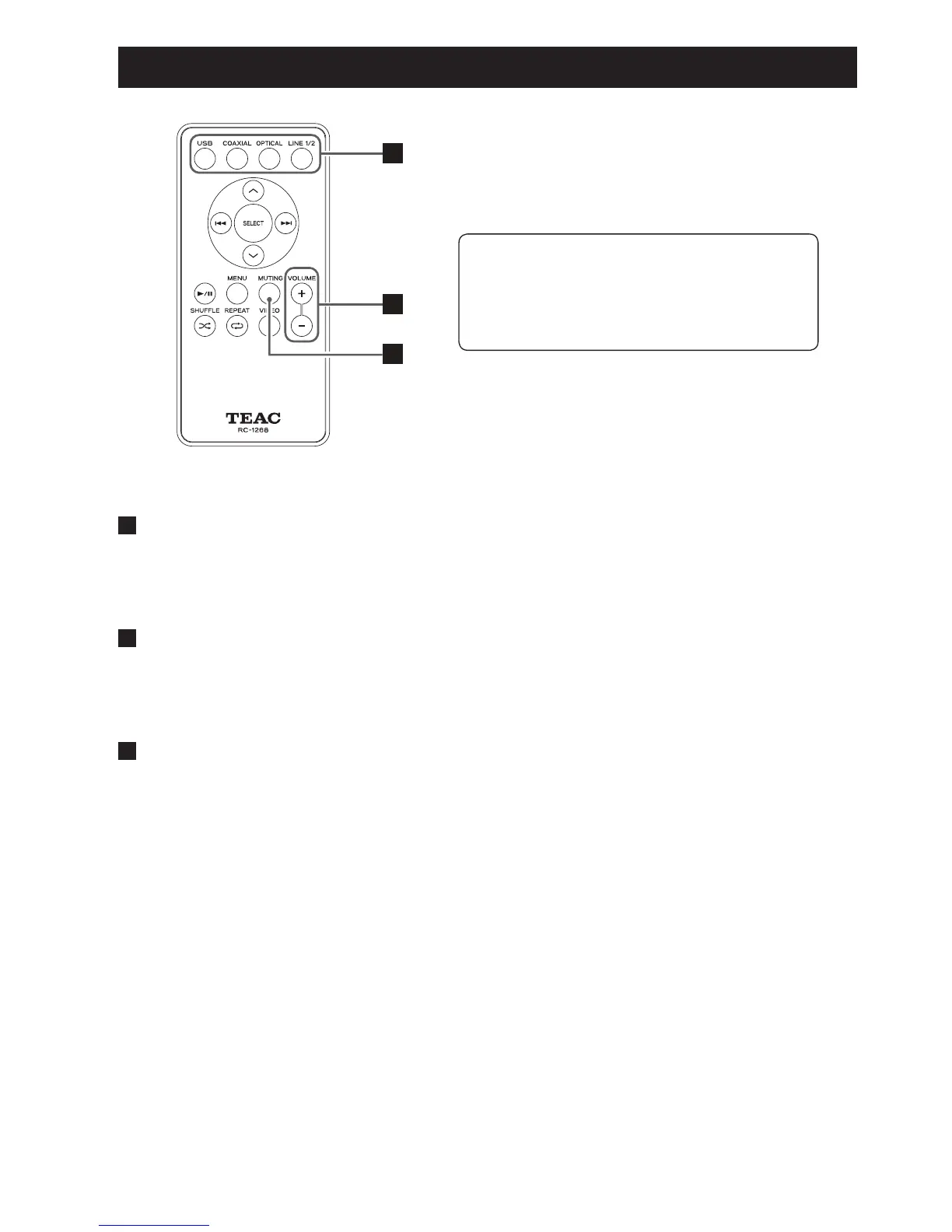
Identifying the Parts (Remote Control Unit)
A
B
C
A
SOURCE
Use this button to select the source you want to play.
B
VOLUME (+/–)
Use these buttons to adjust the volume.
C
MUTING
Press the MUTING button to mute the sound temporarily.
To restore the sound, press the MUTING button again.
Using the remote control unit RC-1268, you
can control the A-H01 and DS-H01.
Only the buttons used for the A-H01 are
explained in this document.



 To Next Page