13
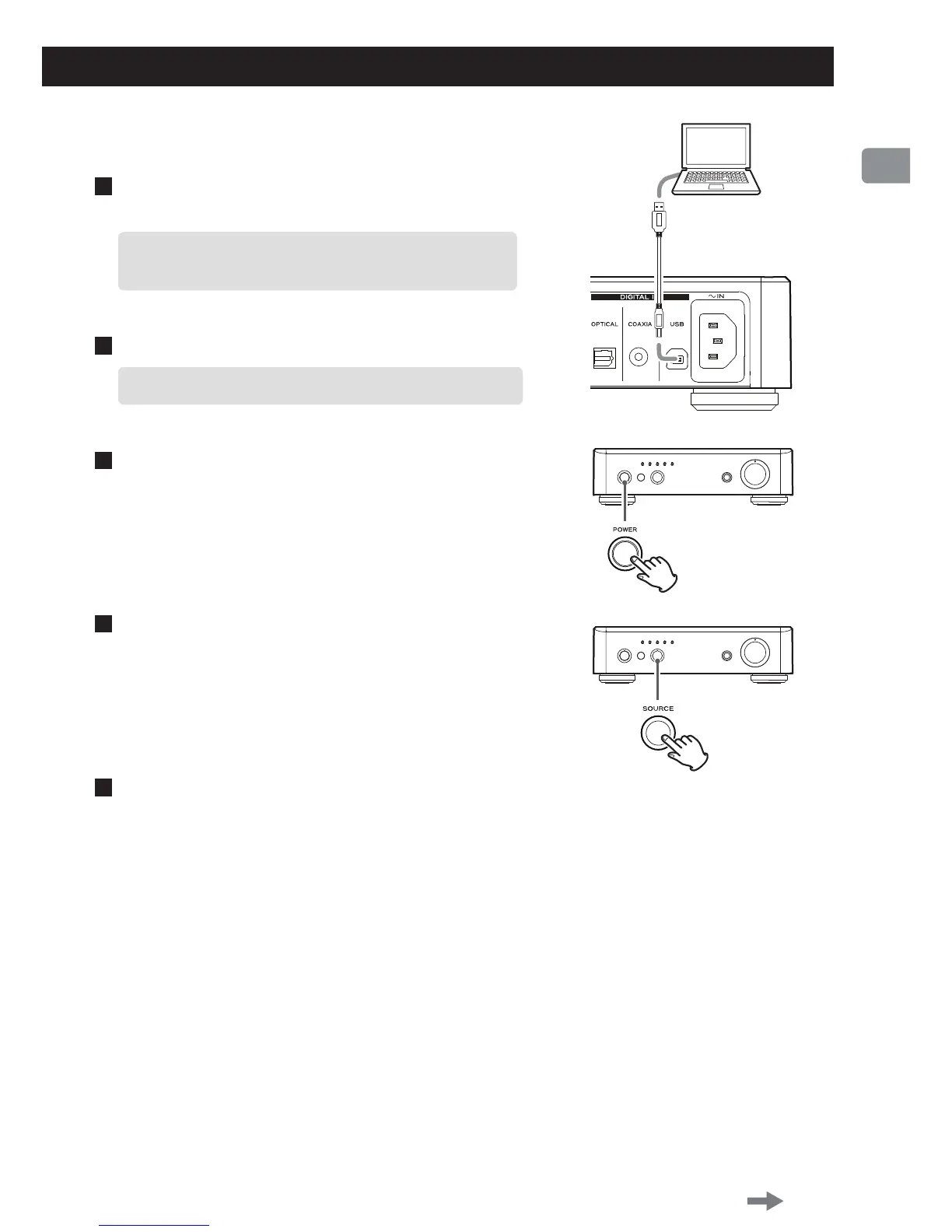
USB cable
Playing back music files stored on the computer
1
Connect the unit to the computer using a USB
cable.
<
Use a cable with a connector that ts the USB port on
the unit.
2
Turn the computer on.
<
Conrm that the operating system has started properly.
3
Press the POWER button to turn the unit on.
4
Press the SOURCE button repeatedly to select
“USB”.
5
Start playback of the music file on the computer.
Even better sound quality can be achieved by setting
the volume on the computer to maximum and
adjusting the volume on the volume knob (VOLUME)
on this unit.
Using the same knob on this unit, set the volume to
the minimum at the beginning of playback and
gradually increase the volume level.
Continued on the next page



 To Next Page