ENGLISH
Basic Operation 1
40
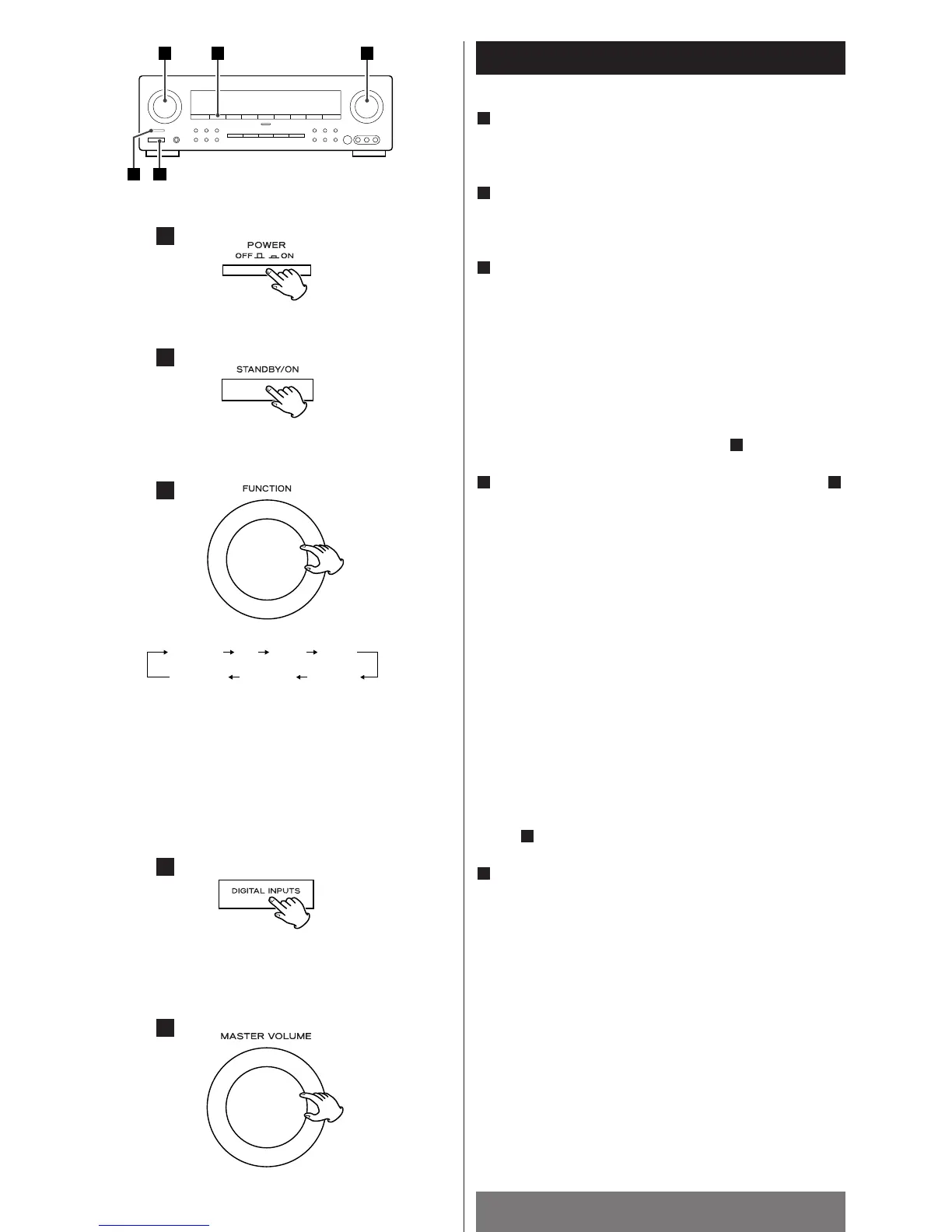
Press the POWER switch.
The unit enters standby mode, and the standby indicator
lights.
Press the STANDBY/ON switch to turn the unit on.
The power indicator lights, and the standby indicator goes
off.
Select a source by turning the FUNCTION knob (or
pressing one of the FUNCTION buttons of the remote
control unit).
The selected source is shown on the front panel’s display.
<
If one of the FUNCTION buttons or EXT IN button of the
remote control unit is pressed in the standby mode, the unit is
turned on with the selected source automatically.
<
If the source is connected to EXTERNAL IN jacks, press the
EXTERNAL IN button and proceed to step .
When you selected VIDEO(1, 2 or 3) or CD in step ,
press the DIGITAL INPUTS button repeatedly to select
the terminal.
o1:
Select this when the source is connected to DIGITAL IN
(OPTICAL 1) terminal.
c1: Select this when the source is connected to DIGITAL IN
(COAXIAL 1) terminal.
c2: Select this when the source is connected to DIGITAL IN
(COAXIAL 2) terminal.
A: Select this when the source is connected to analog
AUDIO IN jacks.
< DIGITAL indicator blinks when the unit cannot perceive the
digital signal. In that case, connect a digital device to the
DIGITAL IN terminal, switch it on, and select the terminal by
pressing the DIGITAL INPUTS button.
<
You can hear the sound from the selected DIGITAL IN
terminal as far as VIDEO (1,2 or 3) or CD has been selected in
step .
Play the source, and gradually turn up the volume to
the required level by turning the VOLUME knob.
5
3
34
5
3
2
1
Recording a Source
1. Select a source to be recorded by turning the FUNCTION
knob (or pressing one of the FUNCTION buttons of the
remote control unit).
2. Start recording.
<
The volume and tone control have no effect on the recording
signals.
<
The analog signals input from the EXTERNAL IN jacks cannot
be recorded.



 To Next Page