ENGLISH
RDS Search
76
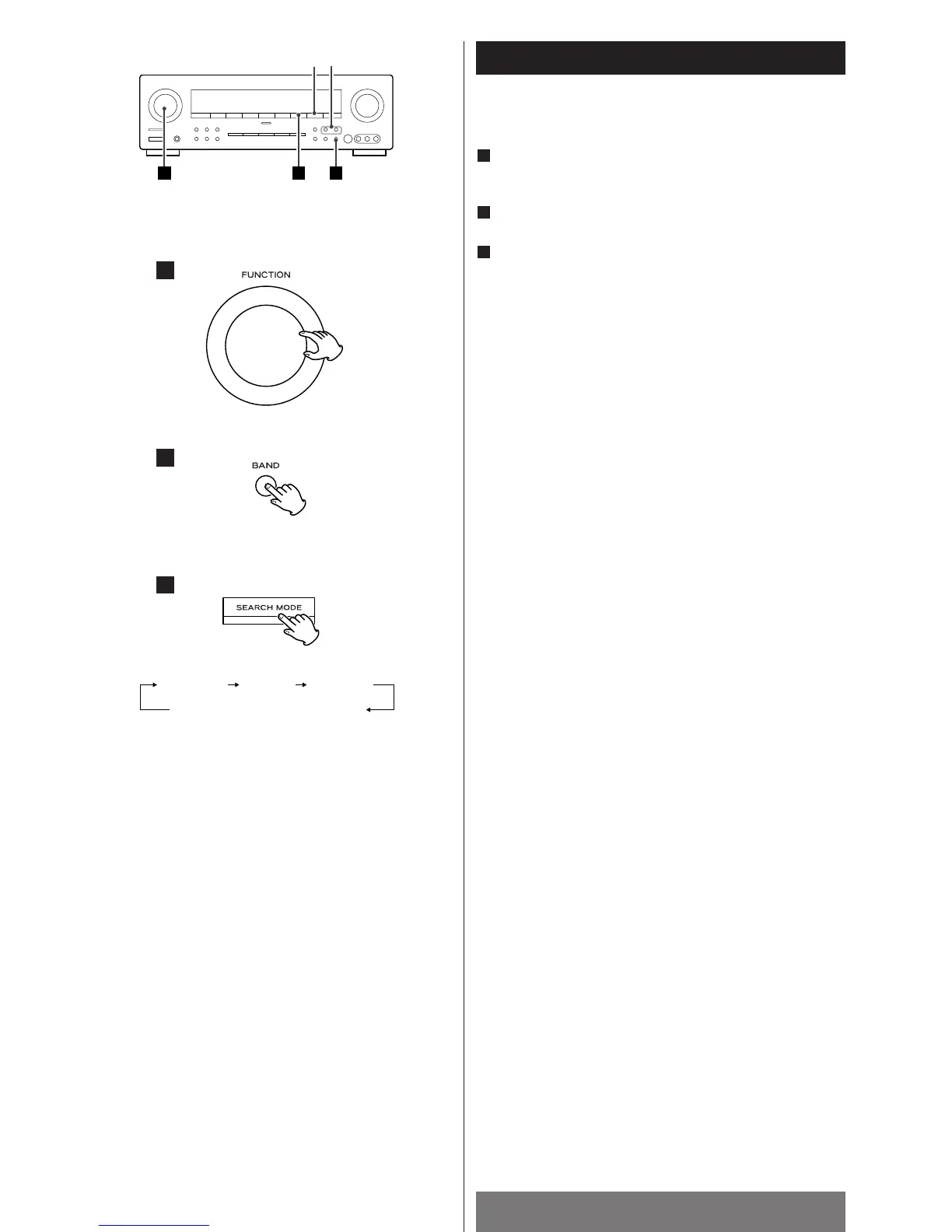
A station can be searched by this function.
Select TUNER by turning the FUNCTION knob (or press
the TUNER button of the remote control unit).
Select FM by pressing the BAND button.
Press the SEARCH MODE button.
Each time the SEARCH MODE button is pressed, the search
mode is changed as follows:
RDS search
Select “RDS SRCH” by pressing the SEARCH MODE button,
and within 8 seconds press the TUNING/PRESET button.
The unit starts searching and “RDS SRCH” blinks.
When a station offering RDS services is found, the station’s
name will be displayed.
If the station found is not the desired one, press the
TUNING/PRESET button again while the RDS indicator is
blinking.
If no RDS station is found, “NO RDS” will be displayed.
TP search
Select “TP SRCH” by pressing the SEACH MODE button, and
within 8 seconds press the TUNING/PRESET button.
The unit starts searching for a station offering the traffic
programme, and “TP SRCH” blinks.
If no station is found or the signal is too weak, “NO TRAFF”
will be displayed.
PTY search
1. Select “PTY SRCH” by pressing the SEACH MODE button.
2.Within 8 seconds, select the desired PTY programme by
pressing the PTY SELECT button.
You can select from 31 kinds (see page 80).
3. Press the TUNING/PRESET button.
The unit starts searching.
When the programme that you have selected is found,
searching will stop and the programme type will be displayed.
If no station is found or if the signal is too weak, “NO PROG”
will be displayed.
3
2
1



 To Next Page