11
ENGLISH
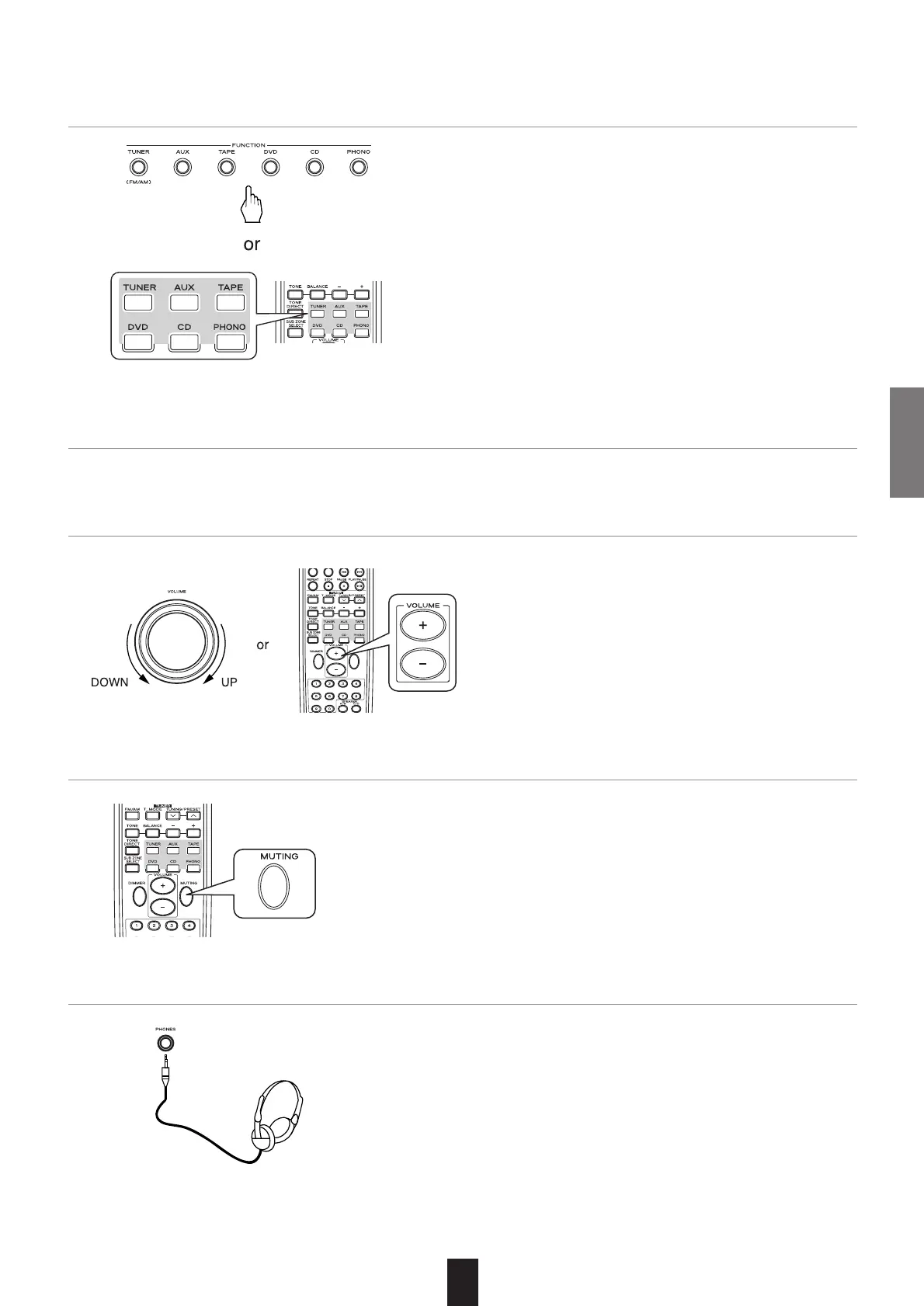
4. Operate the selected component for playback.
• Press the button to select the desired input source.
3. Select the desired input source.
• "MUTE" flickers. (Muting the MAIN ZONE)
• To resume the previous sound level, press this button again.
• When adjusting the volume, the mutting effect is turned off.
• Push the SUB ZONE SELECT button, then push the MUT-
ING button.
• While the mute function for SUB ZONE is operating, "R2" is
flickering.
• To resume the previous sound level, press this button again.
6. To mute the sound.
5. Adjust the volume to a comfortable listening level.
• Be sure to switch off all the speakers installed in the main
room.
7. To listen with the headphones.



 To Next Page