i
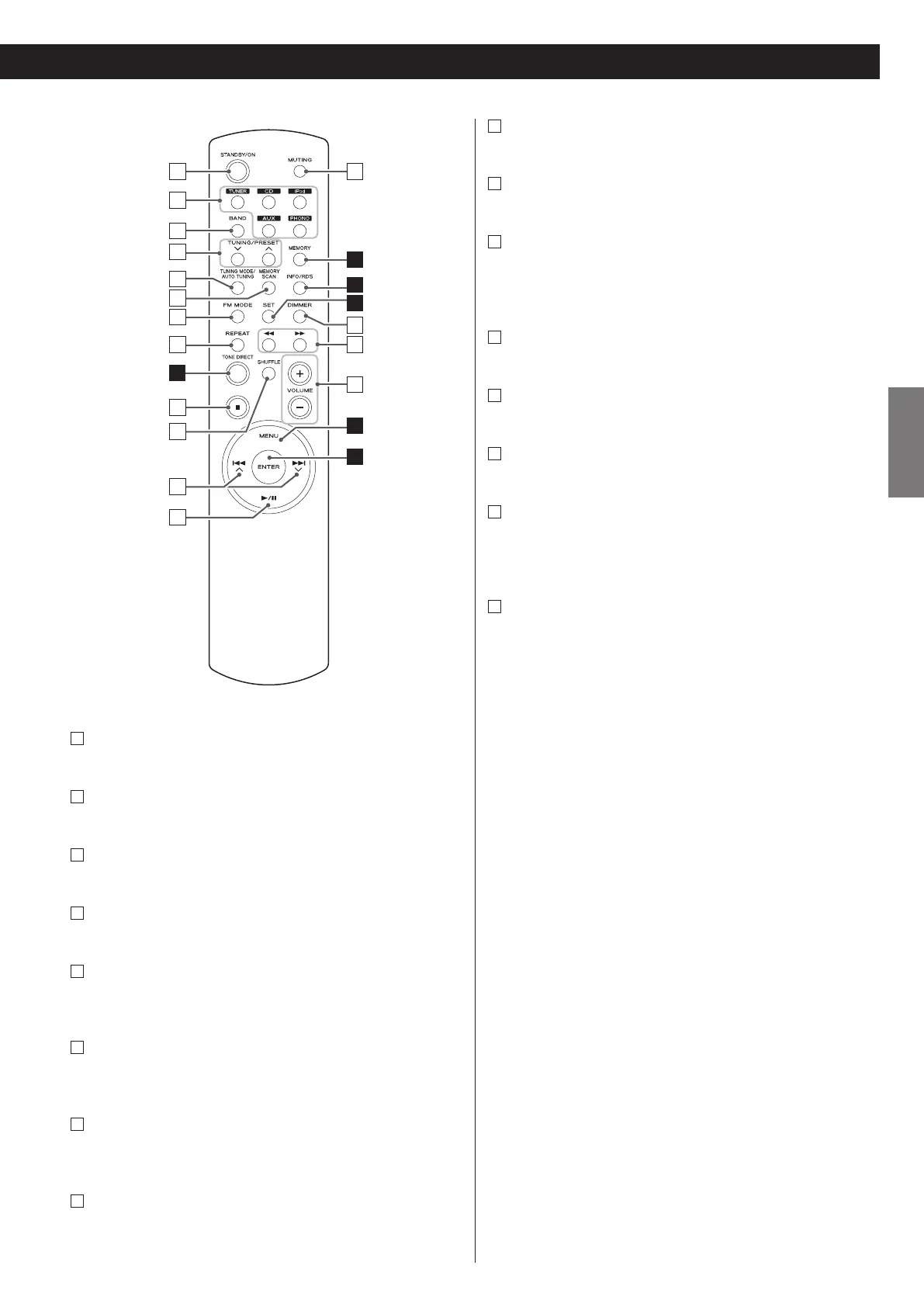
Stop (H)
Use this button to stop playback of PD-H600 or iPod.
j
SHUFFLE
Use this button to change the random mode of PD-H600 or iPod.
k
Skip/Scroll (.°//‡)
Use these buttons to skip tracks/files during playback of the
PD-H600.
Use these buttons to scroll through menu items.
l
Play/Pause (y/J)
Use this button to start or pause playback of the PD-H600 or iPod.
m
MUTING
Use this button to mute the sound.
n
DIMMER
You can use this button to dim the display among three levels.
o
Search (m/,)
Use these buttons to search for a track/file during playback of the
PD-H600.
Use these buttons to skip tracks during playback of the iPod.
p
VOLUME (+/–)
Use these buttons to adjust the volume.
a
STANDBY/ON
Press this button to turn the unit on or standby.
b
TUNER, CD, iPod, AUX , PHONO
Use these buttons to select a source.
c
BAND
Use this button to select FM, AM, DAB or Internet Radio.
d
TUNING/PRESET (‡/°)
Use these buttons to tune in FM/AM stations.
e
TUNING MODE/AUTO TUNING
While listening to FM/AM/DAB, use this button to change the
tuning mode.
f
MEMORY SCAN
While listening to FM/AM/DAB, use this button to check the list of
preset stations.
g
FM MODE
While listening to FM, use this button to select stereo or
monaural.
h
REPEAT
Use this button to change the repeat mode of PD-H600 or iPod.



 To Next Page