28
6
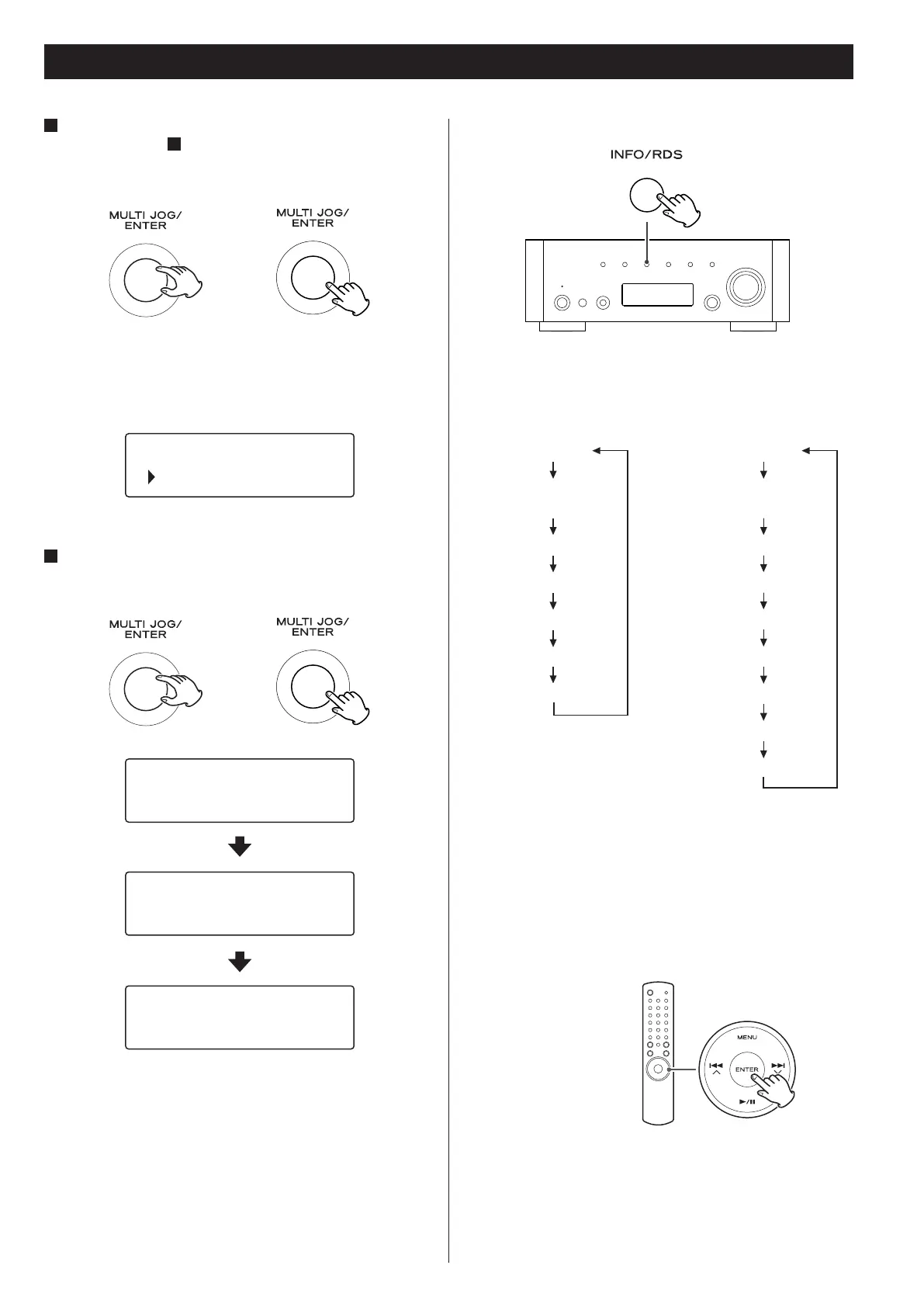
If you have selected “Location”, “Genre” or “Search
stations” in step
5
, search for the channel you want.
Turn the MULTI JOG/ENTER knob to select the item, and then
press the MULTI JOG/ENTER knob.
< For the operations of inputting characters, see “How to input
characters” on page 26.
A list of stations/Podcasts is displayed.
7
Select a station or a Podcast you want to listen to.
Turn the MULTI JOG/ENTER knob to select an item, and press the
knob.
Now you can listen to the station.
To change the displayed information
Each time the INFO/RDS button is pressed, information on the
second line of the display changes.
< The types of information displayed may vary depending on the
stations/Podcasts.
To store the current station/Podcast as
favourite
Press and hold the ENTER button on the remote control unit until
“Favourite Added” is displayed.
< Your favourite stations can be easily accessed from “My favourites”
in “Station list”.
< You can also add to your favourite stations using the Internet
radio portal. (See “Radio Portal” on page 31.)
Business News
Celtic
Celtic Songs & D
Buffering
Celtic Songs & D
Opening...
Celtic Songs & D
Playing
Listening to Internet Radio 2
T
T
Internet radio:
Playing
Signal strength
(for wireless LAN)
Format
Reliability
Description
Genre
Location
Podcast:
Playing
Signal strength
(for wireless LAN)
URL
Description
Language
City
State
Country
Bookmark



 To Next Page