EasyManua.ls Logo

Teac AG-V4200 - Surround Effects; Remote Control Unit

Teac AG-V4200
47 pages
Print Icon
To Next Page IconTo Next Page
To Previous Page IconTo Previous Page
Loading...
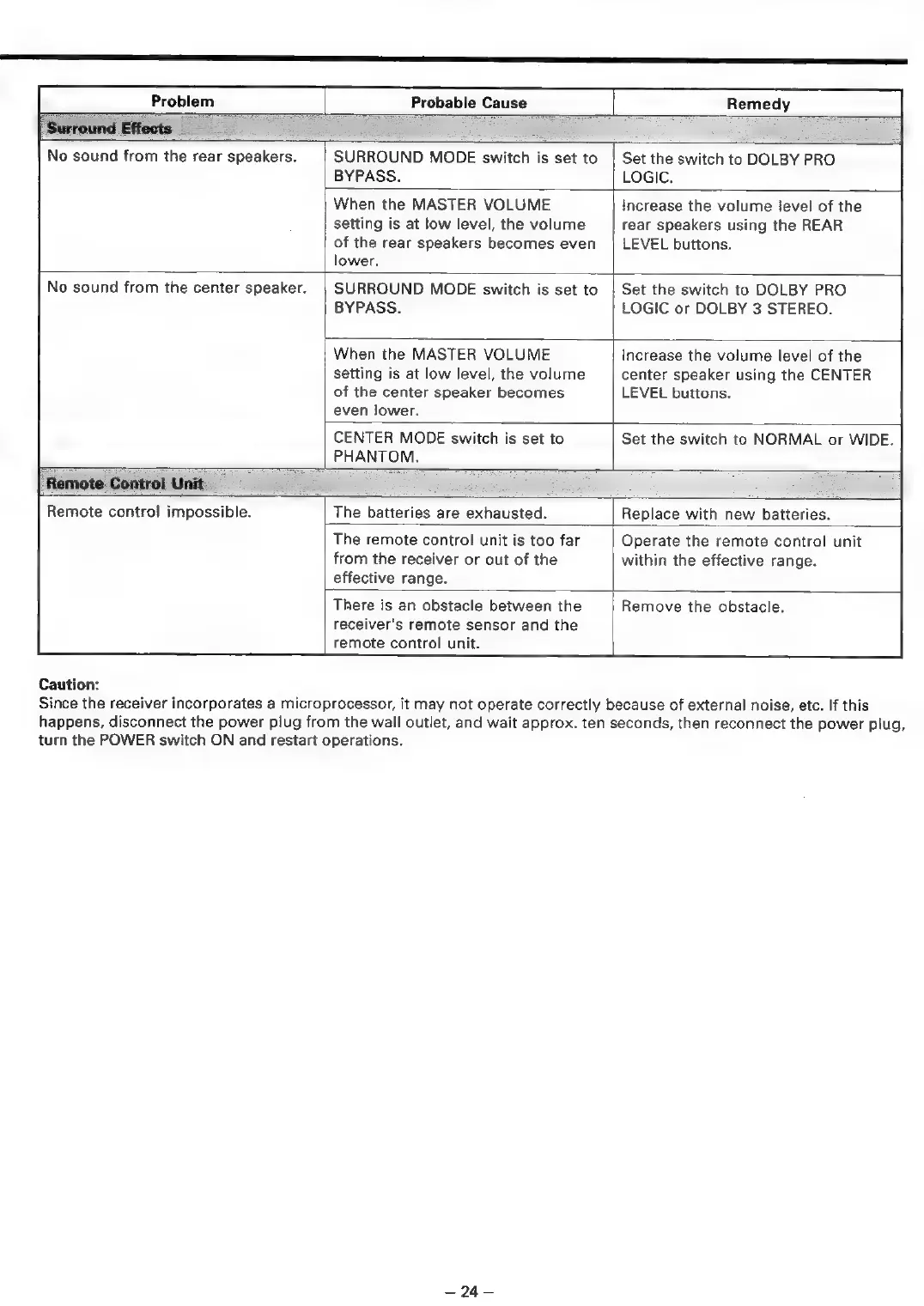
Problem
Remedy
|
Surround
Effects
ae
=
Probable
Cause
No
sound
from
the
rear
speakers.
SURROUND
MODE
switch
is
set
to
BYPASS.
Set
the
switch
to
DOLBY
PRO
LOGIC.
When
the
MASTER
VOLUME
setting
is
at
low
level,
the
volume
of
the
rear
speakers
becomes
even
lower.
Increase
the
volume
level
of
the
rear
speakers
using
the
REAR
LEVEL
buttons.
No
sound
from
the
center
speaker.
SURROUND
MODE
switch
is
set
to
BYPASS.
Set
the
switch
to
DOLBY
PRO
LOGIC
or
DOLBY
3
STEREO.
When
the
MASTER
VOLUME
setting
is
at
low
level,
the
volume
of
the
center
speaker
becomes
even
lower.
Increase
the
volume
level
of
the
center
speaker
using
the
CENTER
LEVEL
buttons.
CENTER
MODE
switch
is
set
to
PHANTOM.
Set
the
switch
to
NORMAL
or
WIDE.
Remote
Control
Unit
Remote
control
impossible.
Caution:
The
batteries
are
exhausted.
Replace
with
new
batteries.
The
remote
control
unit
is
too
far
from
the
receiver
or
out
of
the
effective
range.
Operate
the
remote
control
unit
within
the
effective
range.
There
is
an
obstacle
between
the
receiver's
remote
sensor
and
the
remote
control
unit.
Remove
the
obstacle.
Since
the
receiver
incorporates
a
microprocessor,
it
may
not
operate
correctly
because
of
external
noise,
etc.
If
this
happens,
disconnect
the
power
plug
from
the
wall
outlet,
and
wait
approx.
ten
seconds,
then
reconnect
the
power
plug,
turn
the
POWER
switch
ON
and
restart
operations.
=9R=

Related product manuals