15
ENGLISH
iPod
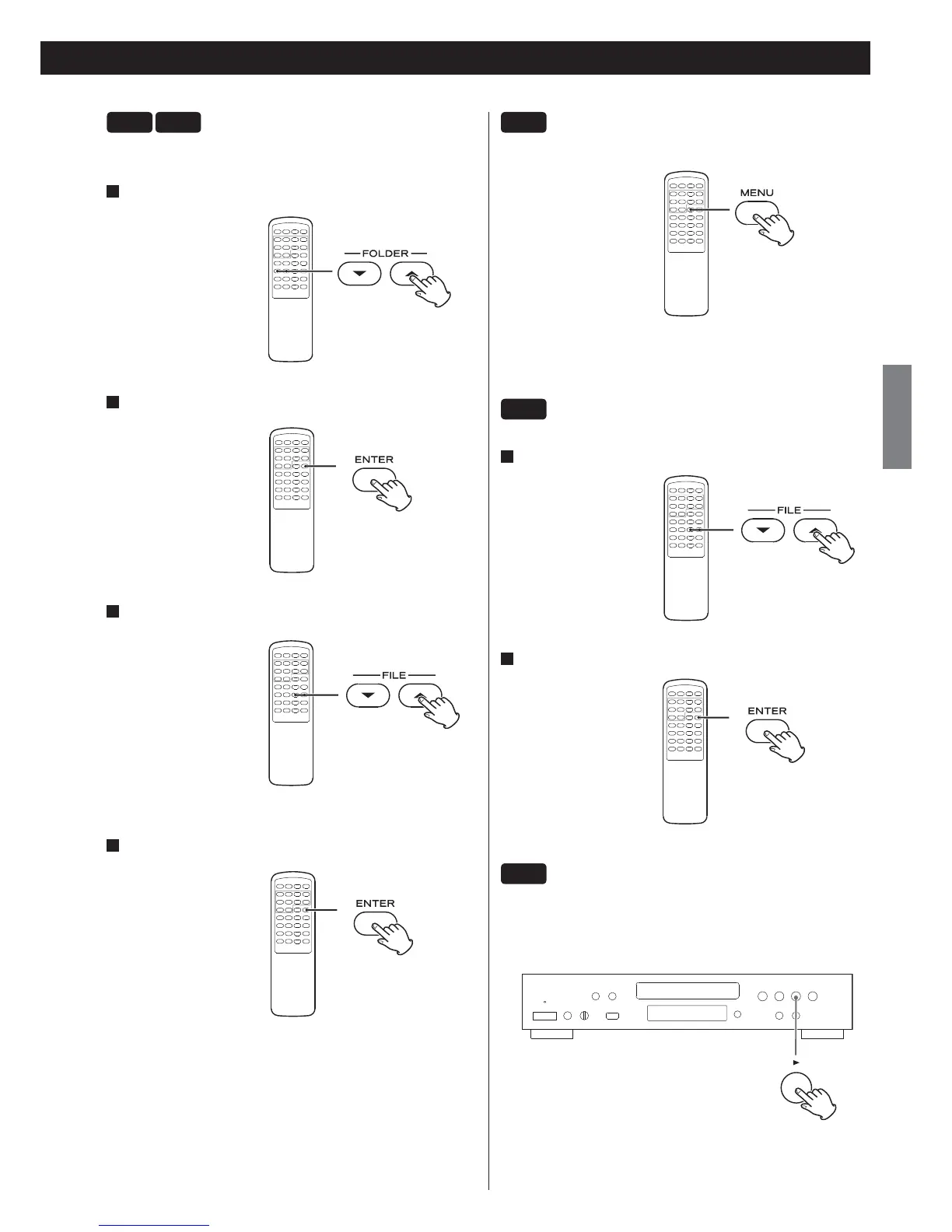
To go back to the previous menu
Press the MENU button to go back to the previous menu.
This button is equivalent to the MENU button on your iPod.
iPod
Select a menu item
1
Use the FILE buttons (¥/˙) to select a menu item.
2
Press the ENTER button.
iPod
To put the iPod in sleep mode (only in Direct
mode)
Hold down the Play button (
y
) for more than 5 seconds.
The iPod enters sleep mode.
To cancel sleep mode, press the Play button
(
y
)
again.
CD
USB
Playback files in a folder
You can select a folder that contains WMA/MP3 files.
1
Use the FOLDER buttons (¥/˙) to select a folder.
2
Press the ENTER button.
3
If you want to select a file, use the FILE buttons (¥/˙).
< Files in the selected folder can be selected.
4
Press the ENTER button.
Playback starts from the selected file.



 To Next Page