27
Inserted USB device info
Displays USB version of the device that is attached, for example if a USB 2.0 device is attached,
2.0 will be displayed. When no device is attached it will display 'No Device'.
Inserted USB device info
Operation guide
Operational buttons on the remote ◄►▲▼, Menu and OK.
Operation guide
◄ ►//
▲ ▼//
OK/EnterOK/Enter
Multimedia main board keypress instruction:
The follows only list MM page and other relavant function, Menu, sleep and other systerm
function is not included.
Multimedia main board keypress instruction:
Enter submenu.
Turn up/down.
Move Focus to left/right, it can circle move.
Return 200* 200 1
UP.png
2. bmp
2
C:\
Resolution 1024x768
Size 200KBytes
Date ----/--/--
Time --/--/--
1/2
Delete Current Filt
1.bmp
Disc
File folders in disc,
press ok to enter
Picture overview
Page
Preview
Picture
information
PHOTOPHOTO
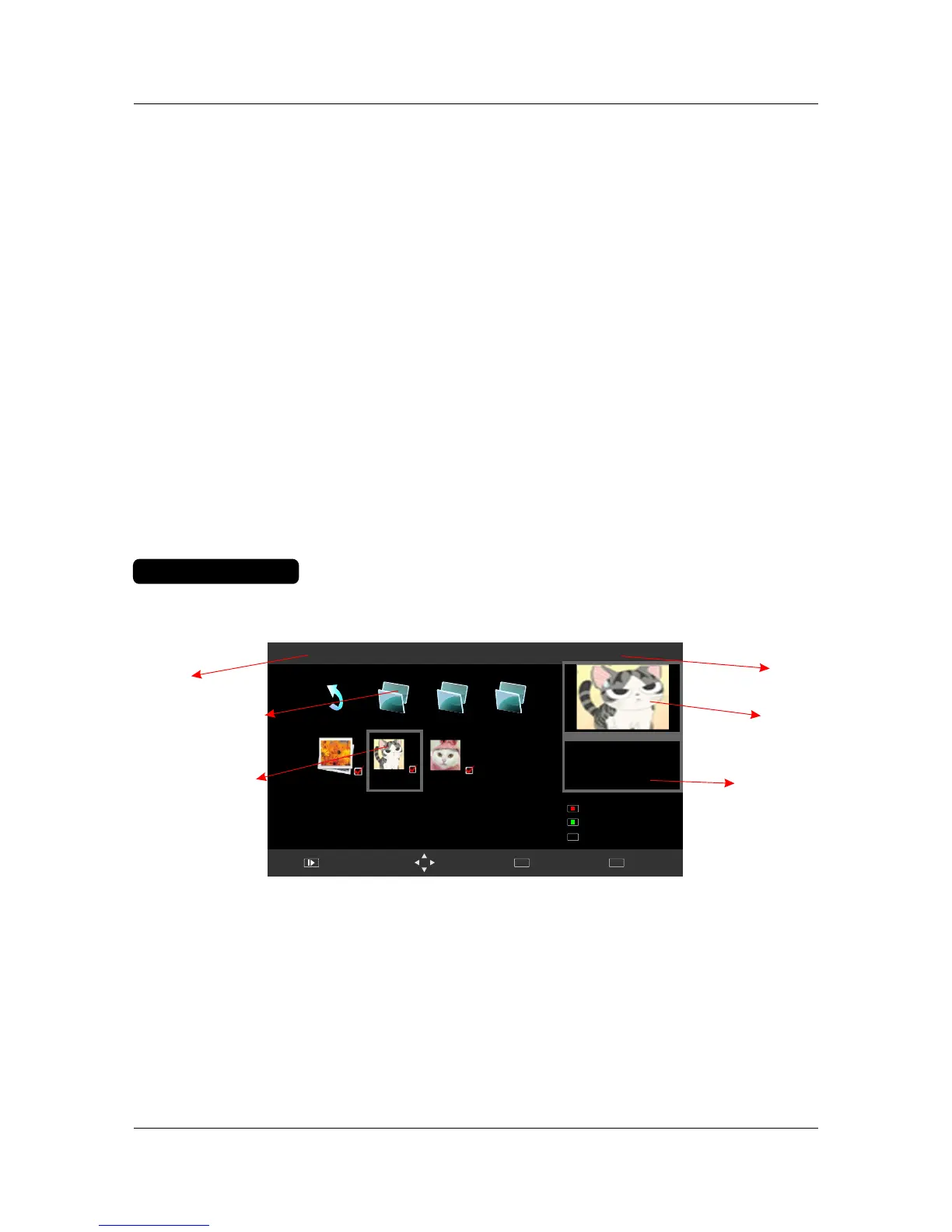
Multimedia PHOTO’s submenu layout:
PagePage
DiscDisc
Show the current disc.
Indicates the total number of pages containing files. example as per picture - '1/2' represents page
1 of 2.
Picture listPicture list
Preview windowPreview window
Displays a preview of the highlighted picture in the Picture list.
Use ◄►▲▼ to scroll through the picture list. Press OK to select the picture, a tick will appear on the file.
Press PLAY to view picture in full screen.
Quit
EXIT
Move Menu
MENU
Full Screen
Add/Remove all
Add/remove to playlist
OK



 To Next Page