OSD Menu
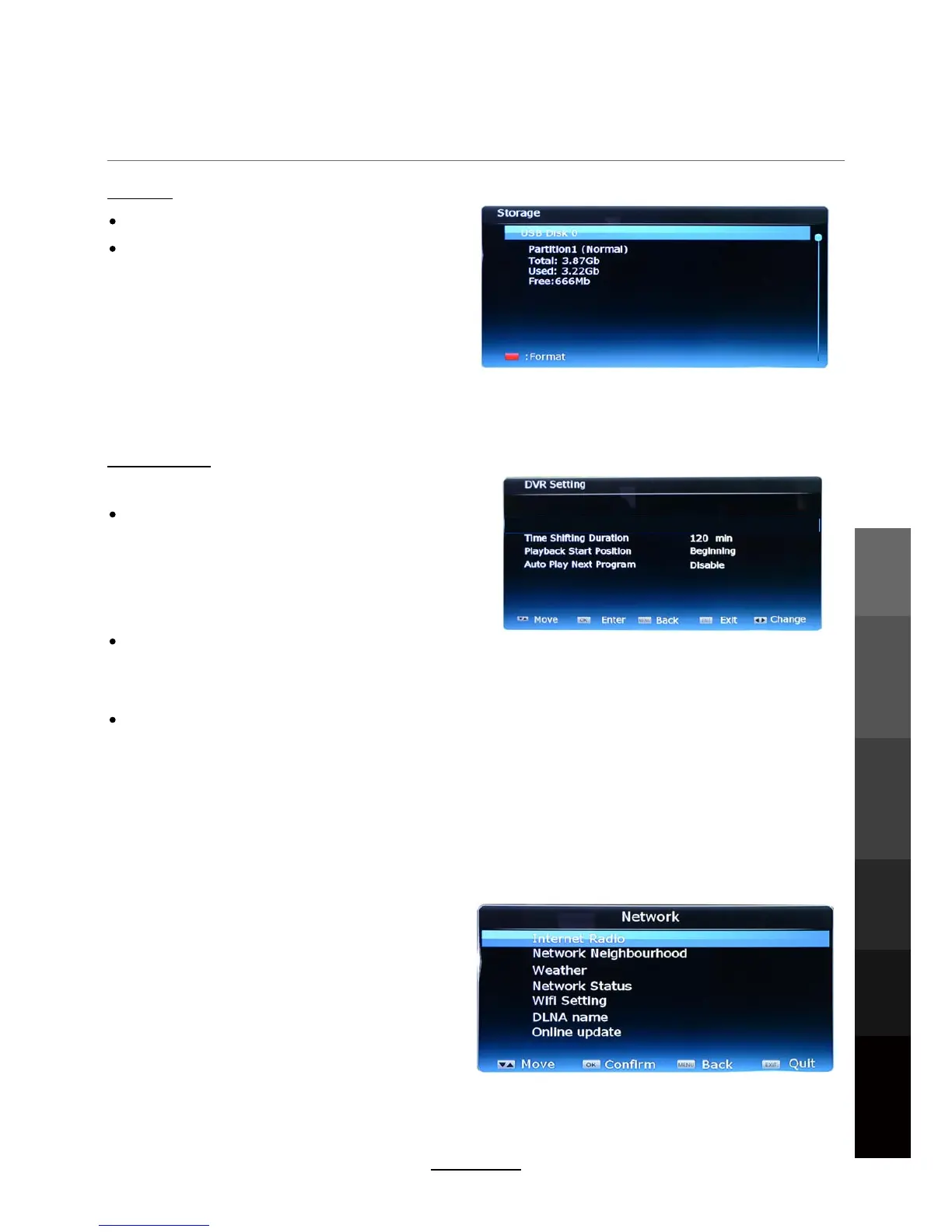
Storage
NETWORK Menu
DVR Setting
View the status of the external hard disk
Format the USB
NOTE: For more about setting up a HDD for
recording, please see the “Recording Operation”
section on page 24.
CAUTION : Formatting will delete all files on the
hard disk! Please backup any files you wish to
keep before formatting. TEAC cannot take
responsibility for lost data.
Playback Start Position
- Select a start point for playing recorded programs
- Available options: Beginning, Continuing (begin playback from the last viewed position)
Auto Play Next Program
- Available options: Enable or Disable
- By selecting “Enable”, the TV will play the next recorded program in the list once the current
program is finished.
- By selecting “Disable” the TV will only play the program which was selected.
- Set the desired Time Shift limit between 30
minutes to 2 hours. (Default: 2 hours)
NOTE : For more about using Time Shift, see page
25.
Time Shift Duration
Press OK to enter Network Menu.
Internet Radio
Network Neighborhood
Weather
Network Status
Wifi Setting
DLNA name
Online update
OSD Menu
Electronic Program
Guide
Recording
Operation
Maintenance
and Service
NETWORK
Media
Operation
15



 To Next Page