35
ENGLISH
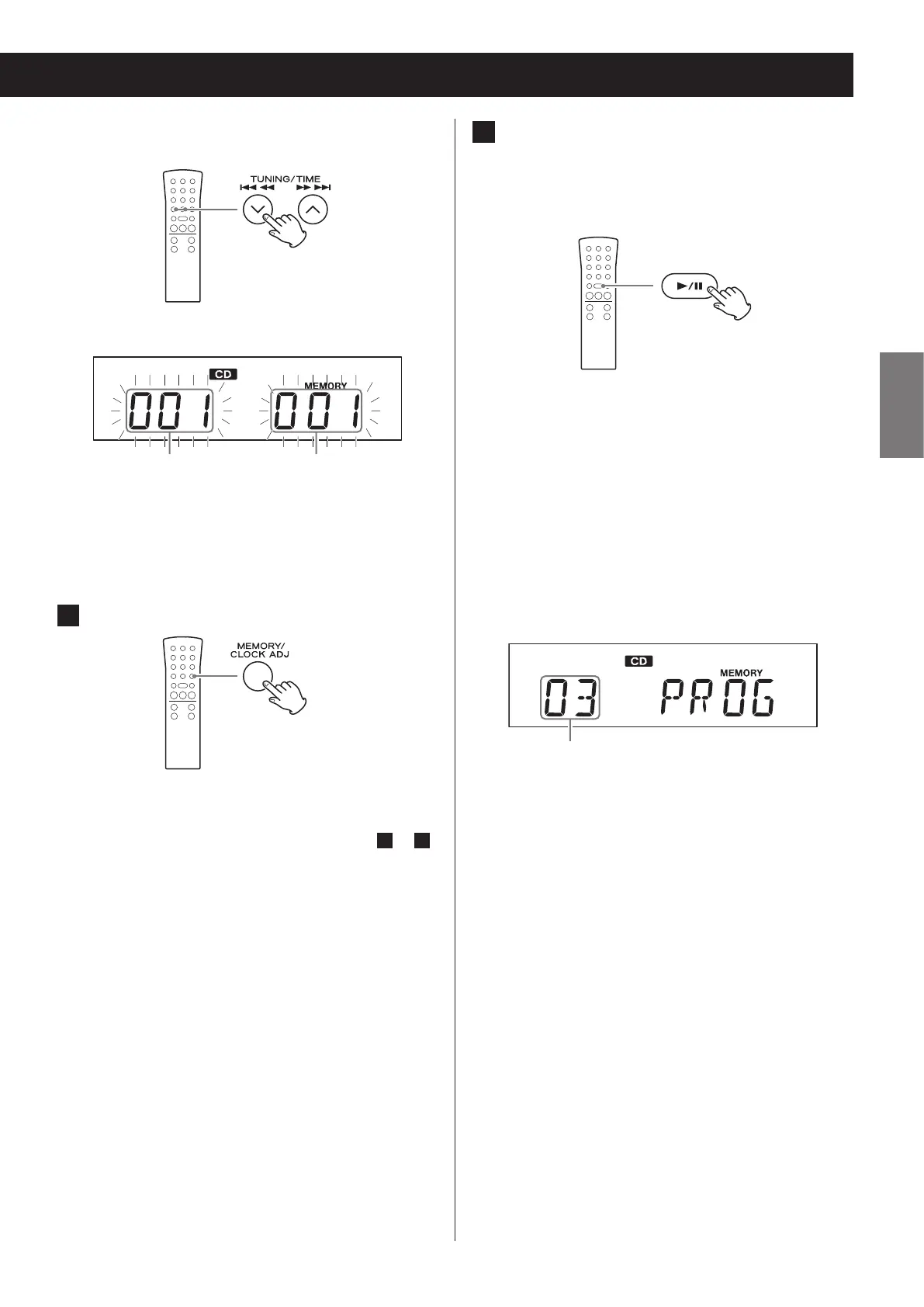
To select a file by number, use the skip/search
(.m/,/) buttons.
Display example
Folder number File number
o This unit treats MP3/WMA files that are not in
folders as being in the 001 (ROOT) folder.
o If you change the folder or file number, only the
MEMORY indicator will blink.
4 Press the MEMORY button.
The selected track is added to the program, and
“P02” appears on the display.
o To program multiple tracks, repeat steps
3
to
4
.
o To stop programming, press the stop (
8
) button.
5 When you have nished adding tracks
to a program, press the play/pause
(y/9) button to start programmed
playback.
o To stop programmed playback, press the stop (8)
button. The contents of the program are retained.
o During programmed playback, use the skip/search
(.m/,/) buttons to select different
tracks/files in the program. You can also use the scroll
(MULTI JOG) knob on the main unit for this operation.
o During programmed playback, shuffle playback
(page 39) is not possible.
o The display will appear as follows when programmed
playback completes.
Display example
Total number of program tracks


 To Next Page