44
Pairing with another Bluetooth device
Pairing is necessary before using the Bluetooth function
of this unit for the first time and when you want to con-
nect a new Bluetooth device.
Follow these procedures to pair the unit with the other
device.
Pairing
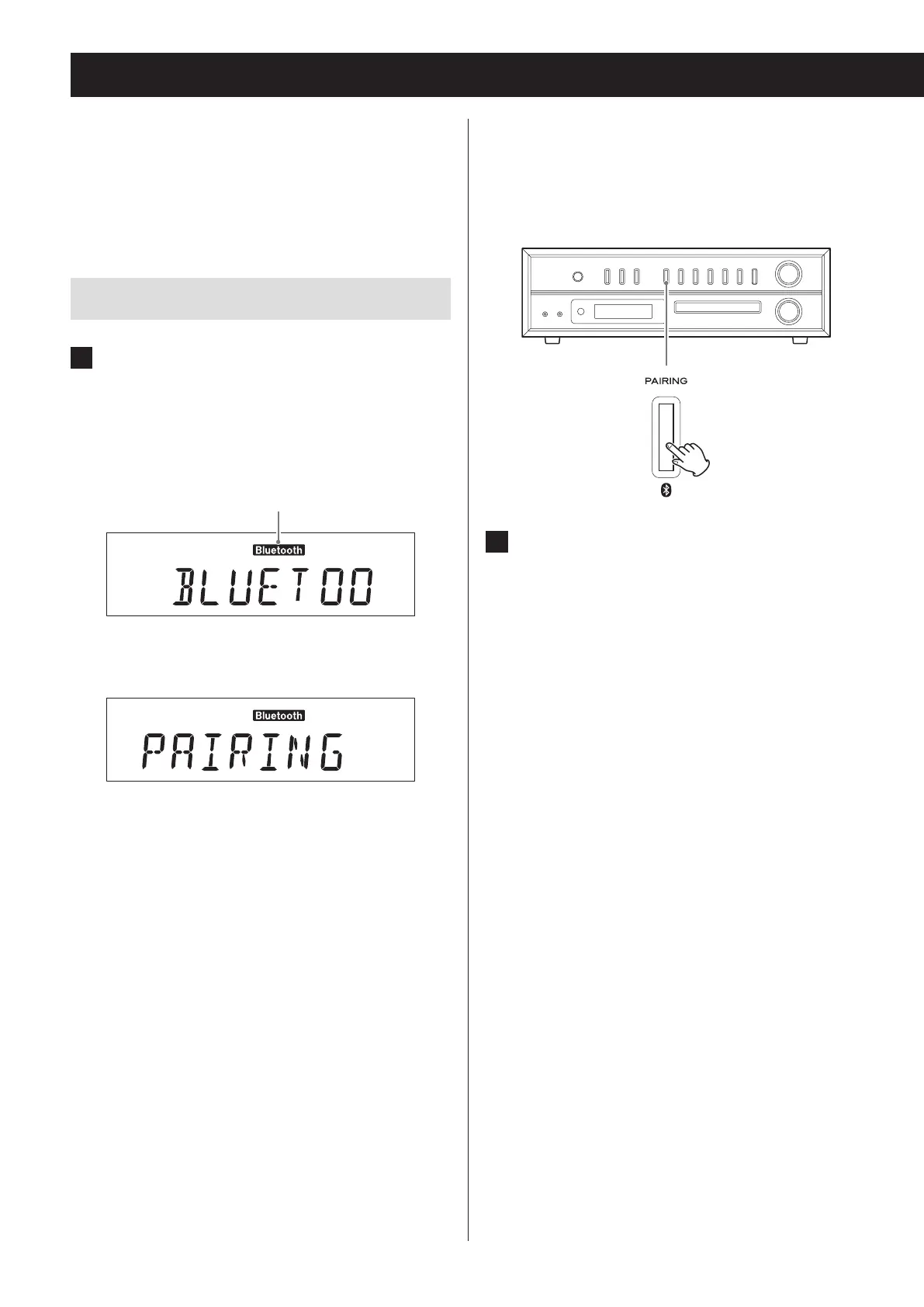
1 Press the CD/Bluetooth button to select
“Bluetooth”.
After “BLUETOOTH” scrolls across the display,
“PAIRING” appears, showing that the unit is ready to
be paired with another device.
Bluetooth indicator
c
If it cannot connect for two minutes or longer, “NO
DEVICE CONNECTED” will scroll across the display.
To begin pairing from this state, press the PAIRING
button to put the unit into pairing mode. “PAIRING”
appears on the display.
2 Enable the Bluetooth communication
function on the other Bluetooth device.


 To Next Page