56
Wakeup timer (1)
At the set time, sound will be output from the speakers.
o Adjust the clock before setting the timer (page 25).
Setting the timer
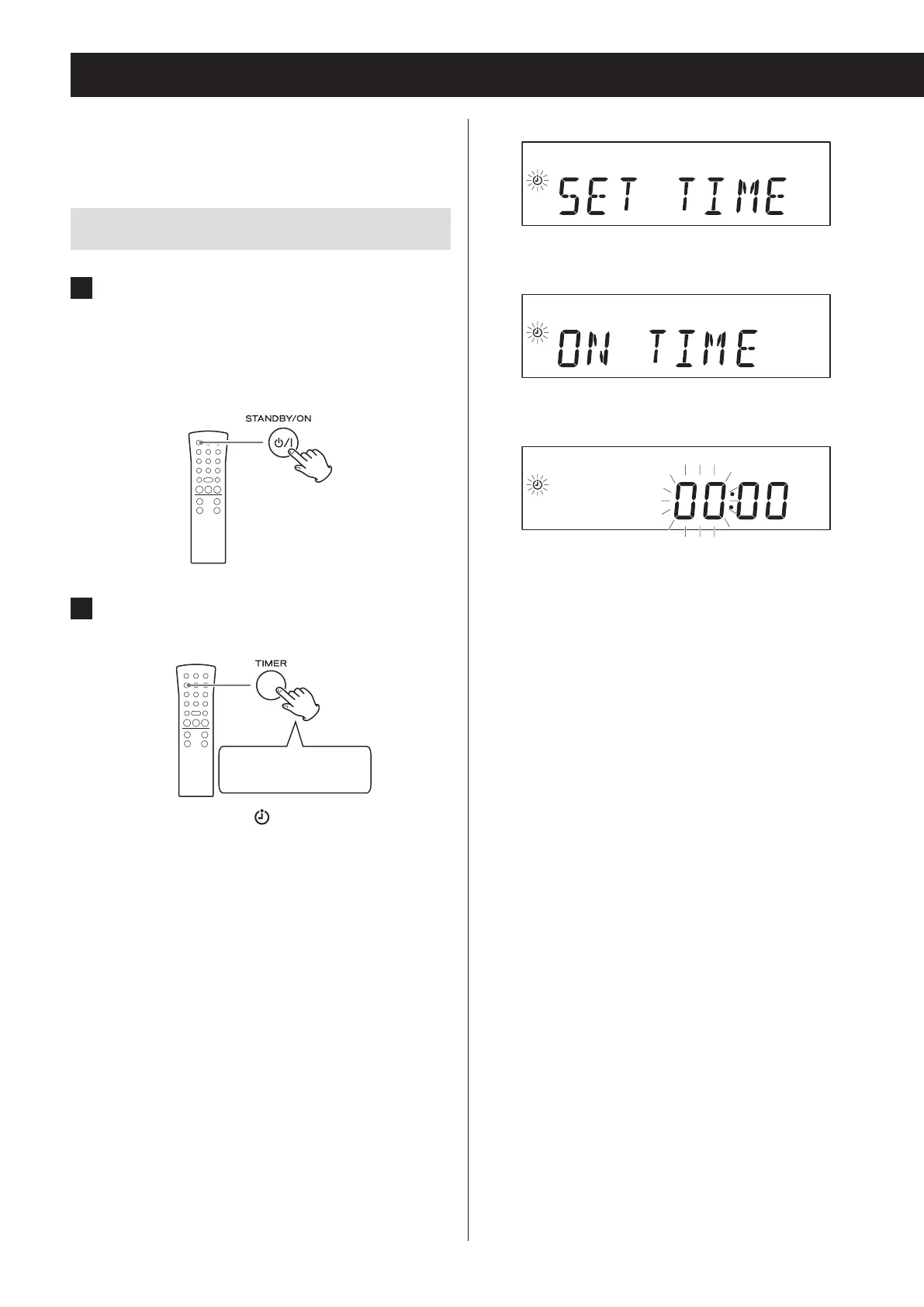
1 Put the unit into standby (power o).
The unit must be in standby to set the timer.
If the ring around the STANDBY/ON button is lit
blue, the unit is on. Press the STANDBY/ON button
to put the unit into standby.
2 Press and hold the TIMER button for at
least two seconds.
Press and hold for at
least 2 seconds
The timer indicator ( ) blinks and “SET TIMER”
scrolls across the display once. “ON TIME” appears
and then the time input mode becomes active.
Display example
c
c
The “hour” value blinks.
o If no action is taken for 10 seconds, timer setting
will end automatically.


 To Next Page