14
Clock adjustment
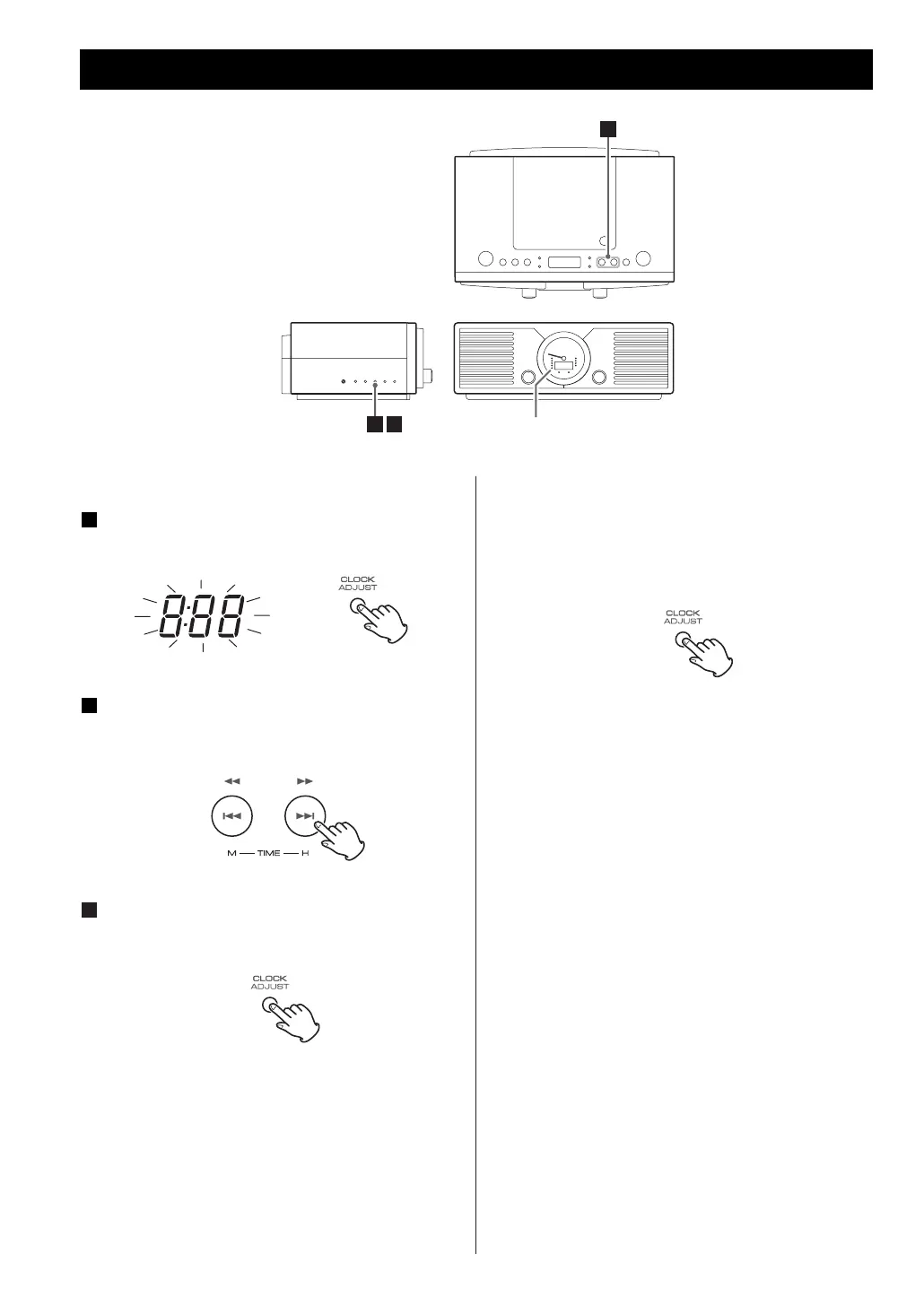
Press the CLOCK ADJUST button.
The clock display blinks.
Press the ,/ button to set the current
hour and press the .m button to set the
current minute.
Press the CLOCK ADJUST button to finish the
time setting mode.
The clock starts from 00 second.
< If the unit is disconnected from the power supply
for more than 3 minutes, the clock and timer
setting will be reset.
< If the unit is disconnected for less than 3 minutes
the time displayed may not be correct.
3
2
1
To select “12H” or “24H”
Press and hold the CLOCK ADJUST button for 2
seconds.
If you have selected “12H”, the PM indicator
lights after noon and goes out at midnight.
PM
DISPLAY
2
1 3
Clock Adjustment



 To Next Page